34
Fast flashing of LEDs 1-7 Joystick error Joystick in mid-position when
switching on
Fast flashing of LEDs 1-8 Error of control unit Check the plug connection
Fast flashing of LEDs 1-9 Brake has been released Lock the brake or check the motor
plug connection
Fast flashing of LEDs 1-10 Overvoltage on the control unit Check the battery plug connection
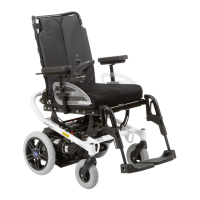
12 A200 Standard Version
The functions of the standard version are described in section 6.2 "Disassembling the A200 Power Wheel-
chair", section 7 "Adjustment Possibilities", and section 9 "Putting into Operation".
13 Options
The A200 has been designed as a modular system.
For accessories and options please refer to the order form.
The options and adjustment possibilities are described in the following.
13.1 Control Panel
13.1.1 Control Panel, swing-away
To allow the user to drive closer to a table or even below the edge of a table, the control panel can be swung to
the side with a special control panel holder. A light pressure from the side on the control panel body will disen-
gage the holder which now can easily be swung to the rear in parallel. When bringing the control panel back to
its original position, the pivot element engages automatically.
13.2 Pelvic Belt
The A200 can be equipped with a pelvic belt. The pelvic belt serves exclusively for fixation when driving the
power wheelchair. The belt must never be used as a safety belt for the user when being transported in the
wheelchair in a motor vehicle.
13.3 Other Options
• Contoured seating systems
Increased sitting comfort
• Headrest mounting kit
Headrests of our Accessories Catalogue
These and other optional add-on components are described on the order form and in the Accessories Cata-
logue.
14 Maintenance and Cleaning
14.1 Maintenance
The correct function of the A200 should be checked before every use. The checks listed in the following table
must be carried out by the user at the indicated intervals. Failure to carry out these simple checks may lead to
problems arising that could invalidate the warranty.













 To Next Page