EasyManua.ls Logo

Otto Bock B400 - User Manual

Otto Bock B400
68 pages
Print Icon
To Next Page IconTo Next Page
Loading...
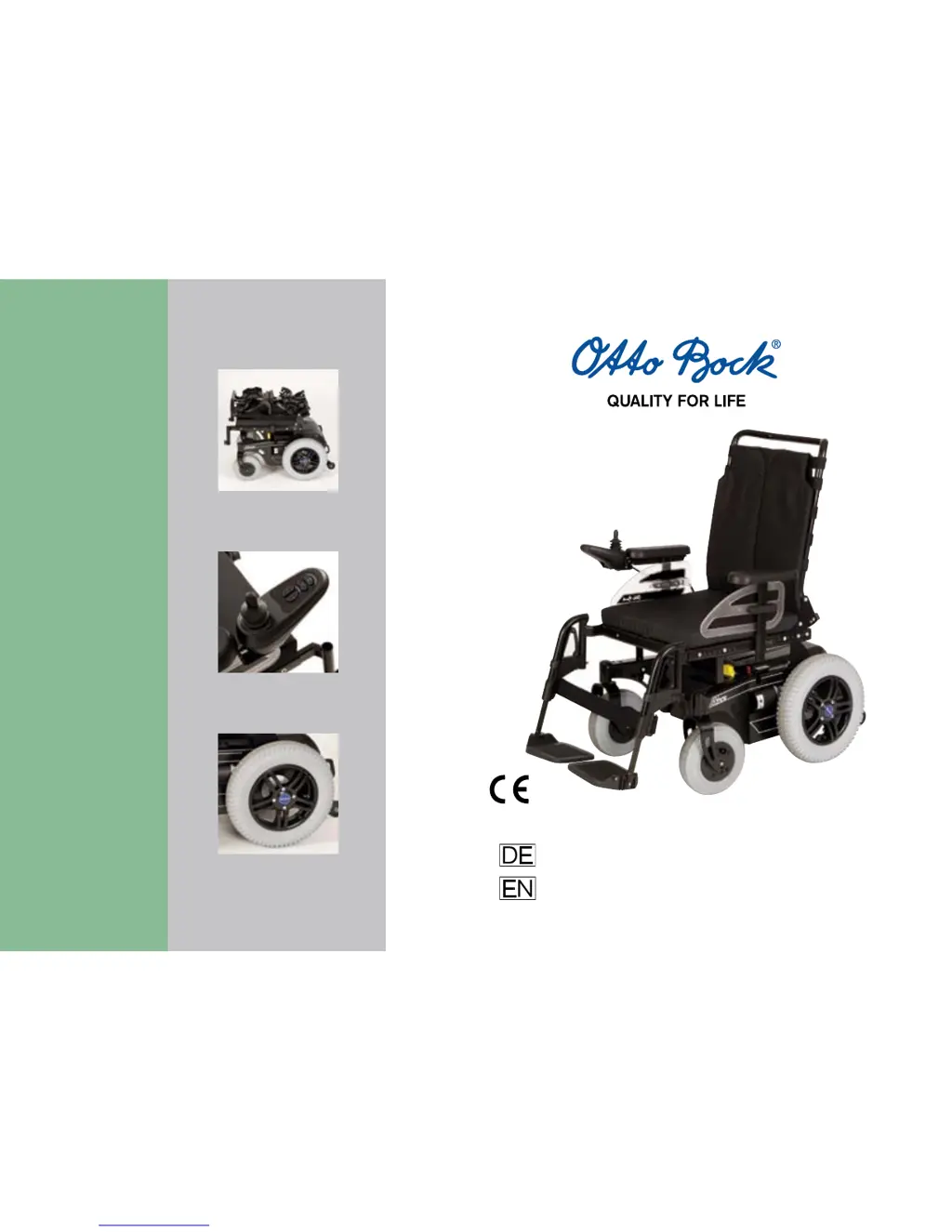
Packmaß / 
Folding size
Bedienpult /
Control Panel
Detail Felge / 
Detail Rim
Gebrauchsanweisung
Instructions for Use
B400

Table of Contents

Other manuals for Otto Bock B400

Questions and Answers

  • C
    Cynthia JamesSep 10, 2025
    What to do if Otto Bock Wheelchair driving function is blocked?
    • L
      lisa35Sep 10, 2025
      If the driving function of your Otto Bock Wheelchair is blocked, it might be because the battery charger is connected. Disconnect the battery charger to resolve this.
  • A
    Angelica BeckAug 22, 2025
    What to do if Otto Bock B400 shows controller error?
    • Z
      zthorntonAug 22, 2025
      If you're encountering a controller error with your Otto Bock Wheelchair, it might be due to a defective controller. Check all connections to resolve this issue.
  • M
    Mrs. Danielle Cruz DDSAug 25, 2025
    Why does my Otto Bock B400 show a joystick error?
    • B
      Barry ByrdAug 25, 2025
      If you're getting a joystick error on your Otto Bock Wheelchair, the joystick might not have been in the zero position when you switched it on. To fix this, switch the joystick to the zero position before turning on the wheelchair.
  • M
    Mackenzie Morris MDAug 27, 2025
    How to troubleshoot communication error between control panel and controller on Otto Bock Wheelchair?
    • L
      Lisa FieldsAug 27, 2025
      If you're experiencing a communication error between the control panel (joystick) and the controller on your Otto Bock Wheelchair, it could be due to a poor cable or loose plug connection. Check all the connections to resolve this.
  • L
    Lisa HerreraAug 27, 2025
    What causes short circuit on battery connection to right motor in Otto Bock B400 Wheelchair?
    • S
      steven91Aug 27, 2025
      If there's a short circuit on the battery connection to the right motor of your Otto Bock Wheelchair, it might be due to a broken cable. Check the battery connection to the right motor.
  • J
    jacksondeborahAug 29, 2025
    What causes short circuit on battery connection to left motor in Otto Bock B400?
    • B
      Belinda MasonAug 29, 2025
      If there's a short circuit on the battery connection to the left motor of your Otto Bock Wheelchair, it could be due to a broken cable. Check the battery connection to the left motor.
  • V
    Victoria SalazarSep 18, 2025
    How to resolve communication error between control panel and controller on Otto Bock B400 Wheelchair?
    • A
      Amy HernandezSep 18, 2025
      A communication error between the control panel (joystick) and controller on your Otto Bock Wheelchair might occur due to a poor cable or loose plug connection. Check the connections to resolve this.
  • C
    Charlotte DicksonSep 12, 2025
    What to do if Otto Bock B400 shows a joystick error?
    • T
      Tonya MartinezSep 12, 2025
      If your Otto Bock Wheelchair displays a joystick error, ensure the joystick is in the zero position before switching on the device. This should resolve the error.
  • S
    Sonia GarciaSep 8, 2025
    What should I do if my Otto Bock Wheelchair shows a controller error?
    • S
      Stephanie ThomasSep 8, 2025
      If your Otto Bock Wheelchair displays a controller error, it may be due to a defective controller. Check all connections to the controller.
  • C
    Cody HoodSep 5, 2025
    How to fix a joystick error on Otto Bock Wheelchair?
    • N
      Nicole MunozSep 5, 2025
      If you're getting a joystick error on your Otto Bock Wheelchair, make sure the joystick is in the zero position before you switch the power on. This is likely due to the joystick not being in the zero position during startup. Switch the joystick to the zero position and then switch on the power.

Summary

General Information

1.1 Foreword

Introduction to the manual's purpose and scope.

1.2 Intended Use

Specifies the power wheelchair's design for individual mobility indoors and outdoors.

1.3 Field of Application

Details the conditions and impairments for which the wheelchair is suitable.

1.4 Service

Outlines requirements for service and repairs by authorized personnel.

Safety

2.1 Explanation of Symbols

Defines warning symbols (Warning, Caution, Notice, Information) used in the manual.

2.2 Standards and Directives

Refers to national laws, EU regulations, and safety standards compliance.

2.3 General Safety Instructions

Provides general safety precautions for operation and handling.

2.4 Safety Requirements for Transportation, Storage and Assembly

Covers safety during transport, storage, and assembly, including vehicle use.

2.5 Safety Requirements for Operation

Details critical safety aspects during the power wheelchair's operation.

2.6 Safety Requirements for Care, Maintenance and Disposal

Outlines safety guidelines for maintenance, cleaning, and proper disposal.

2.7 Requirements for the User

Specifies user qualifications and conditions for safe operation.

2.8 Safety Functions

Explains built-in safety features like emergency stop and malfunction response.

2.9 Warning Symbols and Type Plates

Identifies and explains various warning symbols and type plate information.

Transportation and Storage

Operation

6.1 Adjustment Possibilities

Describes user-adjustable settings like backrest, armrest, and footrest.

6.1.1 Backrest

Explains how to adjust the backrest angle.

6.1.2 Side Panel with Armrest

Details removal and height adjustment of side panels and armrests.

6.1.3 Control Panel

Covers adapting the control panel's position and potential cable management.

6.1.4 Footrest

Instructions on dismantling, reassembling, and adjusting the footrest.

6.2 Getting Into and Out of the Power Wheelchair

Provides methods for safely entering and exiting the wheelchair.

6.2.1 From the Side

Step-by-step guide for getting into/out from the side.

6.2.2 From the Front

Step-by-step guide for getting into/out from the front.

6.3 Control Unit

Overview of the control unit and its components.

6.3.1 Control Panel

Details the functions and components of the control panel.

6.3.2 Switching On and Off

Instructions for powering the wheelchair on and off safely.

6.3.3 Driving Function

Explains how to operate the driving controls, speed levels, and safety during driving.

6.3.4 Battery Capacity LED Indicator

Describes how to interpret the battery status indicators.

6.3.5 Drive Lock

Details the electronic drive-away lock activation and deactivation.

6.4 Releasing and Locking the Brake

Instructions on how to release and lock the wheelchair's brakes.

6.5 Batteries

Information regarding battery types, location, and basic checks.

6.5.1 Battery Charging

Safety precautions and procedures for charging the batteries.

6.5.2 Battery Charger

Details on using the battery charger and its indicators.

Accessories

7.1 Mechanical Seat Tilt

Instructions for adjusting the mechanical seat tilt for pressure relief.

7.2 Lighting

Information on the wheelchair's lighting system and adjustment.

7.2.1 Changing Defective Lights

Guide on how to replace faulty lamps in the lighting system.

7.3 Front Wheel Swivel Lock

Explains how to engage and release the front wheel swivel lock for straight driving.

7.4 Mechanically Elevating Footrest

Instructions for adjusting the mechanically elevating footrests.

7.5 Swing-away Control Panel Holder

Details the use of a holder to swing the control panel aside.

7.6 Lap Belt

Instructions on applying and adjusting the lap belt for safety.

7.7 Other Options

Lists additional optional components like curb climbing assist and special tires.

Failures;Troubleshooting

8.1 Warning

Explains the meaning of warnings related to component status or malfunctions.

8.2 Error

Guides the user on interpreting error signals and resolving malfunctions.

Maintenance, Cleaning and Care

9.1 Maintenance Intervals

Lists recommended checks and maintenance intervals for various components.

9.2 Changing the Fuse

Instructions for safely replacing the fuse in the battery case.

9.3 Changing Tyres

Steps for removing and replacing drive and front wheel tires.

9.4 Cleaning and Care

Guidelines for regular cleaning and care of the wheelchair.

9.4.1 Disinfection

Procedures for disinfecting the wheelchair components.

Technical Data

Dimensions and weights

Provides detailed dimensions, weights, and load capacities of the wheelchair.

Electrical Installation

Details specifications for lighting and power requirements.

Battery Charger

Technical specifications for the battery charger unit.

Disposal

Information on Re-use

Liability

CE Conformity

Otto Bock B400 Specifications

General IconGeneral
Obstacle height5 cm
Max. speed6 km/h
Max. user weight140 kg
Frame MaterialSteel
Front Wheel Size200 mm
BrakesElectromagnetic
FootrestsSwing-away
Back height450 mm
Turning radius800 mm
Range35 km
Weight95 kg

Related product manuals