06/2011 B400Page 114
Operation
DirectionIndicators
The right or left front and rear direction indicators are acti-
vated and deactivated by pressing the “direction indicator,
right” or “direction indicator, left” keys respectively.
7.2.1 ChangingDefectiveLights
NOTICE
Riskofdamageduetomoisture.When reinserting the
panes, make sure they are seated correctly on the hous-
ing and ensure the screws are firmly tightened so as to
avoid moisture from penetrating into the lamps.
INFORMATION
Lamp housings or lamps can be ordered from a specialist
dealer.
To change the halogen lamp in the front light, proceed as
follows:
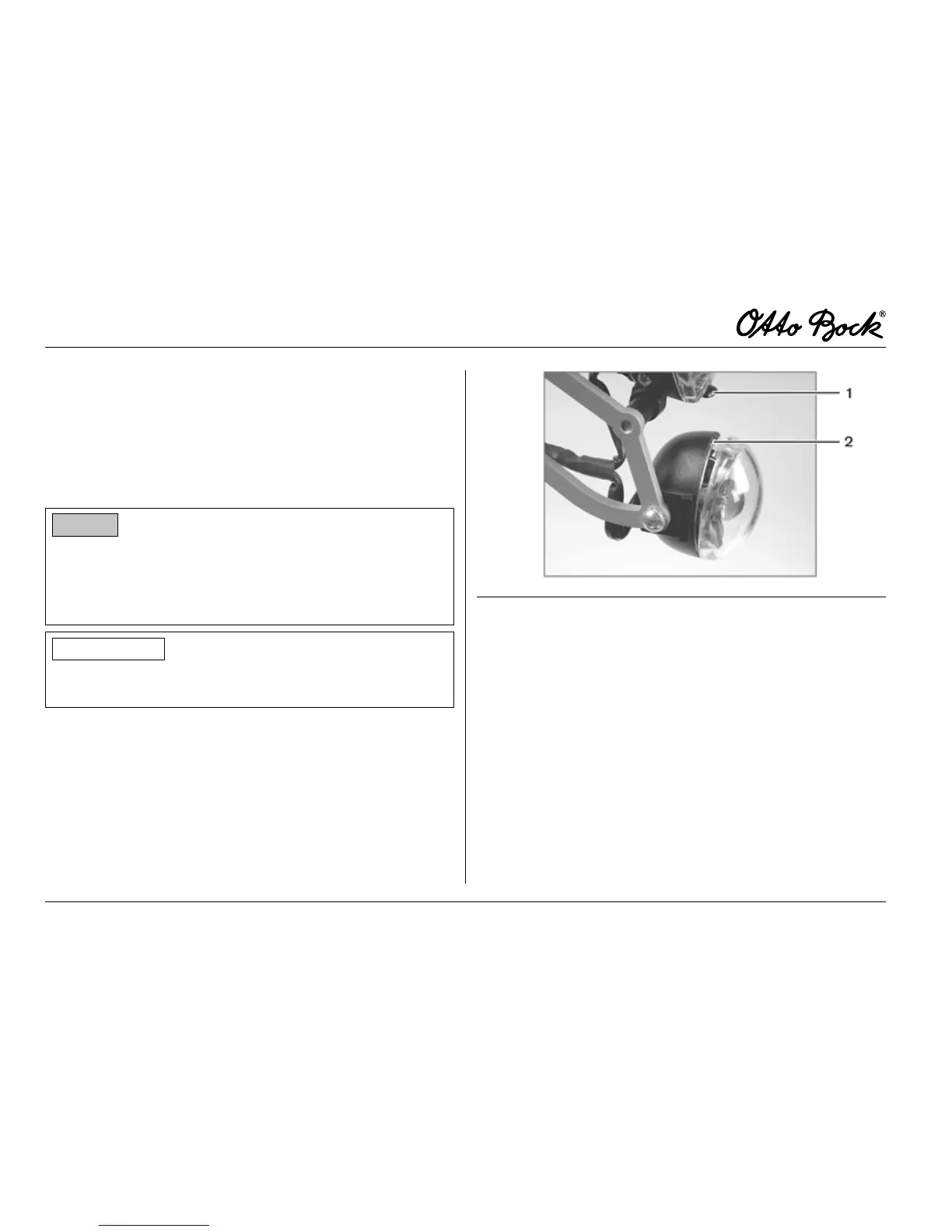
n Lightly push the black engaging lever at the lower end of
the lamp and fold the pane forward (see g. 21, item 1).
Fig.21 Changingthefrontlights
1 Engaging lever of front light
2 Recess (use the screwdriver at this point)
n Remove the pane with mirror towards the front.
n Pull the bulb out of the rear of the mirror.
n Replace and reinsert the bulb.
n Insert the pane with mirror and bulb into the
lamp housing.
n Make sure that the pane securely snaps in place.















 To Next Page