06/2011 B400Page 100
Operation
6.3 ControlUnit
NOTICE
Riskofimpairingthedrivingperformanceofthepower
wheelchair. The driving characteristics of the power
wheelchair can be affected by electromagnetic fields (mo-
bile phones or other radiating devices). For this reason, all
mobile devices are to be switched off when driving.
NOTICE
Damage of other devices. The power wheelchair can
generate electromagnetic fields that can cause interfer-
ence with other devices. Therefore, switch off the controls
whenever you do not need them.
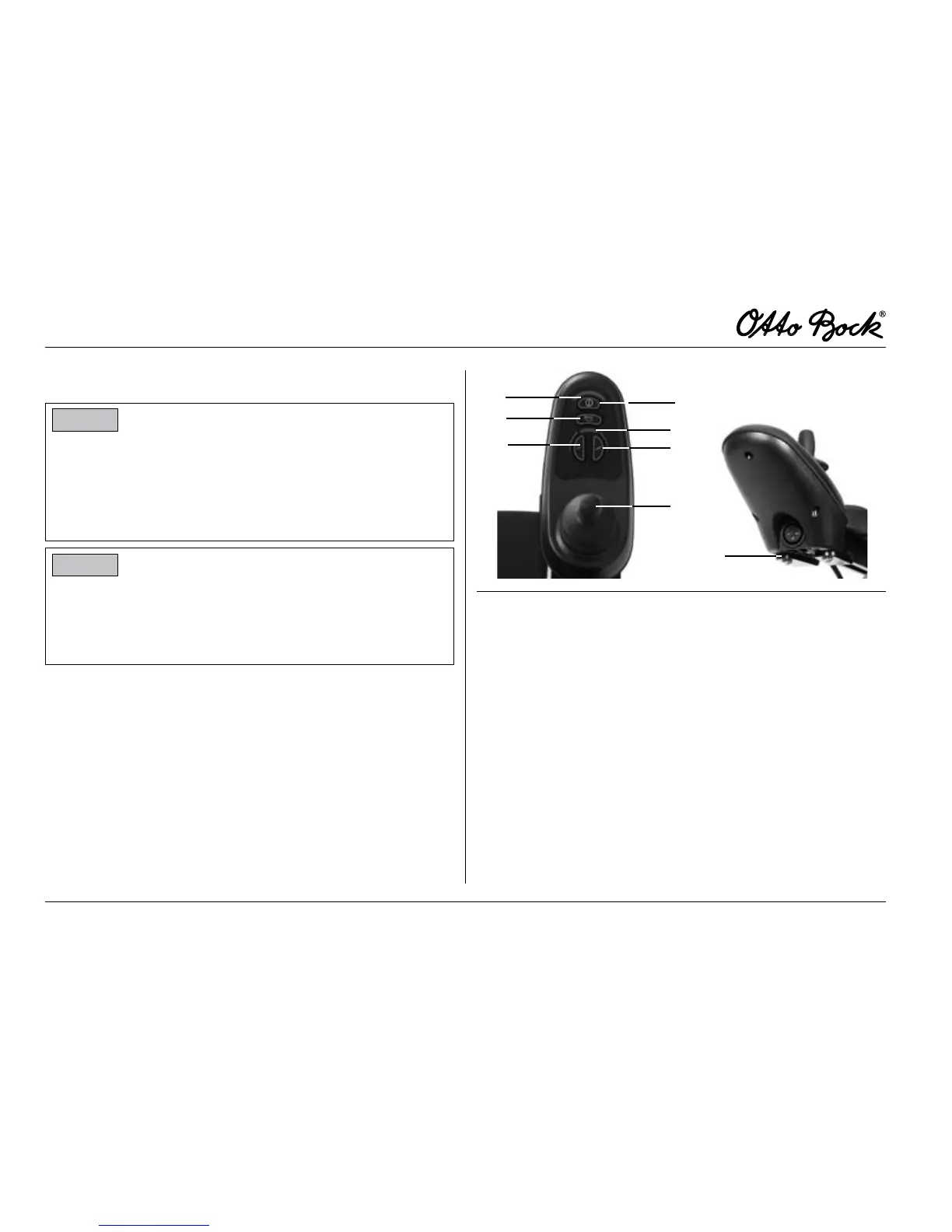
6.3.1 ControlPanel
The control panel is used to control the power wheelchair.
The control panel consists of a keypad, LED display and
joystick. The charging/programming receptacle is on the
underside. The control panel is used to switch the power
wheelchair on and off, to enter driving commands and to
display the current state of certain functions and compo-
nents.
1
3
4
6
7
5
2
8
Fig.14 Controlpanel
1 Joystick 5 Horn
2 Speed button
slow
6 On/Off key
3 Speed button
fast
7 Battery Capacity LED indicator
4 Speed Level LED indicator 8 Charging receptacle
(underside)















 To Next Page