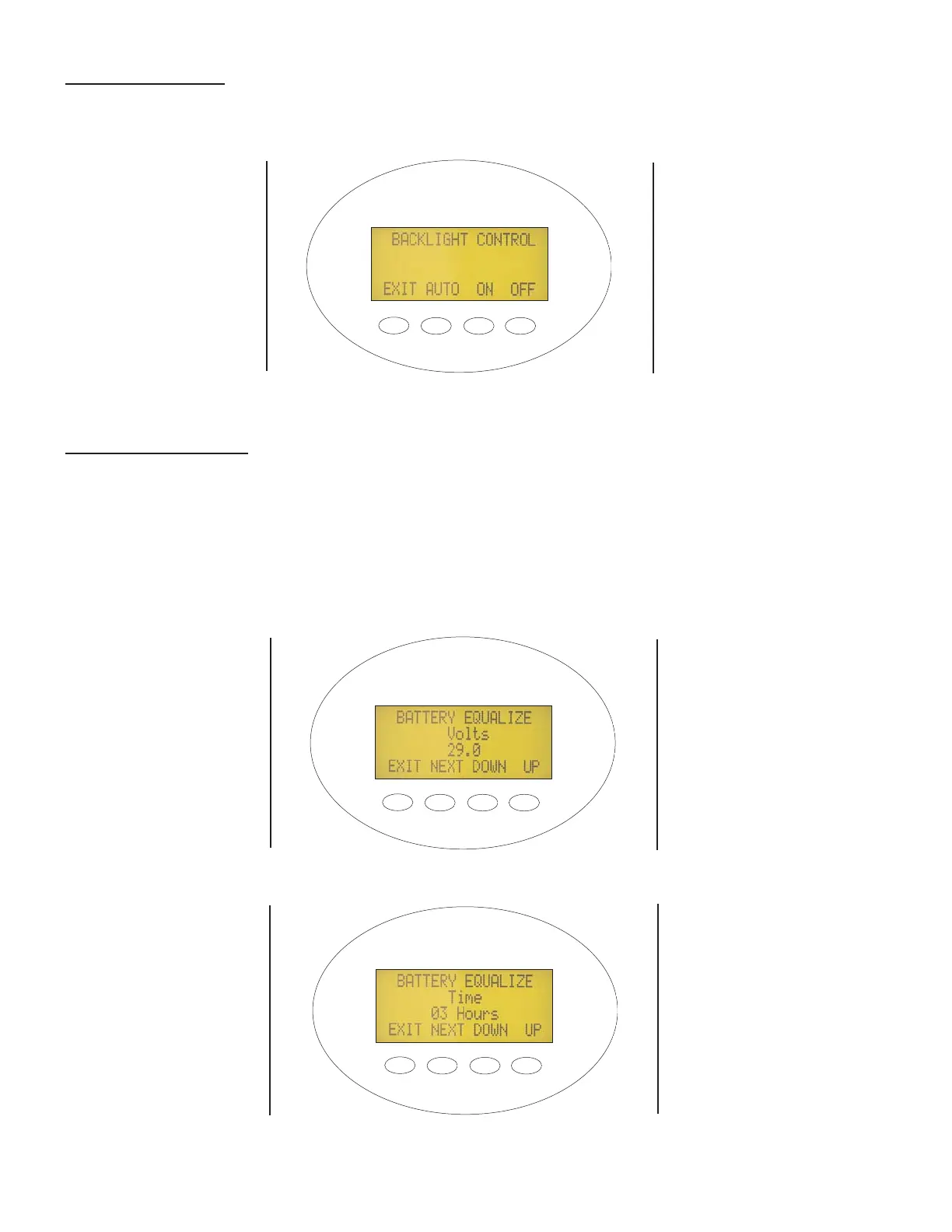
Backlight Control: The backlighting of the LCD screen and the buttons consumes about ¾ watt. The user can con-
trol backlight options using the setup screen shown in Figure 10. Depending on your energy production, you may elect
to leave the lighting off or on. There is also a third option called Auto. Tapping any key quickly while in Auto mode will
turn the lights on for 30 seconds. This first key tap to turn on the backlight will not change any of the settings.
Figure 10 - Backlight Control Set-up Screen
Battery Equalization: Flooded electrolyte batteries should occasionally be subjected to an equalization process to
convert sulfation from the lead plates. This process can be dangerous, so make sure you understand it completely
before equalizing your batteries! The default EQ settings are: equalize voltage set the same as the absorb voltage and
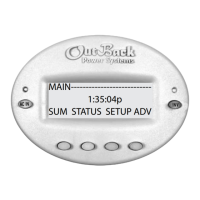
equalize time set to one hour. The screens shown in Figures 11 through 13 allow the user to change the equalization
voltage setpoint and time limit as well as start or stop the equalization process. The DC loads should be turned off and
the battery should be charged enough so that the MX60 can reach the EQ setpoint voltage.
NOTE: VALVE REGULATED LEAD ACID (VLRA) OR OTHER SEALED TYPE BATTERIES SHOULD NOT BE EQUALIZED
UNLESS
SPECIFICALLY RECOMMENDED BY THE BATTERY MANUFACTURER
Figure 11 - Battery Equalization Voltage Set-up Screen
Figure 12 - Battery Equalization Time Set-up Screen
PRESS “NEXT” TO
CONTINUE TO THE
BATTERY
EQUALIZATION
TIME SET-UP
SCREEN
PRESS “NEXT” TO
CONTINUE TO THE
BATTERY
EQUALIZATION
START SCREEN
11


 To Next Page