Operation procedures
Version 1.3, 2021-12-14 59
1
2
3
4
5
5.2.2 Using the LCD
The OxyLogic LCD on the PCB of the IntrCooll® can show:
- System status: During normal operation, by default the OxyLogic LCD shows
which processes are currently active in the IntrCooll®.
- Display menu: The actual state of various components inside the unit. These
values have the prex "W".
- Settings menu: Setpoints that can be changed. These items have the prex "S".
- Error messages: These items have the prex "Error".
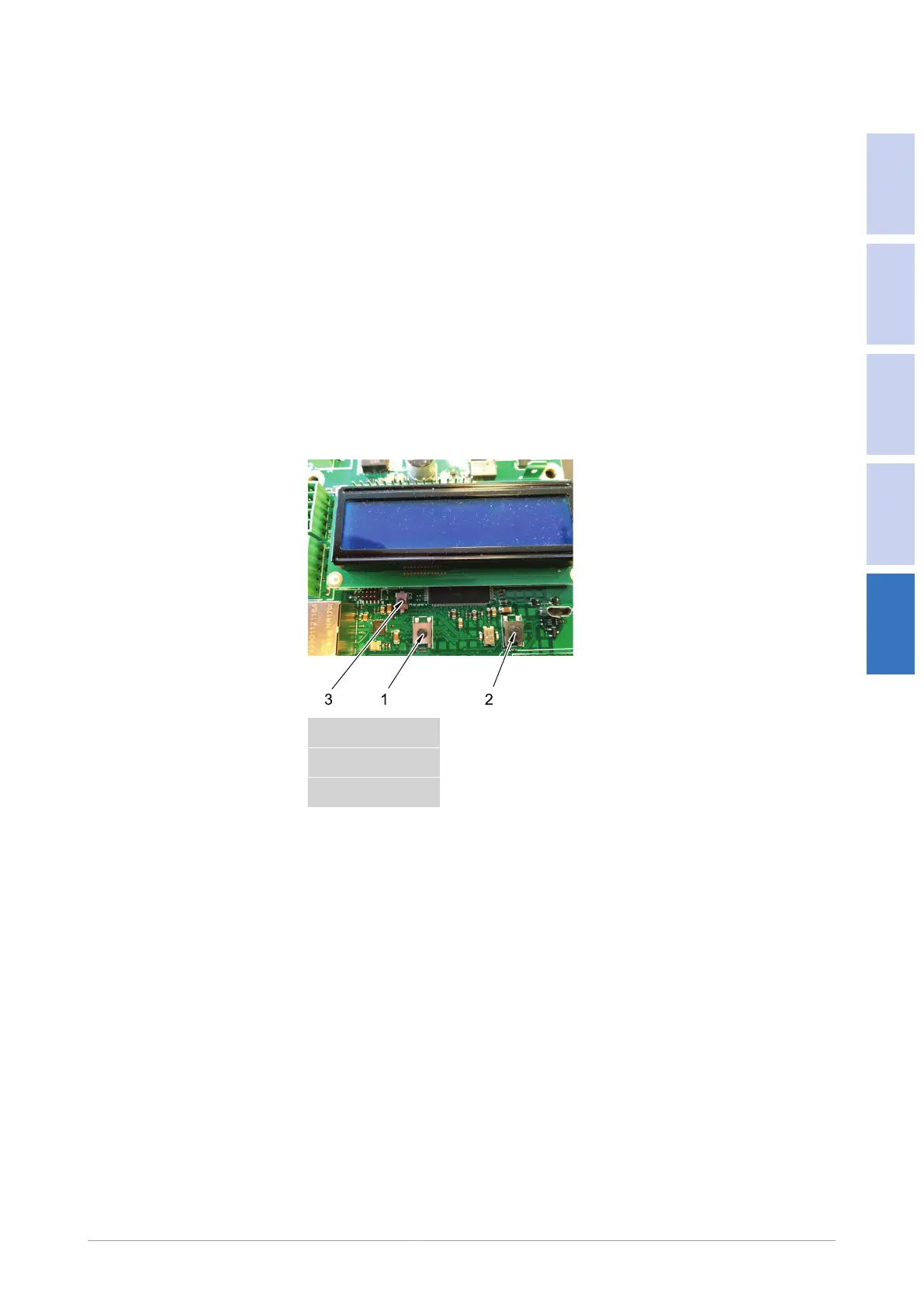
To view, select, edit or reset the values on the OxyLogic LCD, there are 3 buttons
near the OxyLogic LCD on the PCB.
OxyLogic LCD
1. Navigation button 1
2. Navigation button 2
3. Reset button


 To Next Page