12
EN
4.3 Operaon in standard mode
4.3.1 Use without remote control
Steps Acon Illustraon
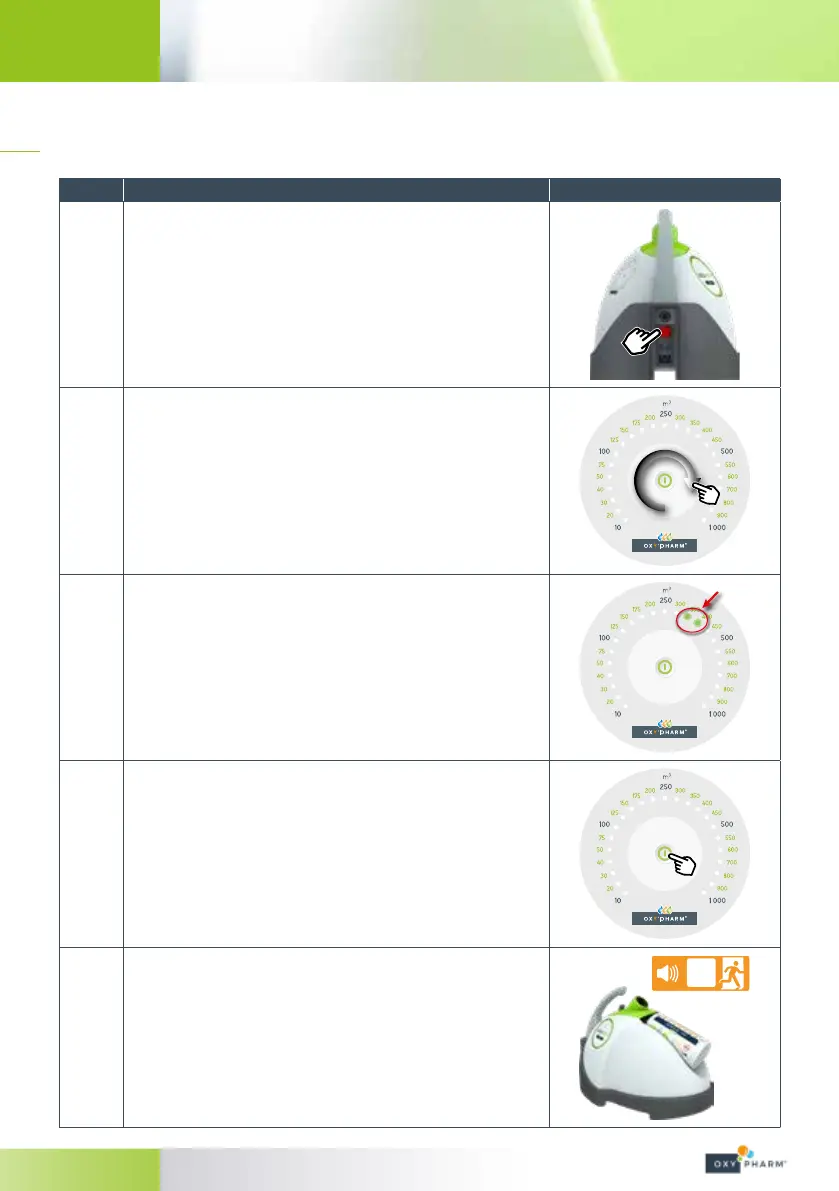
1
Plug in the NOCOSPRAY 2 power cable.
Set the power switch to “1”.
2
Select the volume to be treated by sliding your nger over the pale
part of the keypad (*).
The selection range is between 10 m
3
and 1 000 m
3
.
(*) In standard mode, the volume selected by default is 10 m
3
.
3
The level is progressive: if two LEDs are illuminated, the intermediary
value is selected.
For example, if LEDs 10 and 20 are illuminated, the selected volume is
15m
3
.
4
To launch the device, press the button at the centre of the key pad
(press and hold).
5
A beep will sound for 15 seconds before the machine begins to
function.
Leave the room before the end of the 15seconds.
AT the end of diusion, a beep will sound.
The device will stop automatically.
S


 To Next Page