22
EN
5.2 History transfer
Steps Acon Illustraon
1
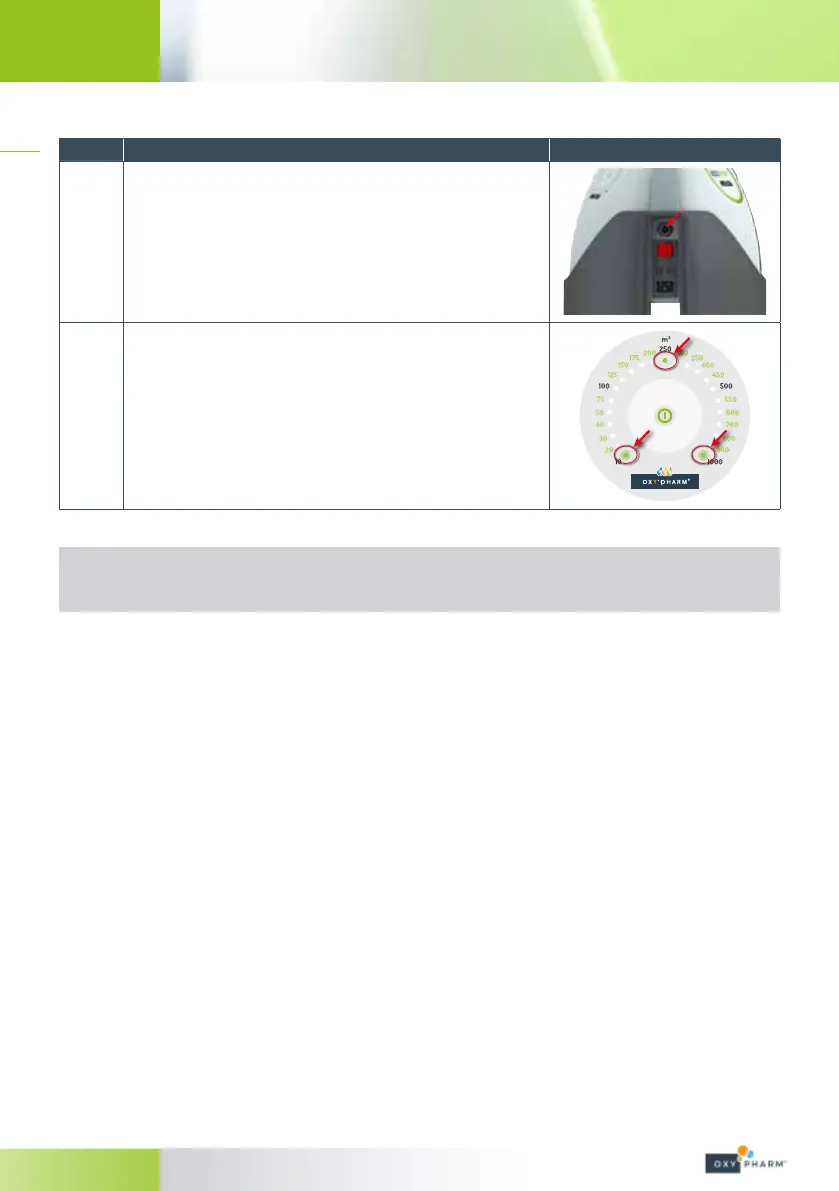
Plug the USB cable into the back of the NOCOSPRAY 2 and into the
USB Port of your computer (*).
2
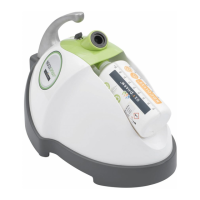
During data transfer:
• the LEDs 10 and 1000 blink,
• the LED 250 is illuminated.
(*) No treatment may be performed whilst the USB cable is plugged in.
It is recommended to keep the USB cable connected during data modication
(see § 5.3).


 To Next Page