21
EN
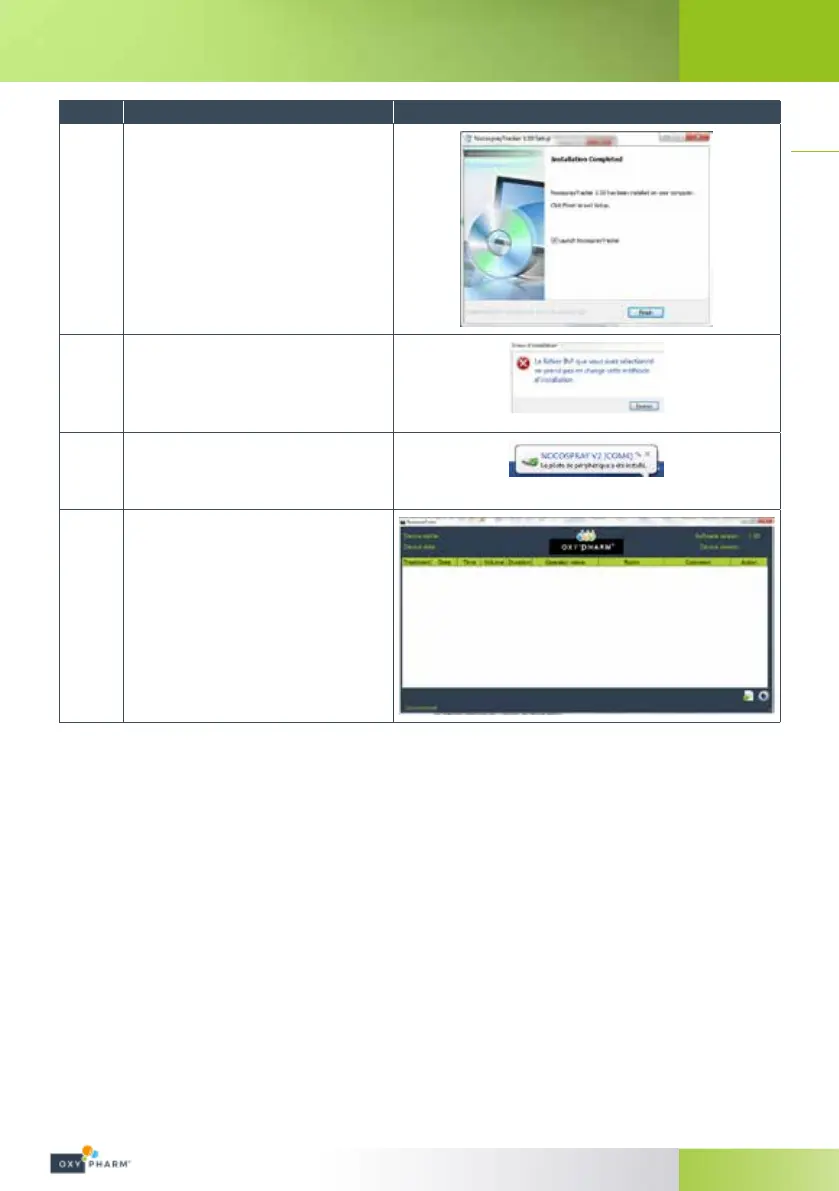
Steps Acon Illustraon
4
Click “Finish”.
5
If the following window appears, click
“Close”.
6
The icon opposite may be displayed to
indicate that the peripheral driver has been
correctly installed.
7
The software "NocosprayTracker" is launched
automatically after installation.
If your computer does not allow automatic installation, seek advice from your IT manager.


 To Next Page