System Operations Manual
www.paceworldwide.com
Page 17 of 50
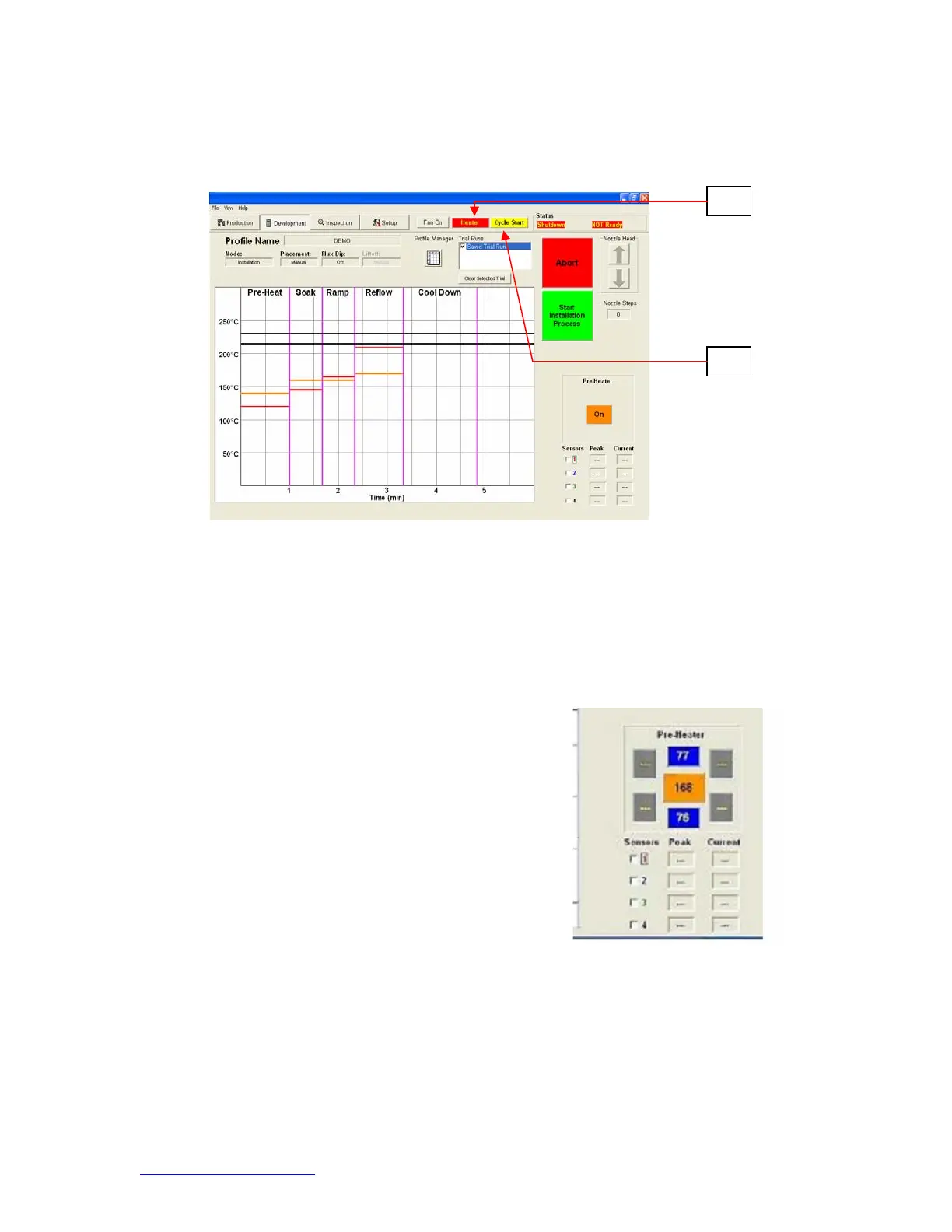
xi. Heater. Click on Heater button during profile development to deactivate
heater.
xii. Cycle Start. Click on button to run profile during development.
xi
xii
TF 2700 Pre-Heater Indicator. Indicates which pre-
heater is on and the current temperature. To turn on
or off individual secondary pre-heaters click on the
graphic. While individual secondary pre-heaters can
be turned on and off, they must all be set at the same
temperature. They can be adjusted by dragging the
yellow lines on the graph or through the profile
manager.
TF 2700 Pre-heater Indicator
Figure 7b
Figure 7c


 To Next Page