Section 5
LABELING UNIT
- 24 -
English
F412050100.fmIDM
version
Module 40/60/90/120
The labeling machine containing the unit does not
need to be in operation to be able to perform a test, nor
does the START sensor need to generate a command
signal. During the test, the unit takes action
independently to drive the stepping motor at a constant
speed, so the speed of label delivery will not be
synchronized with the signal from the encoder.
For the following adjustments, refer to the chapter
“Information on adjustments”:
– speed adjustment
– automatic adjustment of the label-reading
photocell’s sensitivity
– manual adjustment of the label-reading photocell’s
sensitivity
– adjustments for narrow labels.
Important
The last two adjustments cannot be made from the
push-button control panel.
INSERTING A REEL
Important
The path covered by the paper
varies slightly from one model to
another. Refer to the figure attached
to the guard over the driving unit to
see the path the paper has to follow.
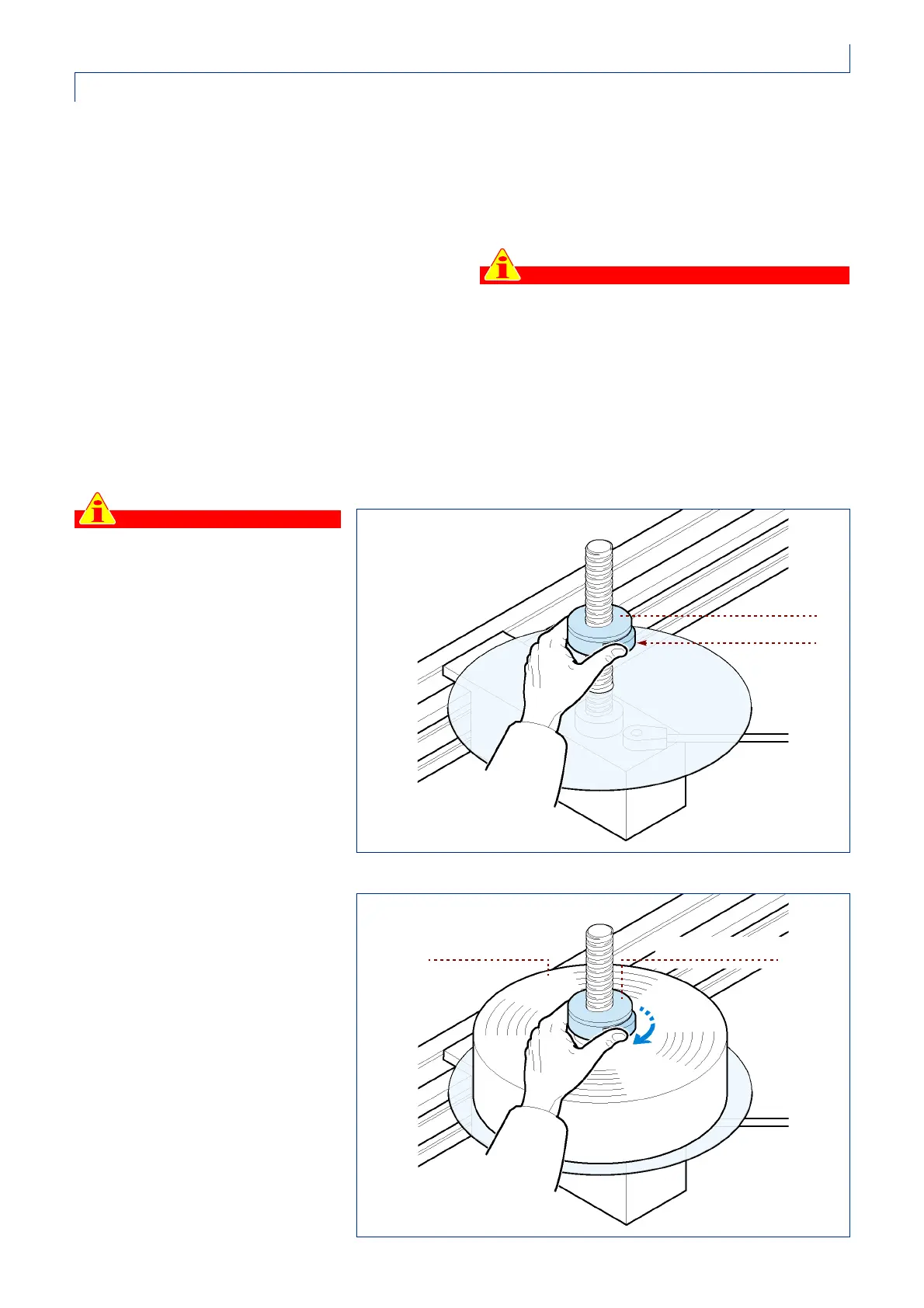
To introduce a new reel, follow these
instructions:
1 -take the centre square out of its
housing by pressing the clutch;
2 -Insert the new reel on the disk and
put the centering device back in
place, pushing it right down while
pressing on the coupling.
3 -Release the button and screw
down the centering device for a
fraction of a turn in order to lock the
reel in place.
IDM-01_021_0.tif
centre square
clutch
IDM-01_022_0.tif
centre squarereel



 To Next Page