16
© Pacojet International AG 2022
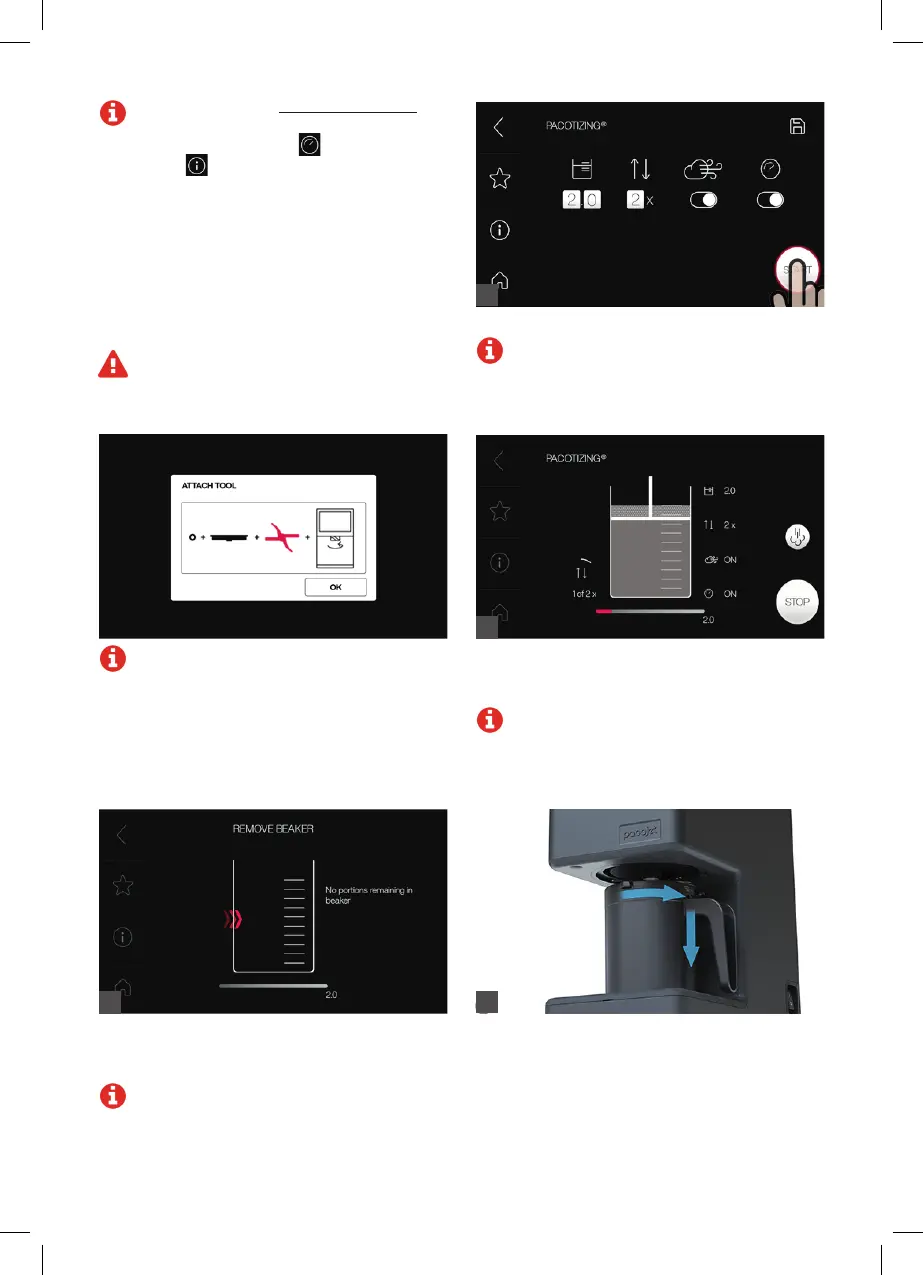
During the pacotizing
®
process, the selected
parameters as well as the processing progress are
displayed.
Note: The pacotizing
®
process can be
stopped at any time by pressing “Stop.”
Note: If the spray guard is not properly
attached or if a tool unsuitable for the
pacotizing
®
process is used, an error
message will appear.
Press “Start” to start the pacotizing
®
process.
Note: The processing operation can be
followed on the
touchscreen.
11
12
Once the pacotizing
®
process is complete, the
display shows the portions remaining in the
pacotizing
®
beaker.
Note: If the pacotizing
®
beaker contents are
insufficient for the number of portions desired,
this will be indicated. Load a new, sufficiently
filled pacotizing
®
beaker.
13
Twist the protective beaker out after pacotizing
®
.
Pressing the lever on the handle of the protective
beaker makes it easier to remove.
14
Note: The recipes at www.pacojet.com
that are specifically meant for Jet
®
Mode are
identified by the symbol
. The information
symbol
on the touchscreen displays the
steps required.
“Softer” recipes with a high fat and sug-
ar content are generally suitable for rapid
processing. Avoid its use for recipes with a
high water content. Frequent use of the rapid
processing feature (Jet
®
Mode) can result
in increased wear of the pacotizing
®
blade.
Never use liquid nitrogen!
Caution: Overload/overcurrent can occur if
the mass is too hard!



 To Next Page