User’s Manual
2
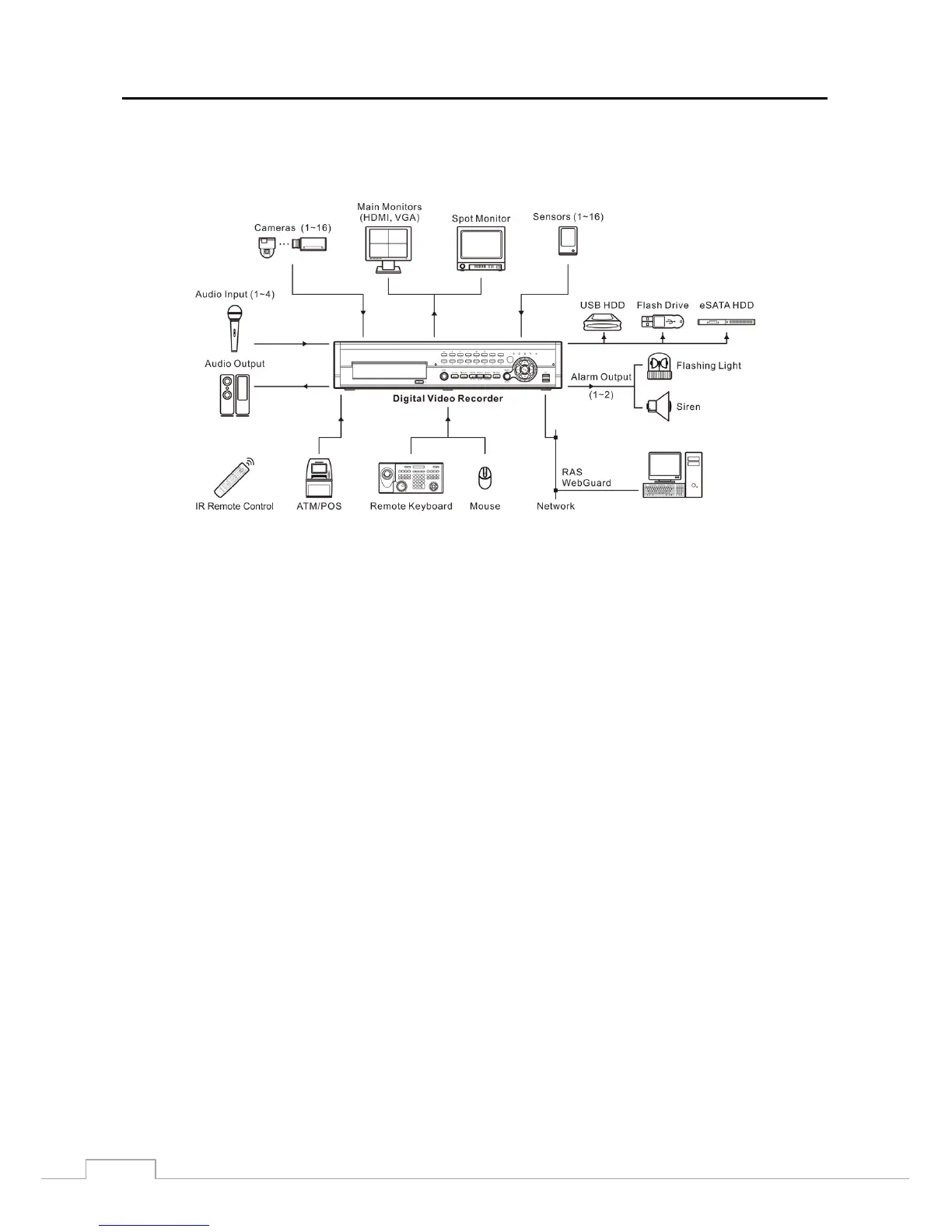
You can view video and control your DVR remotely by connecting via Ethernet. There are two USB ports that can
be used to upgrade the system or copy video clips to external hard disk and flash drives, and there is an eSATA port
that can be used to record video to an external hard disk drive.
Figure 1: Typical DVR installation.
NOTE: This manual covers the 8- and 16-channel digital video recorders. The DVRs are identical except for the
number of cameras and alarms that can be connected and the number of cameras that can be displayed.
For simplicity, the illustrations and descriptions in this manual refer to the 16-camera model.







 To Next Page