User’s Manual
8
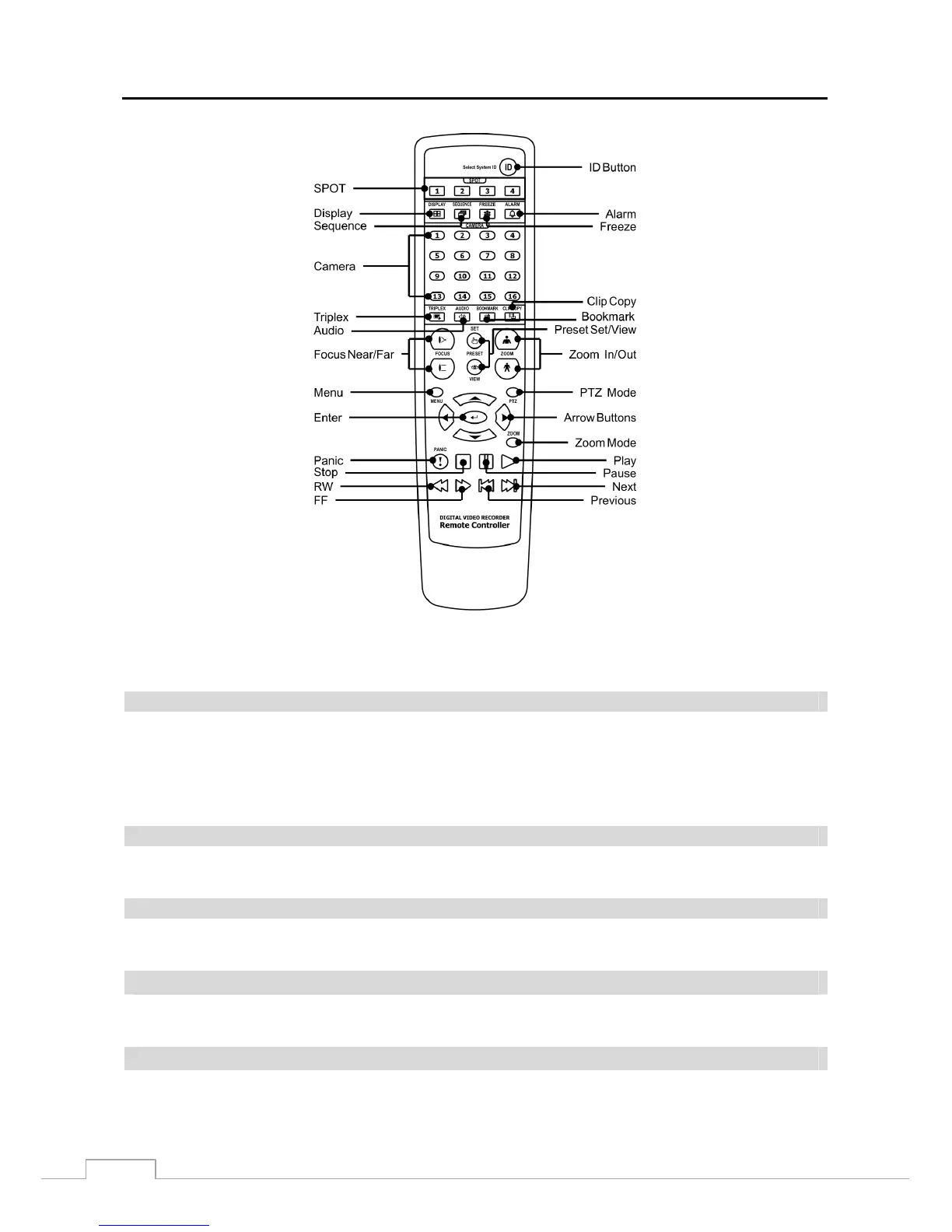
Figure 4: Infrared remote control.
NOTE: For simplicity, the button descriptions in this manual refer to the front panel buttons.
Camera Buttons (1 to 16)
Pressing the individual camera buttons will cause the selected camera to display full screen. Buttons 1 to 9 are also
used to enter passwords.
In the PTZ mode, pressing the button 1 zooms in the screen and the button 2 zooms out the screen, pressing the button
3 focuses near and button 4 focuses far, and pressing the button 5 moves to the preset and button 6 saves the preset.
HDD LED
The HDD LED flickers when the DVR is recording or searching video on the hard disk drive.
Alarm Out LED
The Alarm Out LED is lit when alarm output or internal buzzer is activated.
Network LED
The Network LED is lit when the unit is connected to a network via Ethernet.
Clip Copy LED
The Clip Copy LED is lit when the DVR is clip-copying.







 To Next Page