4Overview of operating and display elements
14 3577-en-us_V1.1_08/17
4 Overview of operating and display
elements
4.1 Operating element overview
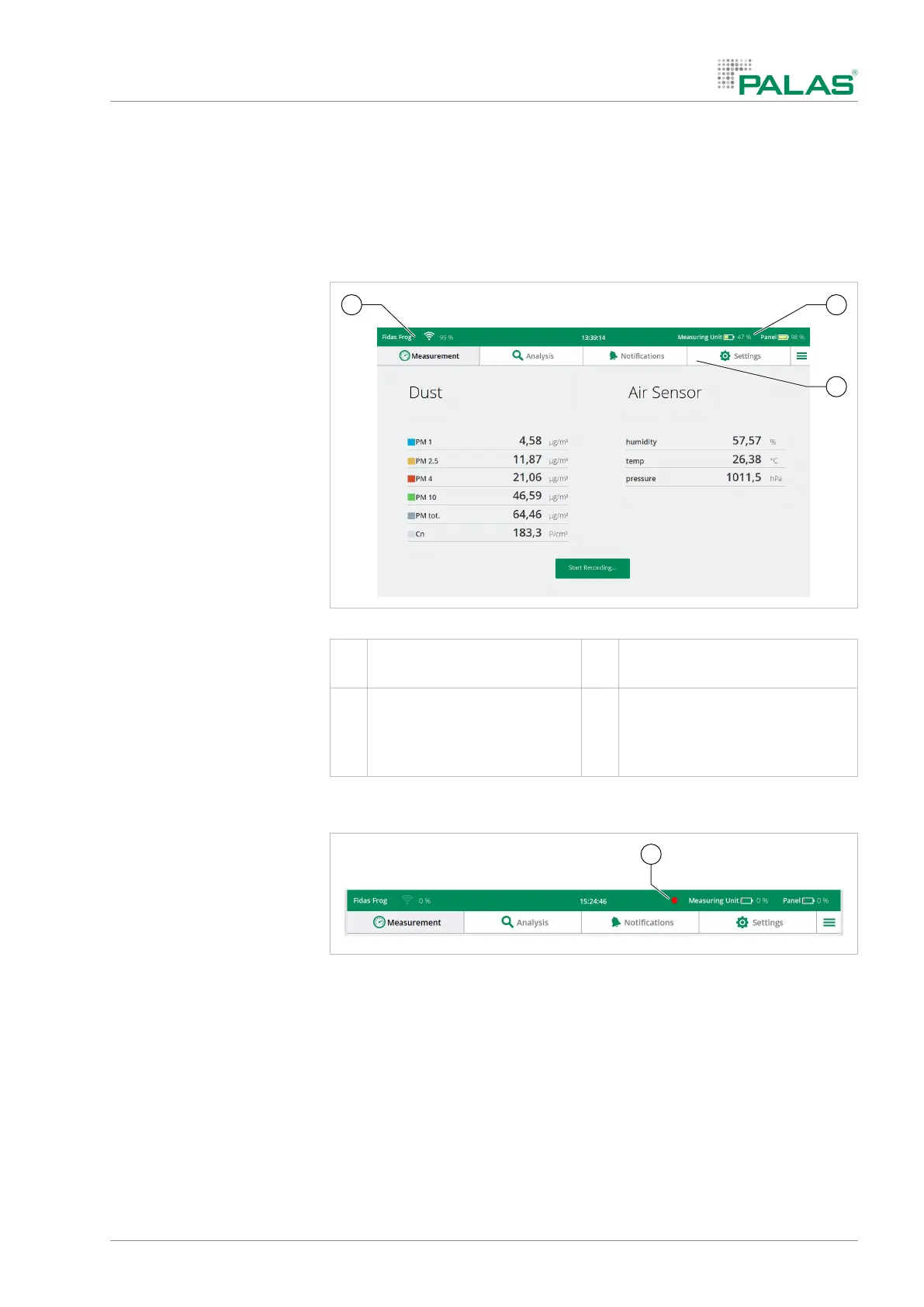
4.1.1 Home screen
Home screen
1 Charge level status, operat-
ing panel and measuring unit
2 Menu bar
3 Signal strength of the WiFi
connection between the op-
erating panel and measuring
unit
4.1.2 Error message
Error message
A red dot (1) appears in the status line if the device is not functioning prop-
erly.
The affected device components are shown in the menu Settings > De-
vice Status , e.g. the battery or the aerosol sensor.


 To Next Page