4Overview of operating and display elements
16 3577-en-us_V1.1_08/17
4.2 Symbols, buttons, and navigation
4.2.1 Operating system
A Windows operating system is installed on the operating panel. You have
access to the standard Windows system functionality, such as:
• Setting the date and time
• Adjusting the brightness
• Localizing files in the Explorer structure
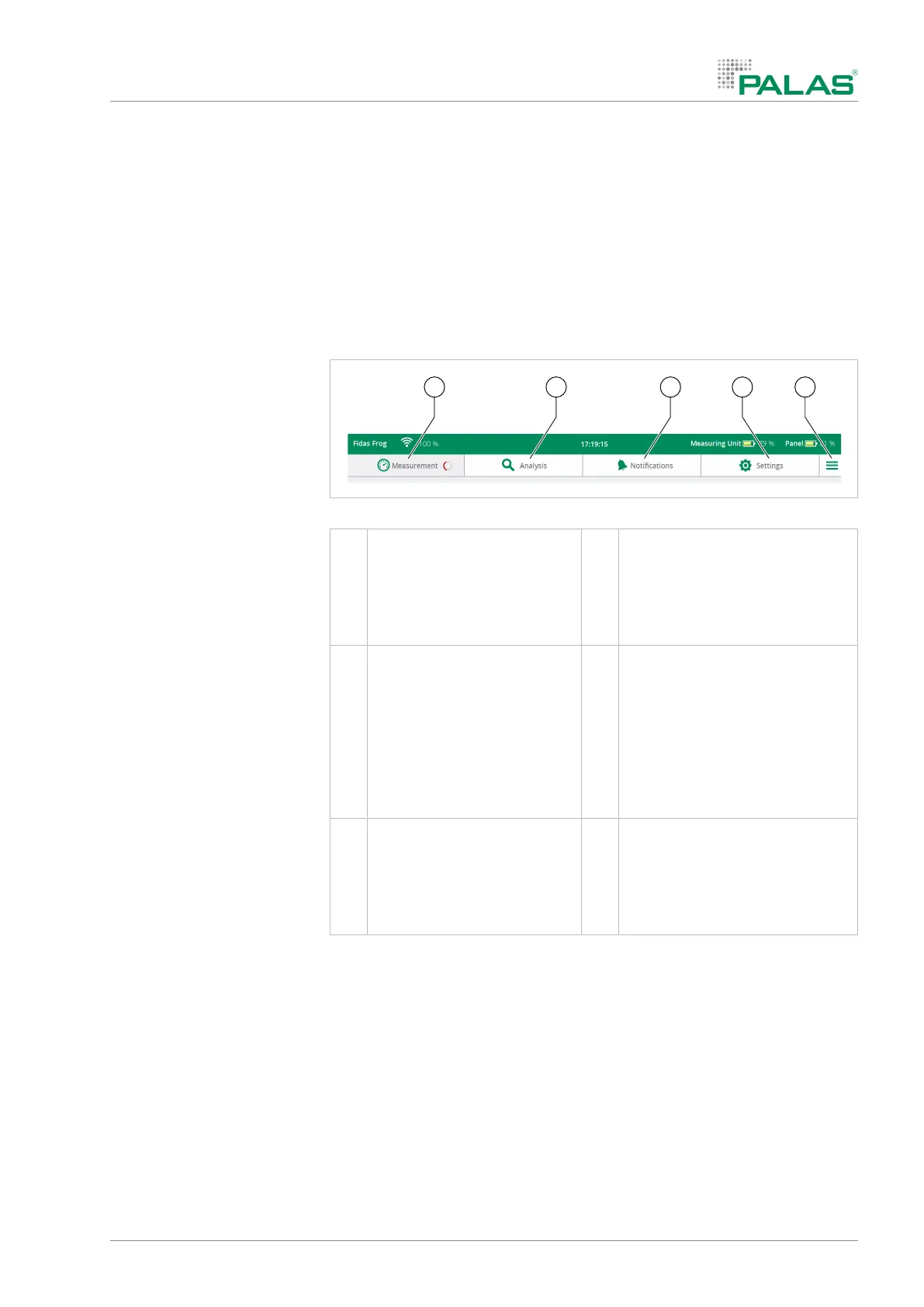
4.2.2 Menu bar overview
Menu bar
1 Measurements
• Start
2 Measured data
• Display
• Compare
• Export
• Delete
3 Limit values
• Set
• Store
• Load
• Reset
4 Settings
• Device calibration
• General settings, such as the
storage location of the mea-
surement file
• Show particle number size
distribution during the mea-
surement
5 Menu
• Turn off device
• Update
• Software version
• Serial number


 To Next Page