YOUR PHOTOS, VIDEOS, AND MUSIC
CAMERA AND CAMCORDER
136
7
CHAPTER
Customizing your Camera settings
You can customize the built-in camera’s
settings for your smartphone.
1 Press Applications and select
Camera or Camcorder .
2 Press Menu . If you are in Camera
View, the Photo Settings screen
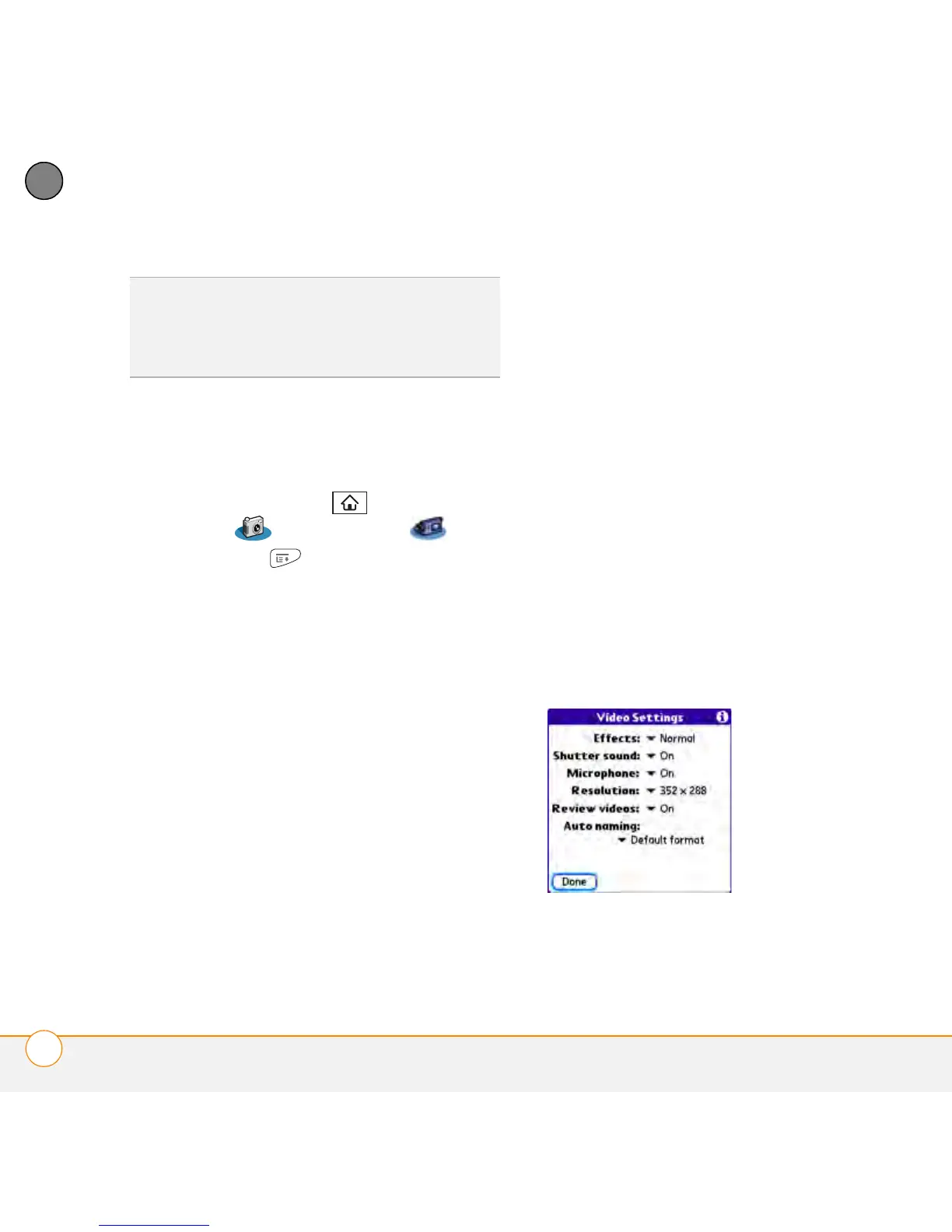
appears. If you are in Camcorder View,
the Video Settings screen appears.
3 Set any of the following preferences:
Effects: Sets the color palette for the
current picture or video. You cannot
change an item’s palette after you take
the picture or video.
Prompt sound: (Pictures only) Sets the
sound that plays before you take
the picture.
Shutter sound: Determines whether a
sound plays when you take a picture.
Microphone: (Videos only) Turns the
microphone on and off so that you can
record videos with or without sound.
Resolution: Sets the default size for
newly captured pictures or videos.
Date stamp: (Pictures only) Determines
whether the date the picture is taken
appears on your pictures.
Review photos/videos: Determines
whether you can review pictures or
videos before saving them and how
quickly they are automatically saved.
Auto naming: Assigns a name to a
series of pictures to be captured, such
as Seattle001, Seattle002, and so on.
4 Select Done.
TIP
During playback, tap and drag the
progress indicator bar to jump to a different
section of the video. Select Pause to pause
video playback.



 To Next Page