YOUR PHOTOS, VIDEOS, AND MUSIC
PICTURES & VIDEOS
140
7
CHAPTER
5 Select how you want to send the
picture or video: Messaging,
Bluetooth, or Email.
Copying a picture or video
You can copy pictures or videos into
another album. You can also copy pictures
and videos between your smartphone and
a microSD expansion card.
1 From the Album list, select the album
that contains the picture(s) or video(s)
you want to copy.
2 Press Menu .
3 Select Copy to from the Photo (or
Video) menu.
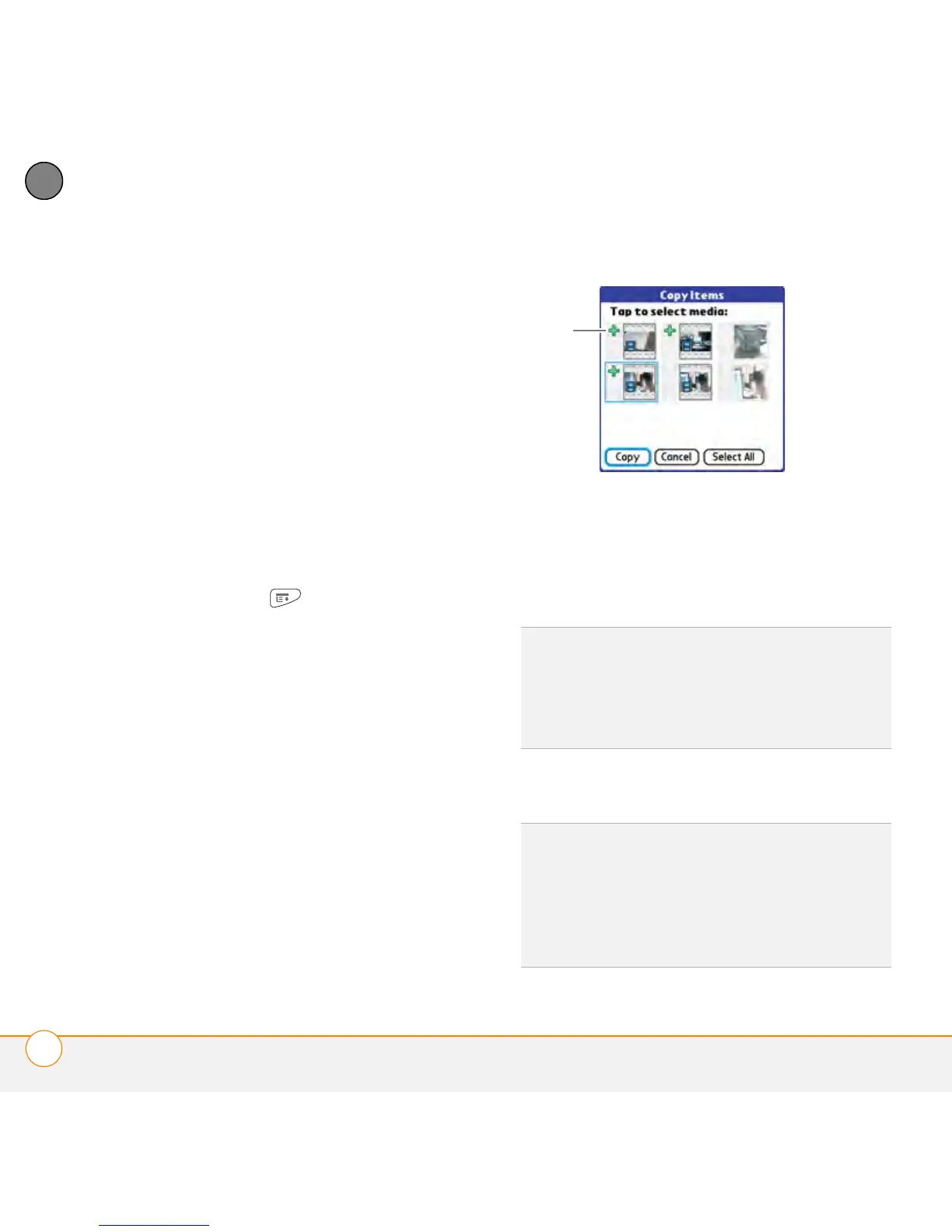
4 Select the pictures or videos you want
to copy, or select Select All to copy the
entire album. (A + appears next to
selected items.)
5 Select Copy.
6 Select the Copy items to pick list and
select whether you want to copy the
selected items to your device or to a
microSD expansion card.
* Indicates that a picture is selected
7 Select the Into album pick list and
select the album you want to copy the
selected items to.
8 Select Copy.
TIP
If you want to copy the items to a new
album, select New Album, enter a name for
the album, and then select whether you want
to create the album on your device or a
microSD expansion card. Select OK.
TIP
You can also move pictures and videos
between albums. Open the Photo (or Video)
menu and select Move to. The remaining
steps are the same as those for copying
pictures, but use the Move commands
instead of the Copy commands.



 To Next Page