15
PROGRAMMING THE ON / OFF TIMER(S)
Two timers are available – Timer 1 and Timer 2.
You are able to set the start time and shutdown time for TIMER 1 and TIMER 2.
PROGRAMMING THE TIMER
Before programming the Timers, please ensure that
the correct time is set.
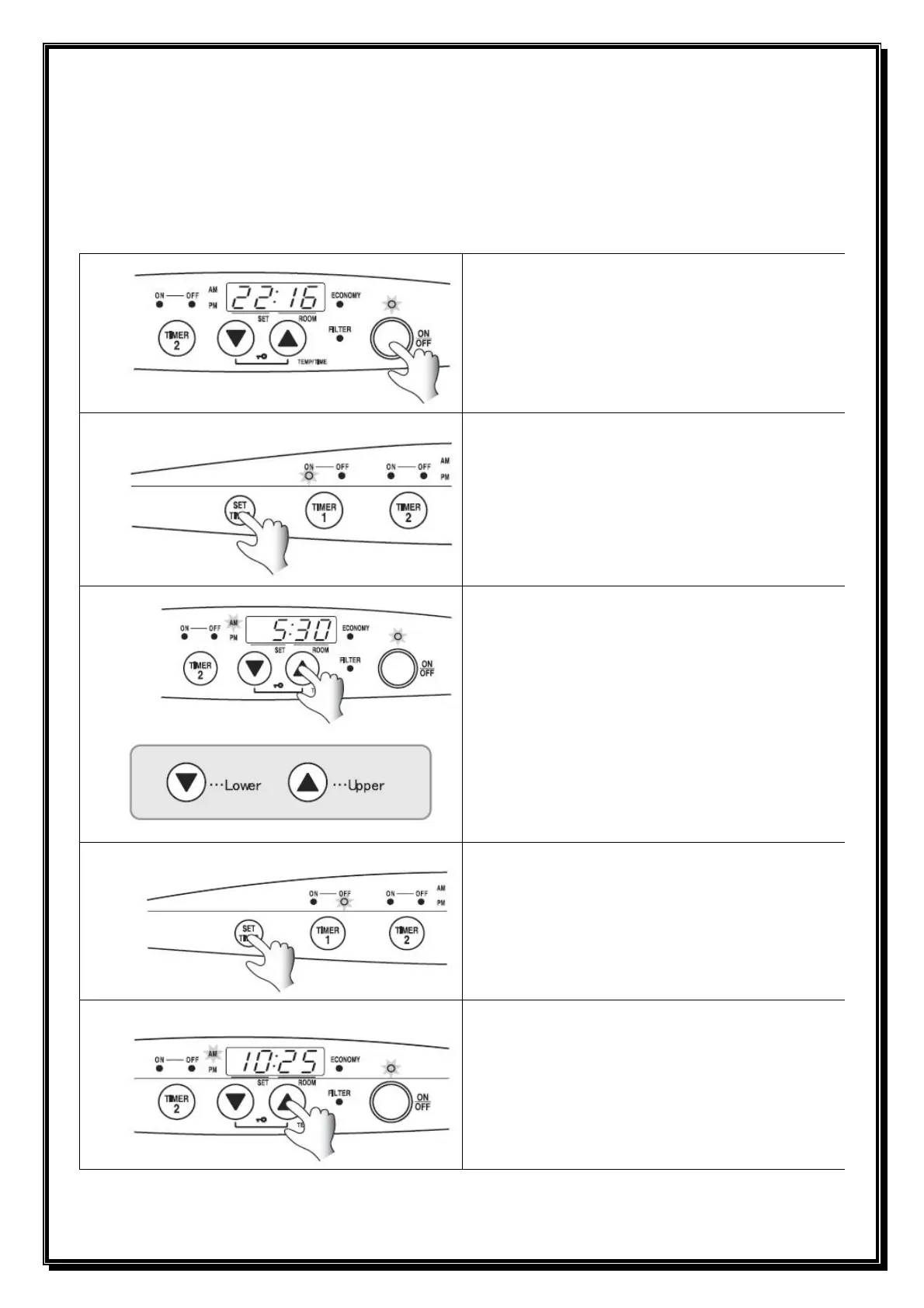
Press ON / OFF button
• ON / OFF Light glows.
• The Set temp and Room temp are displayed on
the screen.
Press SET TIMES button twice.
• The TIMER 1 “ON” light flashes.
• The TIMER 1 time is displayed on the screen.
Adjust TIMER 1 “ON” or start up time as required.
• To set the Timer 1 “ON” time press the ▼ down
or ▲ up button until the correct time is reached.
[Example] To set the TIMER 1 “ON” time to 5:30AM.
(1) Adjust the hour
(2) Keep pressing the adjustment button until
5:00AM is displayed.
(3) Adjust the minute.
(4) Press the adjustment button until 5:30AM is
displayed.
Press SET TIMES button.
• TIMER 1 “OFF” light flashes.
• TIMER 1 “OFF” time is displayed on the screen.
Adjust TIMER 1 “OFF” or shut off time as required.
• To set the TIMER 1 “OFF” time press the ▼
down or ▲
up button until the correct time is
reached.
1
2
3
4
5



 To Next Page