- 23 -
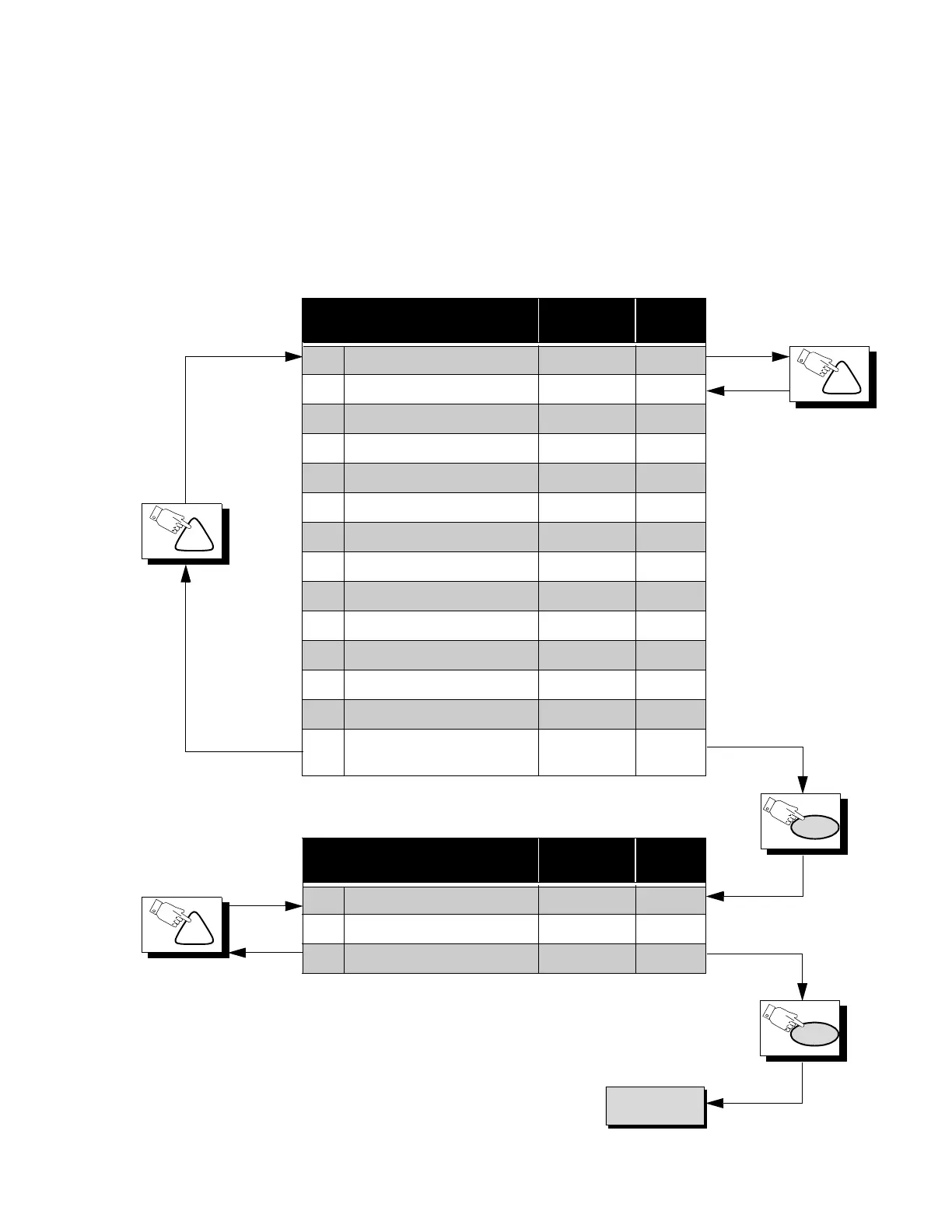
Press the Power Button on the Remote Control to select the Serviceman Adjustment
For Adjustments:
CH
PW
To X Items.
PW
CH
CH
*NOTE
This registers are preset at the
factory, should not be changed.
Options Adjustment Adj. Range
Default
Level
S0 PIP COLOR 0 ~ 127 80
S1 PIP CONTRAST 0 ~ 127 52
S2* UP 1/9 0 ~ 255 26
S3* DOWN 1/9 0 ~ 255 146
S4* LEFT 1/9 0 ~ 255 9
S5* RIGHT 1/9 0 ~ 255 103
S6* UP 1/16 0 ~ 255 27
S7* DOWN 1/16 0 ~ 255 163
S8* LEFT 1/16 0 ~ 255 9
S9* RIGHT 1/16 0 ~ 255 118
Sa FREE RUN N/A N/A
Sb CLOCK ADJUSTMENT 0 ~ 255 128
Sc PIP TINT 0 ~ 63 50
Sd
LOUDNESS
COMPENSATION
0 ~ 63 52
MTS Adjustment Adj. Range
Default
Level
M0 INPUT LEVEL 0 ~ 63 33
M1 HIGH-LEVEL SEPARATION 0 ~ 63 25
M2 LOW-LEVEL SEPARATION 0 ~ 16 6
1.Press Channel Up/Down on the
Remote Control to select one of
the available Service Adjustments
(a in Fig. 27).
Note: Write Down the original
value set (b in
Fig. 27
) for
each address before
modifying anything. It is
easy to erroneously adjust
the wrong item.
2.Press Volume Up/Down on the
Remote Control to adjust the
level of the selected Service
Adjustment (b in Fig. 27).





 To Next Page