Test Operation PACD011001C2
278 Test Operation Urban Multi “MX1R, ME1R Series” Using R-407C
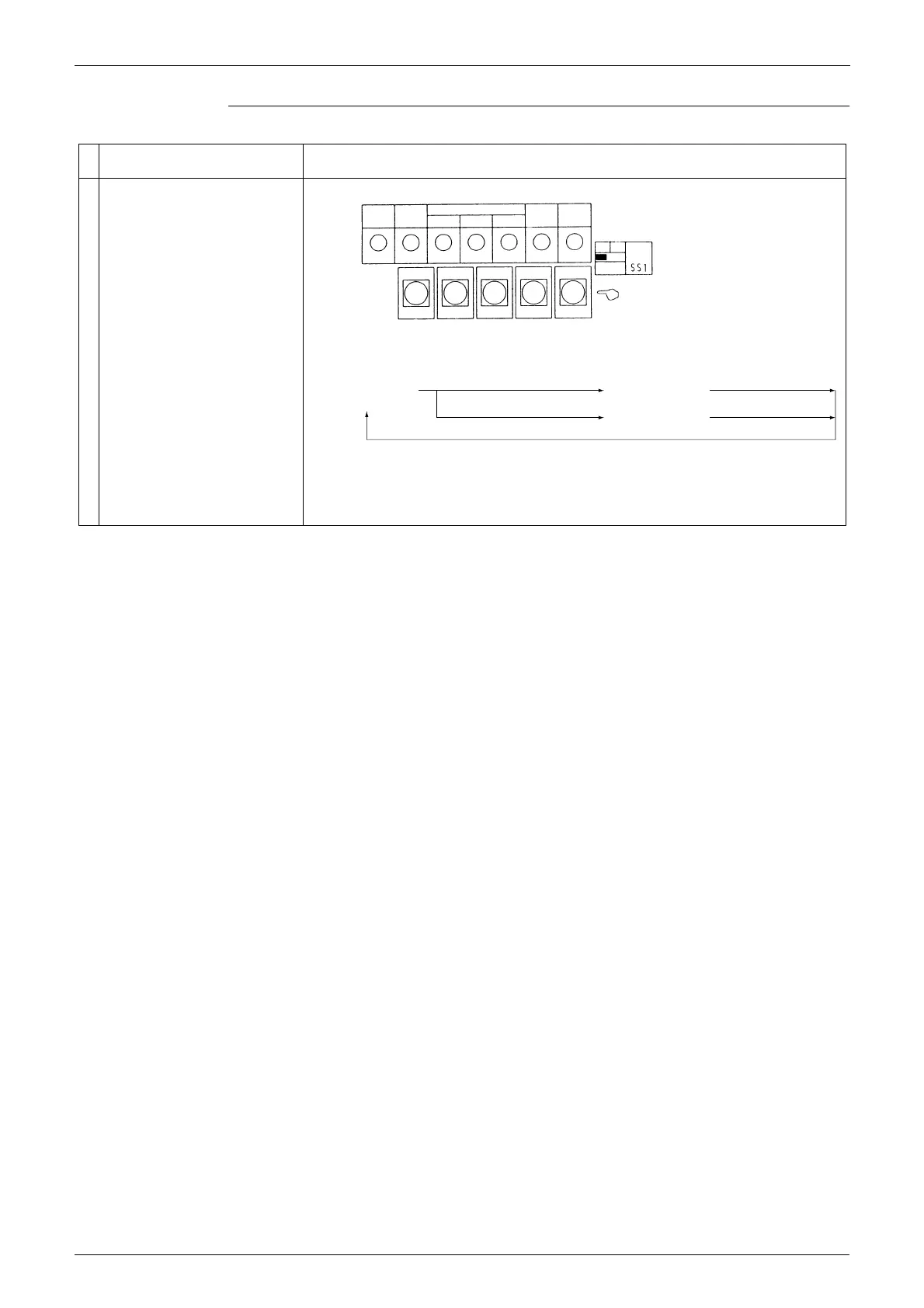
Normal ···············Flicker
Malfunction ·······On or off
Mode button ·····Mode change
· Set return button ········Changes or enters address or data.
· Wiring check button ···Push and hold for 5 sec. to start wiring check.
· Reset button ···············Push and hold for 5 sec. if the indoor unit's PC board has been
replaced, or there has been a change in the combination of indoor
and outdoor units, such as indoor unit extension, etc.
Service monitor <HAP>
(Green)
Function setting switch or LED
LED display
8 : On
9 : Flicker
7 : Off
Setting mode 1
(H1P off)
Push 1 time.
Monitor mode
(H1P flickers)
Push 1 time.
Push and hold for 5 sec.
Setting mode 2
(H1P on)
Push 1 time.
Pushbutton switch
MODE
TEST
C/H SELECT
C/H
SELECT
IND
MASTER
SLAVE
L.N.O.P.
SEQ.
START
IN/D
UNIT
OUT/D
UNIT
BS1 BS2 BS3 BS4 BS5
MODE
SET
RETURN
WIRING CHECK
RESET
H1P H2P H3P H4P H5P H6P H7P
(M026)


 To Next Page
 Loading...