Chapter 2
18 Getting Started
Setting Date and Time
1
From standby, press
(MENU) to enter the Main Menu.
2
Press
to scroll to Phone Settings. Press (OK).
3
Press
to scroll to Time Settings. Press (OK).
• The arrow points to
Date/Time
.
4
Press (OK).
5
Enter the digits for the date in the format: month/day/year.
6
Press
to scroll to set the time.
7
Enter the digits for the time using a 12-hour clock.
8
Press
to select the AM/PM setting.
9
Press (AM/PM) to switch between AM and PM.
10
Press (OK) to select.
• The display confirms that you adjusted the setting.
11
Press any key or wait 3 seconds to return to standby.
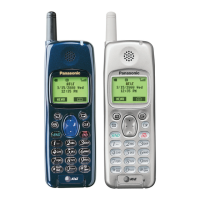
• The standby display shows the date and time, as well as
the day of the week.





 To Next Page