Chapter 6
60 Advanced Operations
6
To confirm your new code, re-enter the number and press
(OK). If you make a mistake, press briefly to erase
the last digit entered.
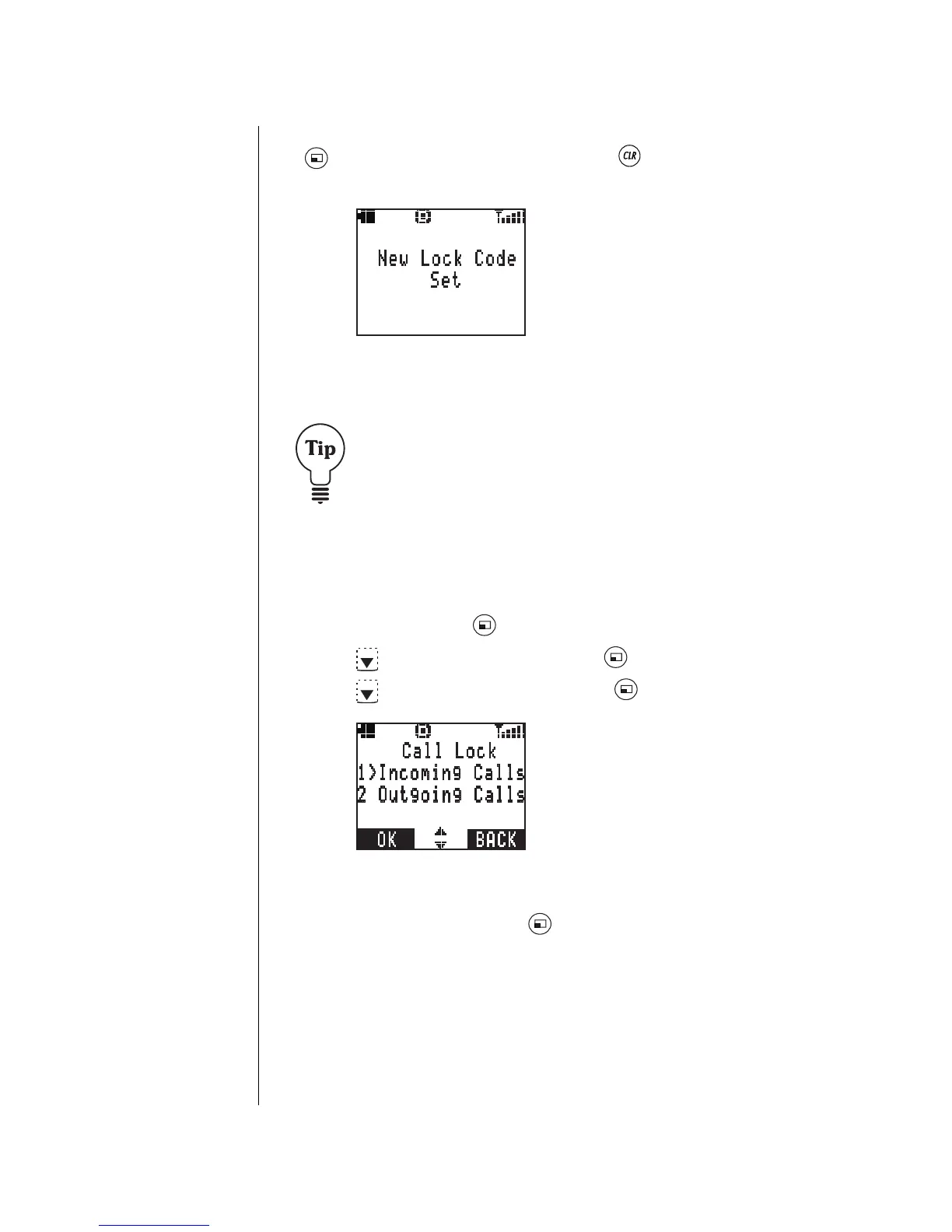
• The display confirms that the new lock code is set.
7
Press any key or wait 3 seconds to return to standby.
Record your new lock code below, then try to memorize
it. This number must be entered every time you reset a
security feature.
My lock code number is:________________________.
Call Lock
Call Lock allows you to determine what types of incoming or
outgoing calls you want to lock or restrict.
1
From standby, press (MENU) to enter the Main Menu.
2
Press to scroll to
Security
. Press (OK).
3
Press to scroll to
Call Lock
. Press (OK).
• You are given the choice of setting lock features on
Incoming
and/or
Outgoing
calls.
4
Scroll to your choice. Press (OK).



 To Next Page