n
CZ-RTC5A
Part Names
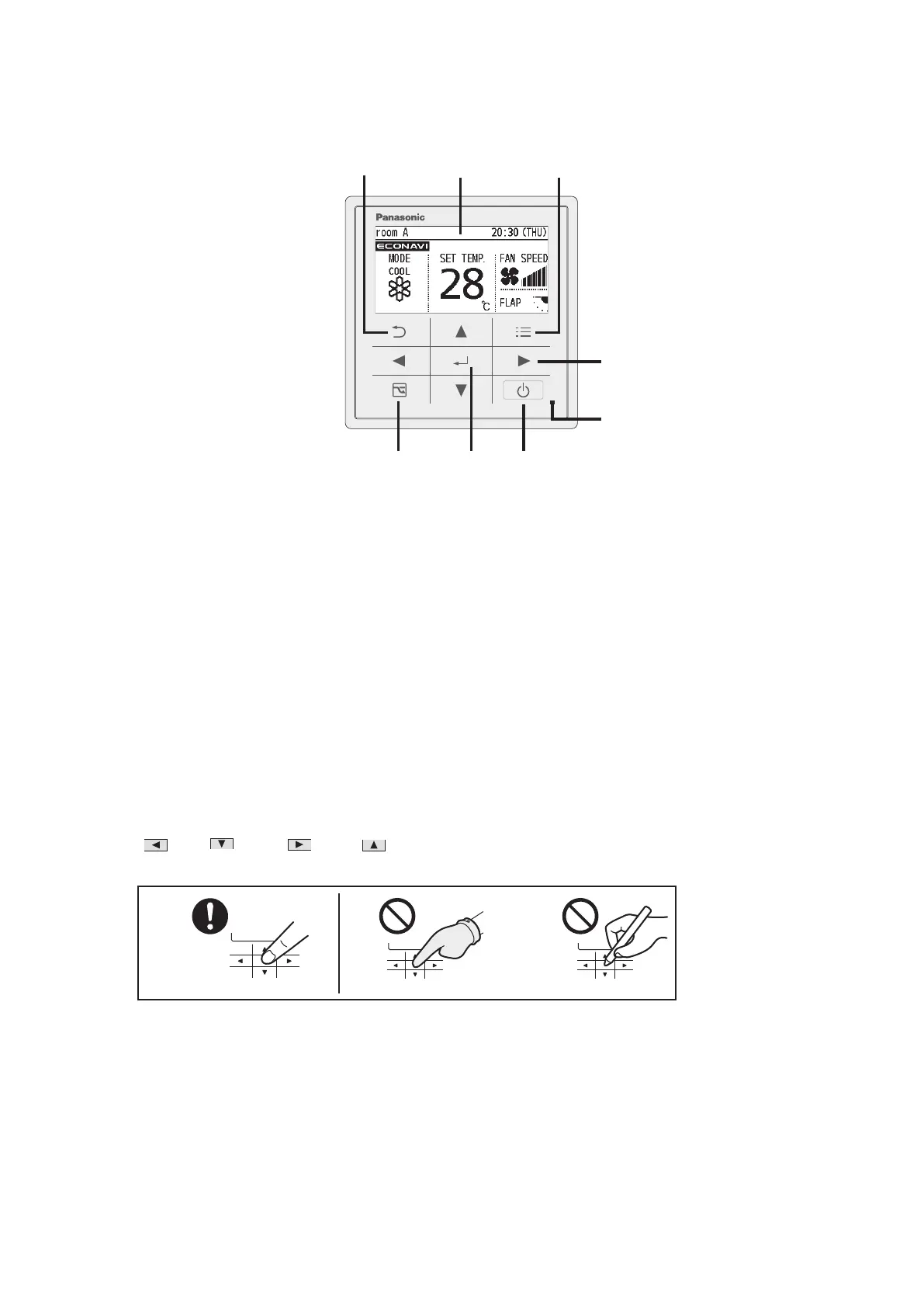
Control panel
28
1
2 3
4 5 6
7
8
1 Return button
Returns to the previous screen.
2 LCD screen
3 Menu button
Displays the menu screen.
4 Energy saving button
Switches Energy saving/Normal operation.
5 Enter button
Fixes the selected content.
6 Start/Stop button
Starts/Stops operation.
7 Operation indicator
Illuminates during operation. Blinks during alarm.
8 Cross key buttons
Selects an item.
(
Left / Down / Right / Up)
Note
Press centre
No glove
No pen



 To Next Page