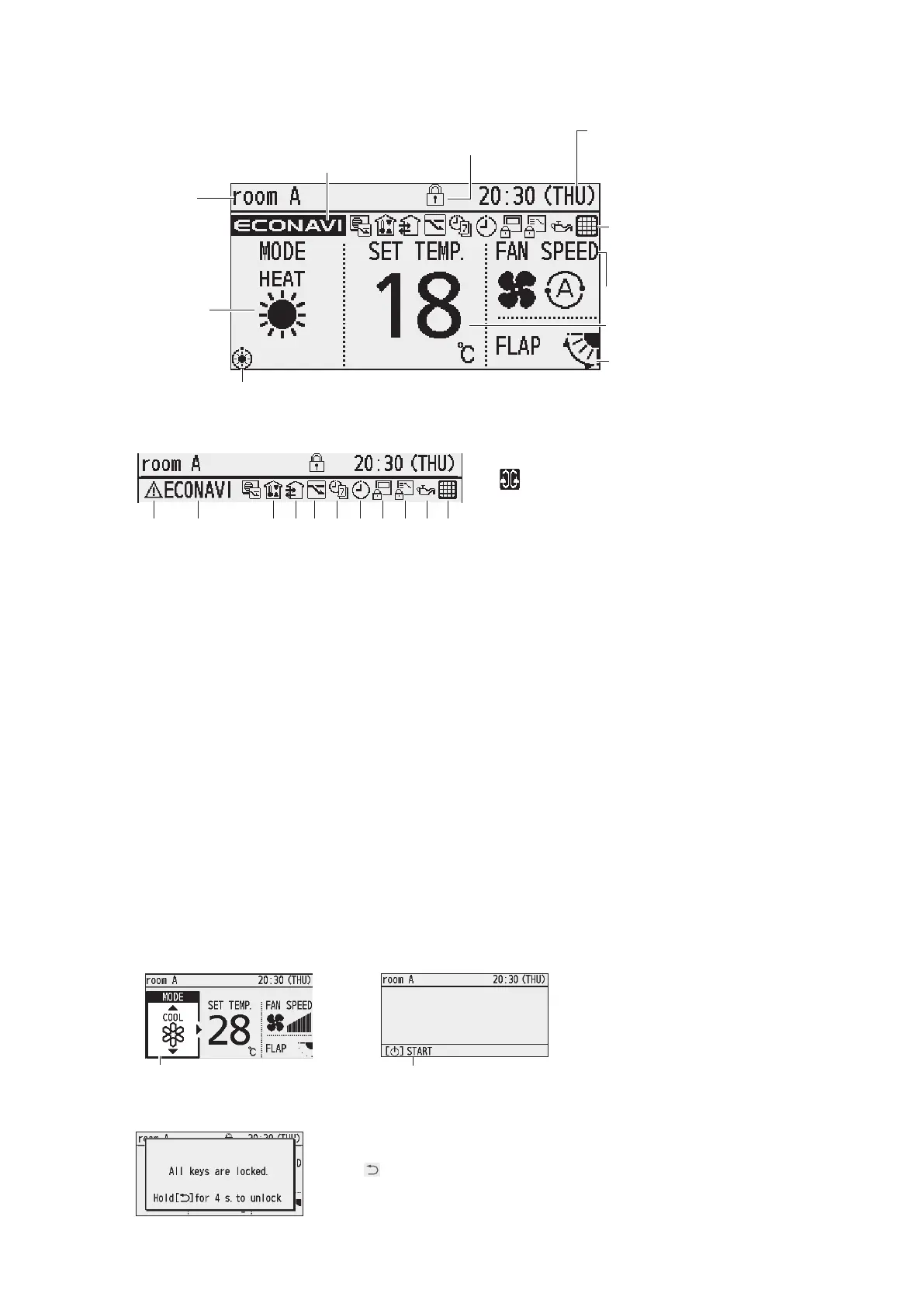
Screen display (Top screen)
Remote
controller
name
Operation is
locked.
Present time
& day
Setting
information
icon
(Next page)
Operation
mode
Set
temperature
Fan speed
Flap
The indoor unit is stopped or slight blow operation is in process.
Appears when ECONAVI is
being set to ON.
(When the ECONAVI panel is attached)
n
Setting information icons displayed on the top screen
1 2 3 4 5 6
7
8
9
10 11
1 When inspection is required
2 Appears if there is a problem on ECONAVI.
3 Prevents the room temperature from increasing too much (or decreasing too much) when no one is in the
room.
4 Fresh air is used for ventilation.
(Only when connecting a heat exchange ventilation unit or connecting a commercially sold fan.)
5 Energy saving operation is in process.
6 [Weekly timer] is set.
7 [ON/OFF timer] is set.
8 Remote control operation is restricted by a central control device.
9 Switching operation modes is prohibited.
(Switching to Auto mode is also prohibited.)
10 The engine oil needs to be replaced.
(Only when using a gas heat pump air conditioner.)
11 The indoor unit lter needs to be cleaned.
n
Item selection screen
n
Operation stop screen
Cursor
Operation guide
n
Lock screen display
[Operation lock] is functioning.
To cancel lock
Press
button for 4 seconds.
“Circulation” is set.
(Not displayed when all the left
icons are displayed.)



 To Next Page