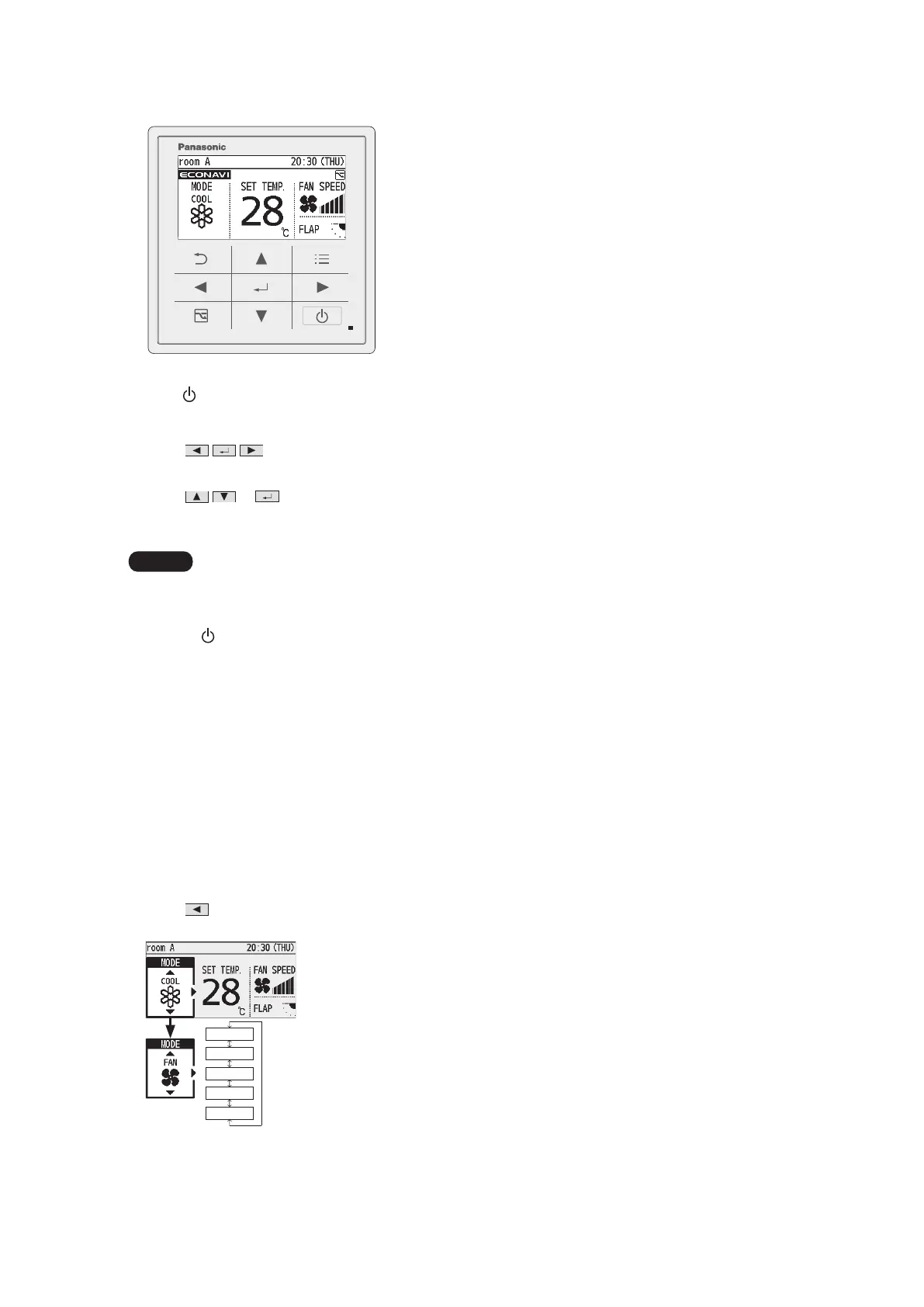
Basic Operations
28
Start operation.
Press
(The operation indicator illuminates.)
Select the item to set.
Press
.
Change the setting.
Press
→ .
(The cursor disappears.)
Operation modes that cannot be set are not displayed.
The swing and airow direction on the remote control is not synchronised with the ap movement.
The ap display differs from the actual ap angle.
Pressing
after recovery from mains power failure will resume operation with the contents before mains power
failure has occurred.
If no operation is performed for a certain period of time, the backlight turns off to save electricity. (Press any
button for illumination.)
The energy saving operation restricts the maximum current value, resulting in decreased cooling/heating
performance.
(If the current of outdoor units does not reach the peak due to low load operation, the current value is not
restricted.)
For models that cannot change the airow direction, the airow direction is not displayed.
The fan speed and airow direction in cooling/drying operation can be adjusted with 3 levels if controlling using
one remote controller while assigning a indoor unit (e.g. ceilinghung type) which has a 3-level adjustment of fan
speed and air ow direction in cooling / drying operation as main unit, and assigning a 4-way ceiling cassette
type as sub unit.
n
Operation mode (e.g. Cool, Heat, etc.)
Press
.
:otuA *
The mode is
automatically
switched to
Cool or Heat to
achieve the set
temperature.
Heat
Dry
Cool
Fan
Auto



 To Next Page