n
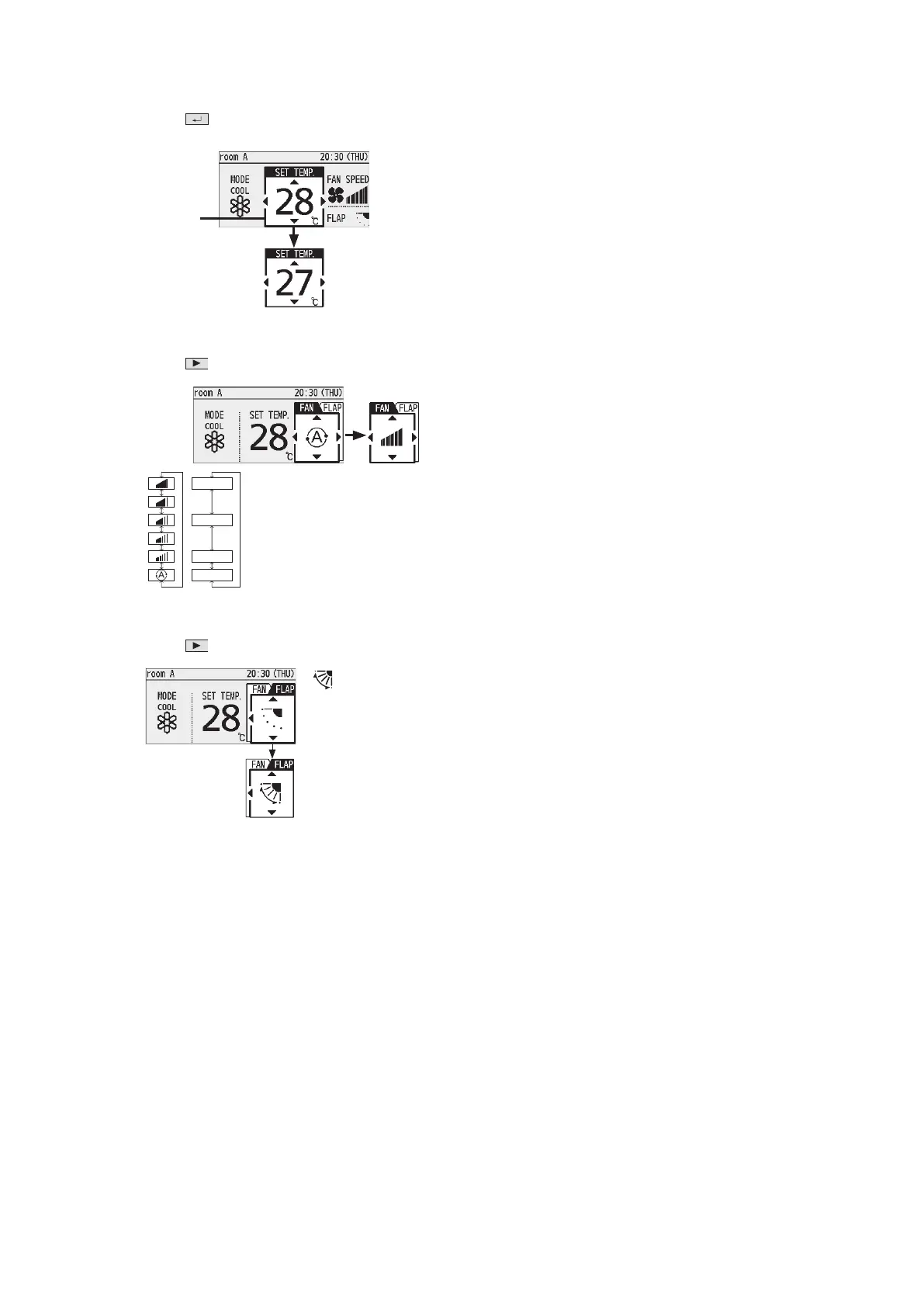
Set temperature
Press
(When the cursor is not visible)
• Cool/Dry : 18 °C to 30 °C
• Heat : 16 °C to 30 °C
• Auto : 17 °C to 27 °C
Cursor
n
Fan speed
Press
.
High
Medium
Low
Auto
* Depending on the model, either of
the displays appears.
* Auto: Cannot be selected in Fan
mode.
* Depending on the model, selectable
airfl ow directions may differ.
n
Flap
Press
2 times.
• : Swing
• Pressing ▲▼during
swing can stop the
fl ap at your
preferred position.



 To Next Page