EasyManua.ls Logo

Panasonic GT02 - User Manual

Panasonic GT02
206 pages
Print Icon
To Next Page IconTo Next Page
Loading...
PROGRAMMABLE DISPLAY
GT series
User's Manual
WUME-GTH-02
2021.3
panasonic.net/id/pidsx/global
[Applicable Models ]
・GT01 / GT11 / GT21
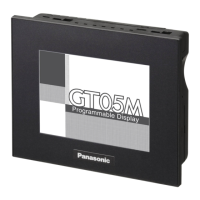
GT02 / GT02L / GT05 / GT12 / GT32
・GT03-E / GT32-R / GT32-E

Table of Contents

Other manuals for Panasonic GT02

Questions and Answers

  • S
    susan89Jul 27, 2025
    What to do if Panasonic Monitor screen is blank?
    • W
      wallerjustinJul 27, 2025
      If your Panasonic Monitor screen is blank, there are a couple of potential causes. First, ensure that the power supply is connected to the unit according to the specifications. Second, if only lamp and message parts are configured to the base screen, verify that the address of the substitute reference device and the device values on the PLC side are correct.
  • S
    Samantha CareyAug 3, 2025
    What to do if Panasonic Monitor displays [Screen No. Error]?
    • S
      Sarah LewisAug 3, 2025
      If your Panasonic Monitor displays '[Screen No. Error]', it could be due to several reasons. * The screen settings from the PLC, the GT’s switch part or the auto-paging indicate an unregistered screen number. If this is the case, create and register screen content or specify the correct screen number. * When bringing up the keyboard screen during data input, an unregistered keyboard screen number was specified. In this case, create and register keyboard screen or specify the correct keyboard number. * GT configuration data and keyboard screen data exist in the GT, but there is no base screen data. To solve this, transfer base screen data from GTWIN.
  • J
    Jeffrey JonesAug 8, 2025
    What to do if Panasonic GT02 displays [Memory is Full]?
    • T
      Thomas AguilarAug 8, 2025
      If your Panasonic Monitor displays '[Memory is Full]', it means that the total capacity of transferred base screen data exceeds the 384 Kbyte capacity of the GT. To resolve this, delete part of the base screen data so that the capacity doesn’t exceed the total capacity. You can check data capacity by going to [View (V)]?[Memory Usage Conditions] on GTWIN menu bar. If the data capacity is not over the limit, invalid data could possibly be remaining in the GT; when transferring data, do so after deleting the screen.
  • J
    Jamie McdonaldAug 14, 2025
    Why does an unspecified screen appear or there is trouble when switching screens on Panasonic GT02 Monitor?
    • W
      watsonsusanAug 14, 2025
      If an unspecified screen appears or you experience trouble when switching screens on your Panasonic Monitor, there are several potential reasons: 1. The screen specification in the PLC screen setting, the GT switch part or the auto-paging is wrong. To fix this, specify the correct screen number. 2. The startup screen is specified in the GT configuration settings (GTWIN). Check the start-up screen setting for the GT configuration settings in GTWIN. Delete unnecessary settings and re-transfer configuration data. 3. An erroneous device or value is specified in the first word of the basic communication area word device. Check the device content specified on the PLC side in the first word of the basic communication area. (Do not use the basic communication area with ladder programs.)
  • B
    Bryan SmithAug 20, 2025
    What does it mean if my Panasonic GT02 Monitor screen displays [No Screen data]?
    • M
      Mitchell MurphyAug 21, 2025
      If your Panasonic Monitor screen displays '[No Screen data]', it indicates that there is no base screen data in the GT. This appears even when GT configuration data exists. To resolve this, transfer base screen data.

Summary

Before You Start

Usage Conditions and Environment

Details operating environment, temperature, humidity, and altitude requirements for product use.

Features and Functions

Names and Functions of Parts

Installation and Wiring

Installation Environment and Guidelines

Covers installation environment, mounting directions, space, UL/c-UL qualification, and mounting screws.

Connecting with PLC

PLC Connection Methods and Configurations

Explains PLC multiple connection, GT link, and various communication settings for different PLC types.

Troubleshooting

Resolving Common Operational Issues

Provides guidance on troubleshooting problems like blank screens, errors, and switching issues for different models.

Error Codes and Handling Procedures

Lists and explains GT series and PLC error codes, including their causes and solutions.

Specifications

Order Placement Recommendations and Considerations

Panasonic GT02 Specifications

General IconGeneral
BrandPanasonic
ModelGT02
CategoryMonitor
LanguageEnglish

Related product manuals