EasyManua.ls Logo

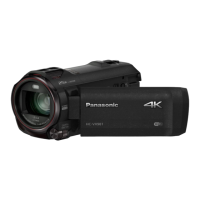
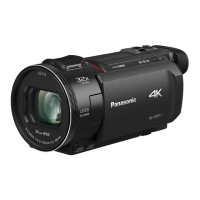
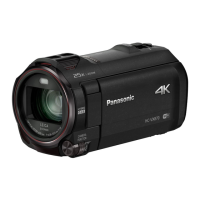
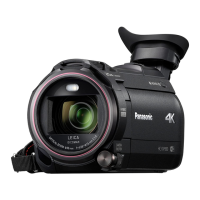
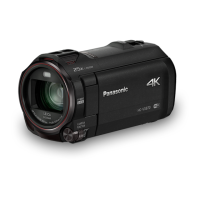
Panasonic HC-VX980 - User Manual

Panasonic HC-VX980
267 pages
Print Icon
To Next Page IconTo Next Page
Loading...
Operating Instructions
4K Video Camera
Model No.
HC-WXF990
HC-WXF990M
HC-VXF990
HC-VX980
HC-VX980M
Please read these instructions carefully before using this product,
and save this manual for future use.
SQW0540
until
2016/2/29

Table of Contents

Other manuals for Panasonic HC-VX980

Questions and Answers

  • W
    whitneycraneSep 3, 2025
    How to fix Panasonic HC-VX980 Camcorder auto focus if it does not work?
    • D
      Deborah GouldSep 3, 2025
      Switch to Intelligent Auto Mode or Intelligent Auto Plus Mode. If you're recording a scene that's difficult to focus on in Auto Focus Mode, try using Manual Focus Mode to adjust the focus.
  • V
    Victoria SmithSep 1, 2025
    What to do if my Panasonic HC-VX980 Camcorder displays ERROR OCCURRED. PLEASE TURN UNIT OFF, THEN TURN ON AGAIN?
    • A
      Andrea GraySep 1, 2025
      This message indicates that the camcorder has detected an error. Try restarting the unit by turning it off and then on again. If the message continues to appear after restarting, repair is needed.
  • M
    Michelle JosephAug 31, 2025
    What to do if my Panasonic HC-VX980 stops recording arbitrarily?
    • A
      Angela KempAug 31, 2025
      Ensure you are using an SD card suitable for motion picture recording. Format the SD card or built-in memory using the camcorder, as the recordable time may have decreased due to data writing speed deterioration or repeated recording and deletion. If [AGS] is [ON], record in the normal horizontal position or set [AGS] to [OFF].
  • T
    Tristan ReyesAug 29, 2025
    What to do if my Panasonic HC-VX980 is on but not working?
    • X
      xwalkerAug 29, 2025
      If your Panasonic Camcorder is on but not responding, or not operating correctly, try removing the battery or AC adapter, waiting about a minute, and then reconnecting it. Wait another minute before turning the unit back on. Note: Doing this while the media is being accessed may damage the data. If the problem persists, disconnect the power and consult the dealer from whom you purchased the unit.
  • L
    Leah CastanedaAug 27, 2025
    What to do if my Panasonic HC-VX980 displays “ERROR OCCURRED. PLEASE TURN UNIT OFF, THEN TURN ON AGAIN.”?
    • T
      Tonya SerranoAug 27, 2025
      If the message “ERROR OCCURRED. PLEASE TURN UNIT OFF, THEN TURN ON AGAIN.” is displayed on your Panasonic Camcorder, it means the unit has automatically detected an error. Try restarting the unit by turning it off and on again. If the unit is not turned off and on, it will turn off in about 1 minute. If the error message repeatedly appears even after restarting, it indicates a need for repair. Detach the power connected, and consult the dealer who you purchased this unit from. Do not attempt to repair the unit by yourself.
  • M
    Michael SantosAug 26, 2025
    What to do if my Panasonic Camcorder turns off automatically?
    • W
      William MunozAug 26, 2025
      If the camcorder turns off when you turn off the TV using the TV remote, the VIERA Link feature is likely enabled. If you are not using VIERA Link, disable it in the settings by setting [VIERA Link] to [OFF].
  • A
    Ashley PittmanAug 25, 2025
    How to fix a Panasonic HC-VX980 that won't turn on or has short battery life?
    • K
      Katherine LopezAug 25, 2025
      If your Panasonic Camcorder won't turn on, doesn't stay on long, or the battery drains quickly, ensure the battery is fully charged. In cold environments, battery life decreases. Batteries have a limited lifespan; if it still drains quickly after a full charge, it likely needs replacing.
  • A
    anitamayerAug 22, 2025
    Why my Panasonic HC-VX980 Camcorder cannot be turned on or the battery runs down quickly?
    • H
      hallkatieAug 22, 2025
      If your Panasonic Camcorder cannot be turned on, does not stay on long enough, or the battery runs down quickly, try charging the battery again to ensure it is sufficiently charged. Keep in mind that in cold environments, the battery usage time may decrease. Batteries also have a limited lifespan. If the operating time remains too short even after a full charge, the battery is likely worn out and needs replacement.

Summary

Read this first

About the recording format for recording motion pictures

Describes various recording formats like AVCHD, 4K MP4, MP4, iFrame, 24p.

Preparation

Names and Functions of Main Parts

Identifies and explains the main external parts and controls of the camera.

Power supply

Details compatible batteries and charging methods.

Recording to a card

Information on supported SD card types, capacities, and usage guidelines.

Turning the unit on;off

Instructions on how to power the camera on and off using different methods.

Basic

Selecting a media to record

How to choose between SD card and built-in memory for recording.

Recording motion pictures

Instructions on how to start and stop recording motion pictures.

Recording still pictures

Steps for capturing still pictures and understanding focus indications.

Motion picture;Still picture playback

Guide to selecting and playing back recorded scenes and pictures.

Advanced (Recording)

HDR Movie Mode

Minimizing gradation loss in high contrast scenes for better image quality.

Changing the Recording Mode

Steps to switch between various recording modes like Intelligent Auto and Manual.

Manual recording

Adjusting focus, white balance, shutter speed, and brightness manually.

Advanced (Playback)

Copy;Dubbing

Copying between SD card and Built-in Memory [WXF990 M];[VX980 M]

Transferring files between the camera's storage media.

Wi-Fi

Setting Up a Wi-Fi Connection

Connecting the unit to access points or smartphones and understanding status indicators.

Wireless Twin;Multi-Camera

If the Wi-Fi connection cannot be established (Wireless Twin;Multi-Camera)

Troubleshooting steps when Wi-Fi connection fails for twin/multi-camera.

With a PC

What you can do with a PC

Overview of PC connectivity, software usage, and data copying options.

Others

Troubleshooting

Troubleshooting common issues related to power and unit operation.

Cautions for use

General precautions for safe and proper use of the unit.

Panasonic HC-VX980 Specifications

General IconGeneral
Optical Zoom20x
Focal Length4.08 - 81.6 mm
ApertureF1.8 - F3.6
Audio RecordingDolby Audio (2ch)
LCD Screen Size3.0-inch
LCD Screen Resolution460, 800 dots
Touch ScreenYes
ViewfinderNo
Built-in Wi-FiYes
Input/OutputMicrophone Input, Headphone Output
Memory Card SlotSD/SDHC/SDXC
HDMI OutputYes (Micro HDMI)
USB InterfaceYes (Micro USB)
Wireless ConnectivityWi-Fi
Effective Pixels8.29 megapixels
LensLEICA DICOMAR
Image StabilizationHYBRID O.I.S. +
Recording FormatMP4
Video Resolution4K (3840x2160)
MicrophoneStereo
Battery TypeLithium-ion
Weight351 grams
Dimensions65 x 73 x 139 mm

Related product manuals