Preparation
8
Helpline Tel. No.: U.K. 08700 100 076 R.O.I. 01289 8333
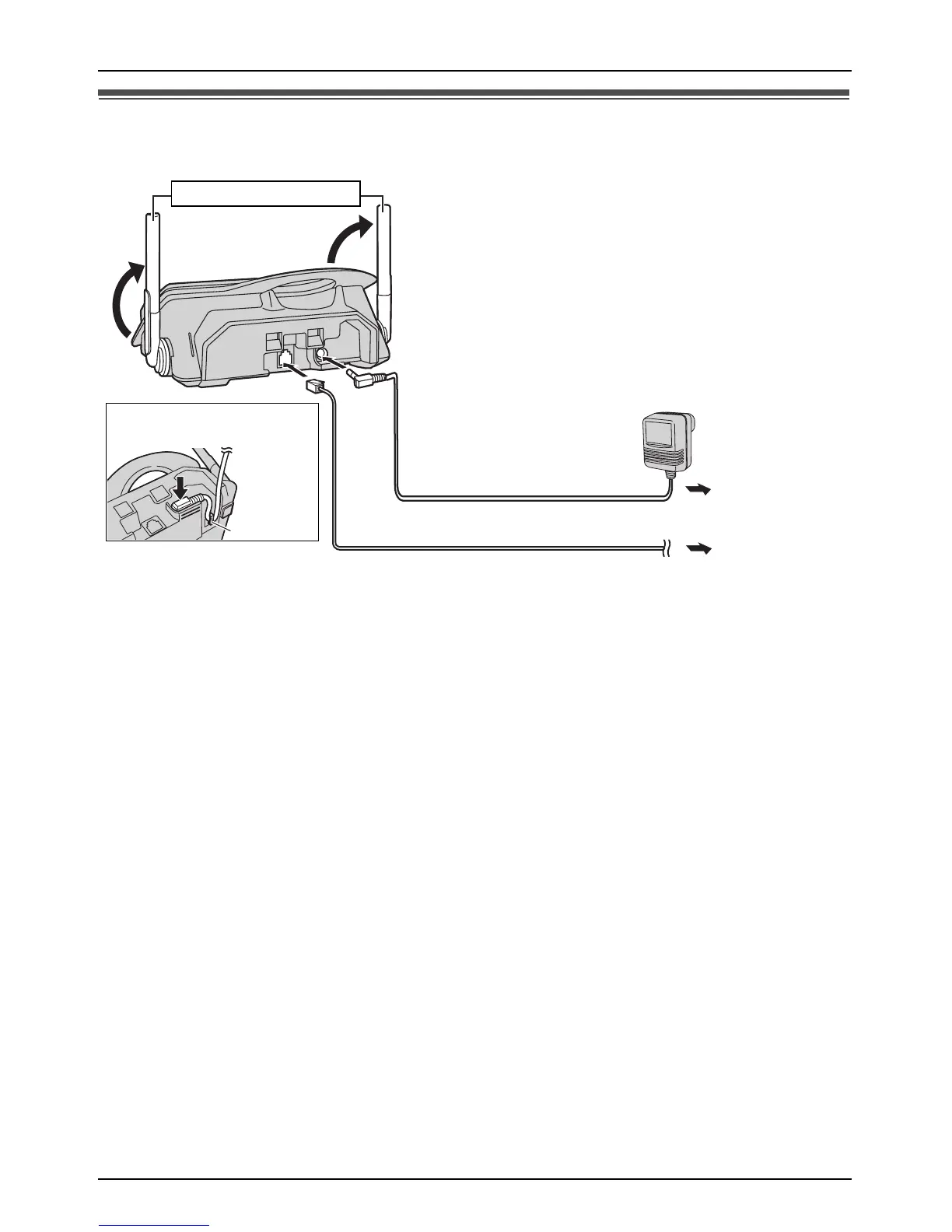
Connections
Important:
Use only the AC adaptor and telephone line cord supplied with this unit.
Note:
L After connection, you must charge the battery to make or answer calls (page 10).
L Never install telephone wiring during a lightning storm.
L The AC adaptor must remain connected at all times. (It is normal for the adaptor to feel
warm during use.)
L The AC adaptor should be connected to a vertically oriented or floor-mounted AC outlet.
Do not connect the AC adaptor to a ceiling-mounted AC outlet, as the weight of the adaptor
may cause it to become disconnected.
L The unit will not work during a power failure. We recommend connecting a standard
telephone to the same telephone jack using a T-adaptor. Your Panasonic sales shop can
offer you more information about connection possibilities.
220-240 V,
50 Hz
To telephone
network
Hook
Fasten the AC adaptor
cord.
Raise the antennas.














 To Next Page