Preparation
9
Helpline Tel. No.: U.K. 08700 100 076 R.O.I. 01289 8333
If you subscribe to an xDSL service
L
Please attach a noise filter (contact your xDSL
provider) to the telephone line between the
base unit and the telephone line jack in the
event of the following
:
–
Noise is heard during conversations
.
–
Caller ID features
(page 35)
do not function
properly
.
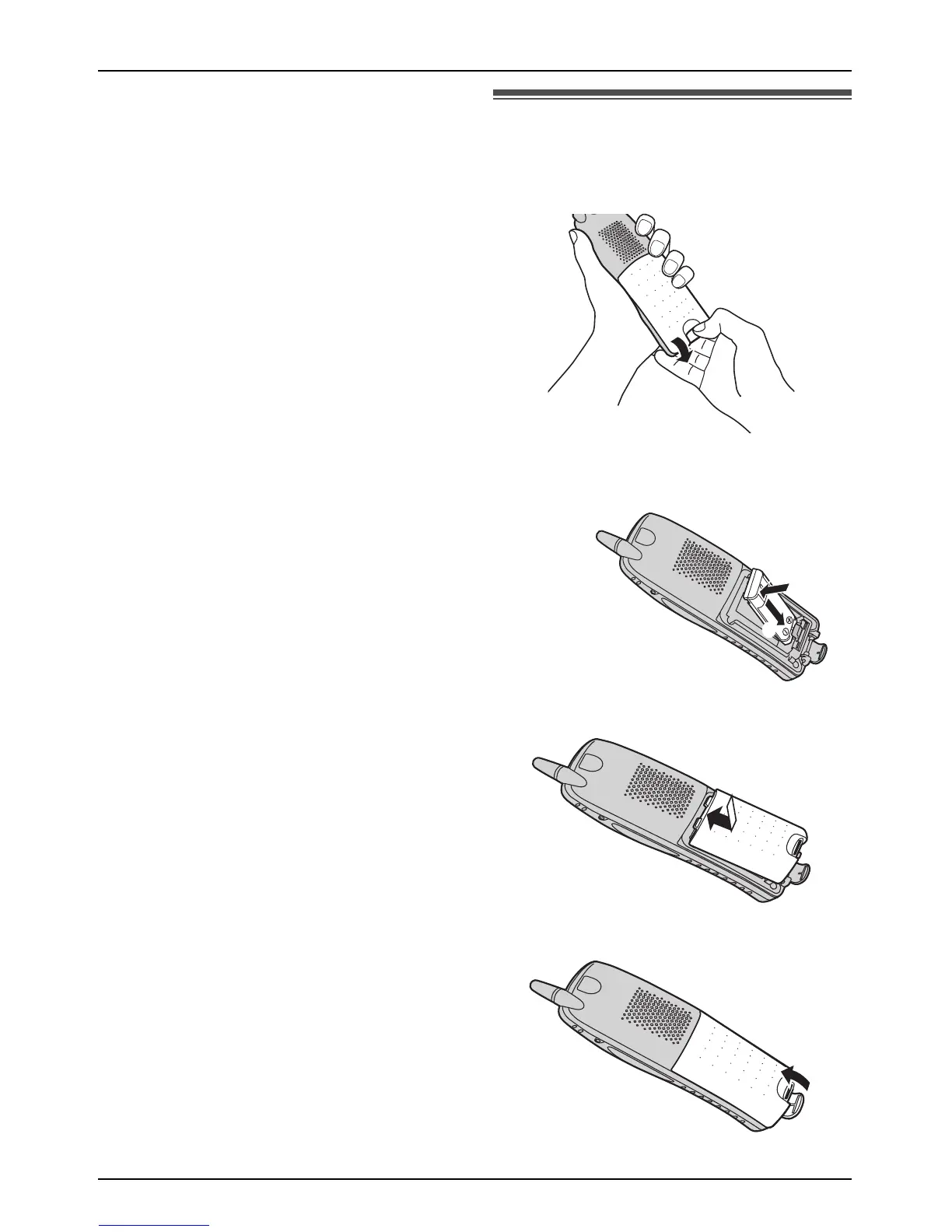
Battery installation
1
Release the battery cover latch and lift the
cover open
.
2
Insert the battery
(1)
, and press it down until
it snaps into the compartment
(2).
3 Close the handset cover.
4
Fasten the battery cover latch
.
1
2











 To Next Page