1.8 Using User-supplied Equipment
90 User Manual
Screening Calls (Live Call Screening [LCS])
Before operating
• Create a Live Call Screening (LCS) button.
• Select the mode, either Hands-free or Private.
• Set the LCS password.
• Set the LCS feature.
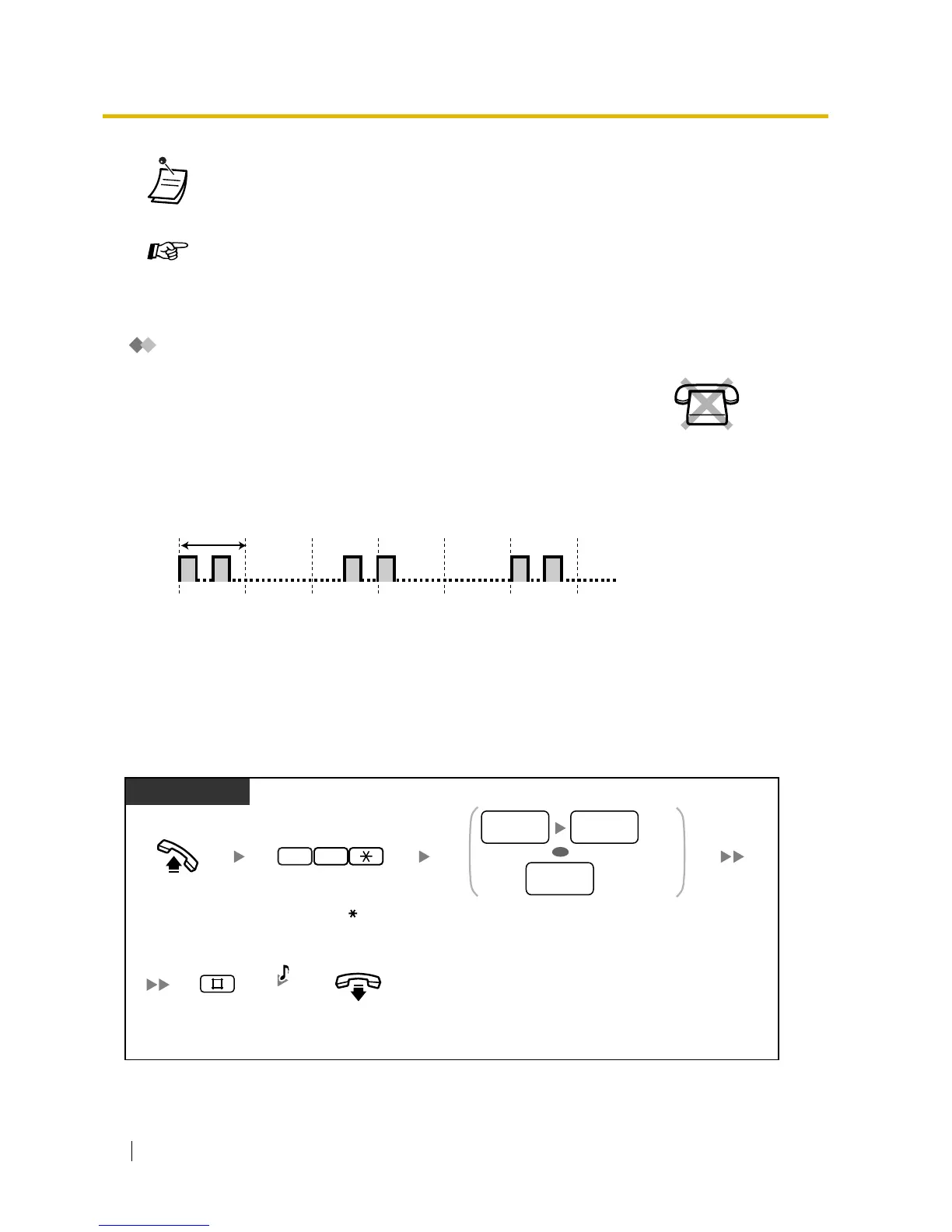
To set/cancel the LCS password
• If a proprietary telephone (PT) user sets the FWD—Busy/No Answer feature, the FWD/
DND button light will keep flashing while on-hook. To stop the button from flashing, go off-
hook and enter "716#".
Customising Your Phone
• 3.1.3 Customising the Buttons
Create or edit an FWD/DND (Call Forwarding/Do Not Disturb) button, Message
button, Voice Mail (VM) Transfer button, or Direct Station Selection (DSS) button.
While a caller is leaving a message in your mailbox, you can monitor the call,
and choose whether to answer or not. There are 2 methods available. (Default:
Hands-free mode)
Hands-free mode:
You can monitor the message automatically, live through the telephone
speaker.
Private mode:
You will hear the following alert tone while the caller is leaving a message.
1 s
No SLT
Off-hook.
On-hook.
Enter LCS password (3 digits)
2 times to set or one time to cancel.
PT
LCS
password
LCS
password
LCS
password
Set
Cancel
77
Enter 77 .
OR
C.Tone
Enter #.







 To Next Page