EasyManua.ls Logo

Panasonic KX-TG2631 - User Manual

Panasonic KX-TG2631
60 pages
Print Icon
To Next Page IconTo Next Page
Loading...
This unit is compatible with Caller ID. To use this feature, you must subscribe to
the appropriate service offered by your service provider.
Please read these Operating Instructions before using the unit and save for
future reference.
For assistance, visit our website:
http://www.panasonic.com/phonehelp for customers in the U.S.A. or Puerto
Rico.
Charge the handset battery for 6 hours before initial use.
Operating Instructions
2.4 GHz Digital Cordless
Answering System
Model No.
KX-TG2631
2.4 GHz Digital Cordless
Answering System with Two Handsets
Model No.
KX-TG2632
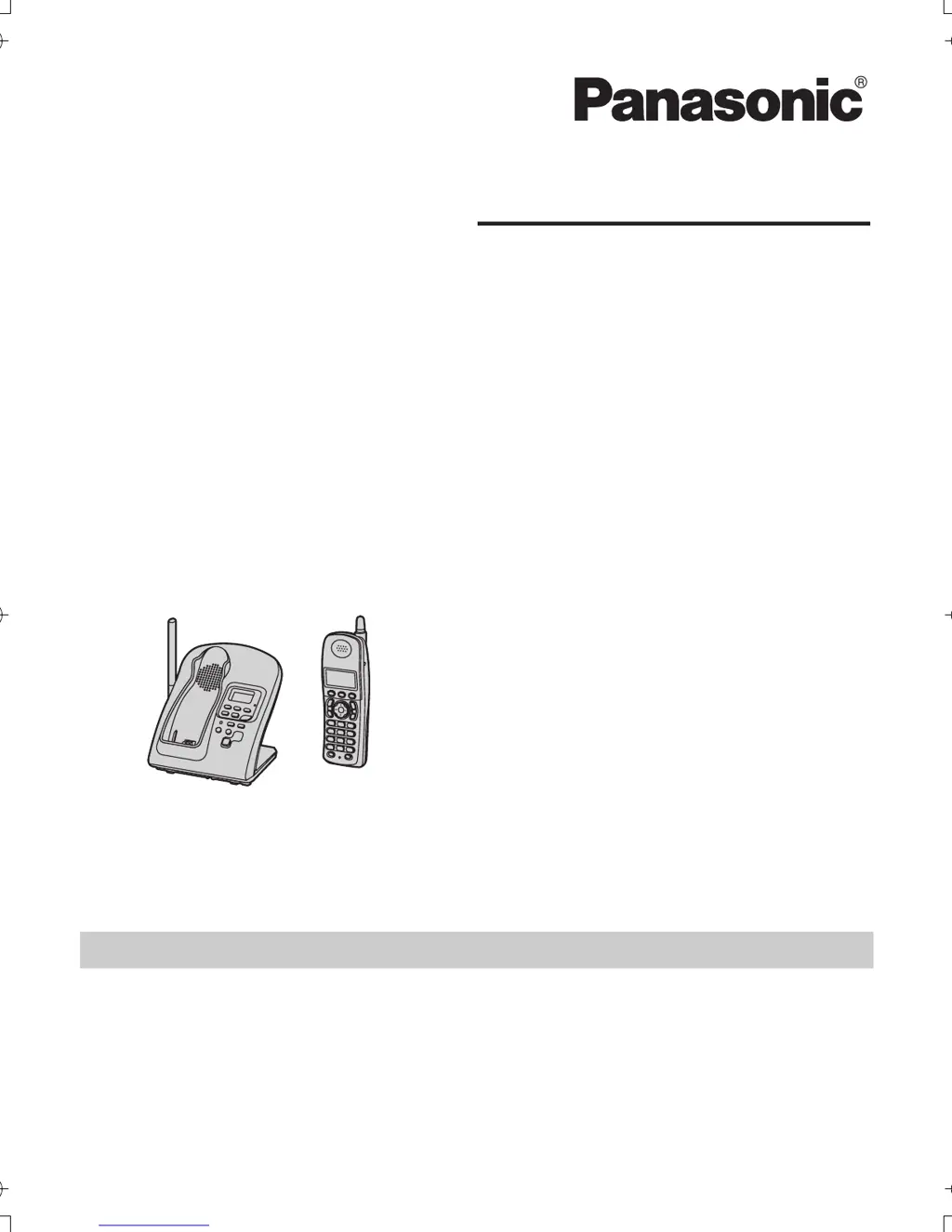
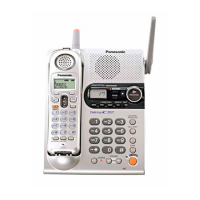
Model shown is KX-TG2631.
TG2631_2632.book Page 1 Monday, December 26, 2005 2:02 PM

Other manuals for Panasonic KX-TG2631

Questions and Answers

  • W
    William HerringNov 26, 2025
    Why is caller ID not working on my Panasonic KX-TG2631?
    • W
      William SandersNov 26, 2025
      If the handset on your Panasonic Answering Machine does not display the caller’s name and/or phone number, you may not have subscribed to Caller ID service. Contact your telephone company to subscribe. If your unit is connected to any additional telephone equipment such as a Caller ID box or cordless telephone jack, disconnect the unit from the equipment and plug the unit directly into the wall jack. If your unit is connected to a telephone line with DSL service, connect a noise filter between the base unit and the telephone line jack. The name display service may not be available in some areas. Other telephone equipment may be interfering with this unit. The caller may have requested not to send caller information. If a call is being transferred to you, the caller information is not displ...
  • R
    roykaufmanAug 23, 2025
    What to do if Panasonic Answering Machine handset display is blank?
    • L
      Logan Carson MDAug 23, 2025
      If the handset display on your Panasonic Answering Machine is blank, make sure that the battery is properly installed and fully charged.
  • M
    Michael WilliamsAug 25, 2025
    Why I cannot make a call on my Panasonic Answering Machine?
    • J
      Jennifer EvansAug 26, 2025
      If you cannot make a call on your Panasonic Answering Machine, the dialing mode may be set incorrectly, change the setting. It is also possible that the base unit or another handset is in use, try again later.
  • K
    Kenneth WilsonAug 26, 2025
    How to turn on ringer on Panasonic KX-TG2631?
    • E
      Eric KellyAug 27, 2025
      If your Panasonic Answering Machine handset does not ring, the ringer volume may be turned off. Adjust the ringer volume.
  • C
    Christopher GarrettAug 29, 2025
    Why can't I access my Panasonic KX-TG2631 Answering Machine messages remotely?
    • M
      Michael JosephAug 29, 2025
      If you cannot listen to messages from a remote location on your Panasonic Answering Machine, a touch tone phone is required for remote operation. Ensure you enter the remote code correctly and that the answering system is turned on.
  • D
    Dr. Jacob ThompsonSep 23, 2025
    Why can't I operate the answering system on my Panasonic Answering Machine?
    • M
      Mathew DavisSep 23, 2025
      If you cannot operate the answering system on your Panasonic Answering Machine, someone may already be operating it. If someone is on a conference call, you cannot operate the answering system. Try again later.
  • M
    Morgan FrostSep 16, 2025
    How to enable automatic editing of caller ID numbers on Panasonic Answering Machine?
    • A
      alexanderserranoSep 16, 2025
      If the caller list/incoming phone numbers are not edited automatically on your Panasonic Answering Machine, the Caller ID number auto edit feature may be turned off. Turn it on and try again. You may also need to call back the edited number to activate Caller ID number auto edit.
  • E
    evandennisSep 18, 2025
    Why can't I dial edited numbers on my Panasonic Answering Machine?
    • Z
      zimmermanmatthewSep 18, 2025
      If you cannot dial the phone number edited in the caller list of your Panasonic Answering Machine, the phone number you dialed might have an incorrectly edited pattern (for example, the long distance “1” or the area code is missing). Edit the phone number with another pattern.
  • S
    shuffmanSep 8, 2025
    Why is the battery light flashing on my Panasonic KX-TG2631 Answering Machine even after charging?
    • T
      Tracey GuerraSep 8, 2025
      If you have fully charged the battery of your Panasonic Answering Machine, but 7 continues to flash, or 8 is displayed, clean the charge contacts and charge again. The battery may also need to be replaced with a new one.
  • E
    elizabethtaylorSep 5, 2025
    Why I cannot program items on my Panasonic KX-TG2631?
    • S
      Sarah AndersonSep 5, 2025
      If you cannot program items on your Panasonic Answering Machine, it may be because another user is listening to messages or the answering system is answering a call. Try again later.

Summary

Introduction

Important Safety Instructions

Critical safety precautions for product use to reduce risk of fire, shock, or injury.

Preparation

Setting Up the Base Unit

Connecting the base unit to the AC adaptor and telephone line cord.

Setting Up the Handset

Connecting the charger and installing/charging the handset battery.

Making and Answering Calls

Making Calls

Procedures for making calls, redialing, and using special features.

Answering Calls

How to answer incoming calls and use call features like Auto Talk.

Phonebook and Caller ID

Caller ID Service

Using Caller ID features and understanding call information.

Programming

Programmable Settings

Customizing ringtones, volume, and other unit functions via menus or codes.

Answering System

Answering System Operation

Turning the system on/off, recording greetings, screening calls.

Useful Information

Error Messages and Troubleshooting

Identifying and resolving unit problems through error messages and FAQs.

Panasonic KX-TG2631 Specifications

General IconGeneral
TypeCordless Phone
Number of Handsets1
Answering Machine Recording Time18 minutes
Caller IDYes
Talk TimeUp to 5 hours
Standby TimeUp to 11 days
SpeakerphoneYes
Phone Lines1
Handsets Supported1
Call Waiting Caller IDYes
Digital Answering SystemYes
Backlit DisplayYes
IntercomYes
Phonebook Capacity50 names & numbers
RangeUp to 1000 feet

Related product manuals