Intercom/Locator
38
For assistance, please visit http://www.panasonic.com/help
Intercom
Intercom calls can be made:
– between handsets.
– between the handset and base unit.
Note:
L If you receive an outside call while
talking on the intercom, you hear 2
tones.
To answer the call with the handset,
press {OFF}, then press {C}.
L When paging unit(s) for an intercom
call, the paged unit(s) beeps for 1
minute.
Making an intercom call
1
{INTERCOM}
2 {V}/{^}: Select the desired unit. i
{Select}
L To stop paging, press {OFF}.
3 When you finish talking, press
{OFF}.
1 {INTERCOM}
L All registered handsets beep.
L To stop paging, press
{INTERCOM}.
2 When you finish talking, press
{INTERCOM}.
Answering an intercom call
1
Press {C} to answer the page.
2 When you finish talking, press
{OFF}.
1 Press {INTERCOM} to answer the
page.
2 When you finish talking, press
{INTERCOM}.
Note:
L When the ringer volume for outside
calls is set to off (page 16, 23), the
handset and/or base unit rings at a
low level for intercom calls.
Transferring calls,
conference calls
Outside calls can be transferred
between 2 handsets. 2 handsets can
have a conference call with an outside
party.
1 During an outside call, press
{INTERCOM} to put the call on hold.
2 {V}/{^}: Select the desired unit. i
{Transfer}
3 Wait for the paged party to answer.
L If the paged party does not
answer, press {C} to return to
the outside call.
4 To complete the transfer:
Press {OFF}.
L The outside call is being routed to
the destination unit.
To establish a conference call:
Press {Conf}.
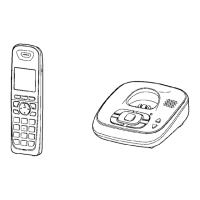
Handset
Base unit
Handset
Base unit
TG43xx_OI.book Page 38 Tuesday, December 11, 2007 2:04 PM




 To Next Page