EasyManua.ls Logo

Panasonic KX-TG6451BX - User Manual

Panasonic KX-TG6451BX
40 pages
Print Icon
To Next Page IconTo Next Page
Loading...
Thank you for purchasing a Panasonic product.
This unit is compatible with Caller ID. You must subscribe to the appropriate service offered
by your service provider/telephone company.
Please read these operating instructions before using the unit and save them for future
reference.
Charge the batteries for about 7 hours before initial use.
Operating Instructions
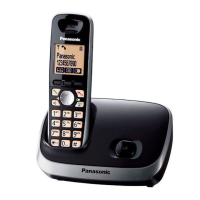
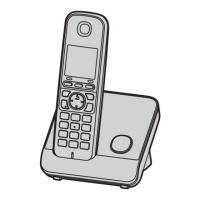
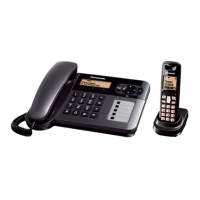
Digital Cordless Phone
Model No.
KX-TG6451BX
TG6451BX(e).book Page 1 Wednesday, July 8, 2009 10:25 AM

Other manuals for Panasonic KX-TG6451BX

Questions and Answers

  • T
    Tina MeltonSep 10, 2025
    What happens if Panasonic KX-TG6451BX Cordless Telephone rings while programming?
    • H
      Heather PetersenSep 10, 2025
      If, while programming your Panasonic Cordless Telephone, the unit starts to ring, it means a call is being received. Answer the call and start again after hanging up.
  • A
    April WoodsAug 22, 2025
    How to fix no dial tone on Panasonic KX-TG6451BX?
    • S
      Scott WalshAug 23, 2025
      If you cannot hear a dial tone on your Panasonic Cordless Telephone, ensure you are using the supplied telephone line cord, as your old one might have a different wiring configuration. Also, check that the base unit’s AC adapter or telephone line cord is properly connected. If you are using a splitter, remove it and connect the unit directly to the wall jack. If a working telephone operates properly, contact service personnel to repair the unit. If the working telephone does not operate properly, contact your service provider/telephone company.
  • K
    Kerry MurrayAug 25, 2025
    What to do if my Panasonic KX-TG6451BX Cordless Telephone does not work?
    • N
      natashanewmanAug 25, 2025
      If your Panasonic Cordless Telephone unit does not work, ensure the batteries are installed correctly. Fully charge the batteries. Check the connections. Unplug the base unit’s AC adapter to reset the unit and turn off the handset, then reconnect the adapter, turn on the handset, and try again. If the handset has not been registered to the base unit, register the handset.
  • A
    Alicia CarterAug 26, 2025
    How to fix blank display on Panasonic KX-TG6451BX Cordless Telephone?
    • J
      Jesse SmithAug 27, 2025
      If the handset display on your Panasonic Cordless Telephone is blank, it could be that the handset is not turned on. Turn the power on.
  • M
    michellehallAug 27, 2025
    Why is my Panasonic KX-TG6451BX Cordless Telephone not ringing?
    • C
      Cory BatesAug 27, 2025
      If your Panasonic Cordless Telephone base unit and/or handset does not ring, the ringer volume may be turned off. Adjust the ringer volume.
  • J
    Jordan StevensAug 29, 2025
    What does it mean when w is flashing on my Panasonic KX-TG6451BX?
    • A
      Amanda RichardsonAug 29, 2025
      If the w is flashing on your Panasonic Cordless Telephone, it could be due to several reasons. The handset might be too far from the base unit, so move closer. Ensure the base unit’s AC adapter is properly connected. High electrical interference could also be the cause; try re-positioning the base unit and using the handset away from sources of interference. Finally, the handset might not be registered to the base unit; in that case, register it.
  • P
    pittsvirginiaSep 18, 2025
    Why can't I copy phonebook entries on my Panasonic KX-TG6451BX Cordless Telephone?
    • B
      Brianna SchwartzSep 18, 2025
      Although the handset shows “Copy” or “Copy All” when you press 8 while displaying phonebook entries on your Panasonic Cordless Telephone, these copy features are not available for this model.
  • M
    mendezmarieSep 12, 2025
    Why does my Panasonic Cordless Telephone battery icon keep flashing after charging?
    • J
      josephjacobsSep 12, 2025
      If you have fully charged the batteries of your Panasonic Cordless Telephone, but the phone icon still flashes, clean the charge contacts and charge again.
  • J
    james12Sep 8, 2025
    How to clear missed call indicator on Panasonic KX-TG6451BX?
    • J
      john88Sep 8, 2025
      To erase the missed call indicator (y) from the display on your Panasonic Cordless Telephone, view the missed calls. On the base unit, press the right soft key, then press {V} to search from the most recent call, or press {^} to search from the oldest call. On the handset, press the middle soft key, then {V}/{^}: “Caller List” i M, and press {V} to search from the most recent call, or press {^} to search from the oldest call.
  • J
    Juan JuarezSep 5, 2025
    What to do if Panasonic KX-TG6451BX does not turn on after battery replacement?
    • L
      lashleySep 5, 2025
      If the handset does not automatically turn on after installing/replacing batteries in your Panasonic Cordless Telephone, the battery might be empty or too weak. Place the handset on the charger and let it charge.

Summary

Panasonic Cordless Phone Operating Instructions

Safety Precautions

Power, Installation, and Operation Safety

Crucial safety guidelines to prevent injury and property damage during product use.

Medical and Battery Safety

Safety advice for medical devices and proper battery handling.

Technical Specifications

Phone System Specifications

Outlines the technical specifications of the cordless phone, including frequency and power.

Getting Started: Setup Guide

Connecting the Base Unit and Installing Batteries

Step-by-step guide for connecting the base unit and installing batteries.

Battery Charging Procedure

Instructions on how to charge the handset batteries for initial use.

Getting Started: Setup Notes

Connection and Power Failure Notes

Important notes on AC adaptor connection, behavior during power failure.

Device Controls Overview

Making Phone Calls

Standard Dialing Procedures

Steps for making calls using the base unit, speakerphone, or handset.

Answering Calls and Basic Features

Receiving and Answering Calls

How to answer calls on the base unit and handset, and adjust ringer volumes.

Advanced Call Handling Features

Phonebook Management Guide

Adding New Contacts

Step-by-step guide to adding new names and numbers to the phonebook.

Finding and Editing Contacts

Methods for searching, editing, and calling contacts from the phonebook.

Phonebook and Speed Dial Operations

Assigning Speed Dial Numbers

Instructions for assigning phone numbers to speed dial buttons for quick access.

Customizing Phone Settings

Navigating Programmable Settings

How to navigate the display menus to customize various phone settings.

Handset Settings Customization

Advanced Programming Features

Call Blocking and Unit Registration

Caller ID Service Overview

Utilizing Caller ID Features

Explains how to use the Caller ID service, display features, and manage missed calls.

Accessing and Calling from Caller List

How to view the caller list and make calls back to received numbers.

Caller ID List Management

Intercom, Locator, and Call Transfer

Making and Answering Intercom Calls

How to initiate and answer intercom calls between the base unit and handset.

Error Messages and Troubleshooting

Display Message Reference Guide

Lists common error messages and their corresponding causes and solutions.

Troubleshooting Common Problems

Resolving General Unit Issues

Solutions for common problems like handset not turning on or no dial tone.

Advanced Troubleshooting Scenarios

Settings, Battery, and Call Issues

Troubleshooting steps for settings, battery recharge, and call/noise interference problems.

Further Troubleshooting and Damage Handling

Call Making and Caller ID Issues

Solutions for inability to make calls and issues with Caller ID information display.

Panasonic KX-TG6451BX Specifications

General IconGeneral
BrandPanasonic
ModelKX-TG6451BX
CategoryCordless Telephone
LanguageEnglish

Related product manuals