EasyManua.ls Logo

Panasonic KX-TGA659 - User Manual

Panasonic KX-TGA659
20 pages
Print Icon
To Next Page IconTo Next Page
Loading...
Thank you for purchasing a Panasonic product.
Please read this installation manual before using the unit and
save it for future reference.
For assistance, visit our Web site:
http://www.panasonic.com/help
for customers in the U.S.A. or
Puerto Rico.
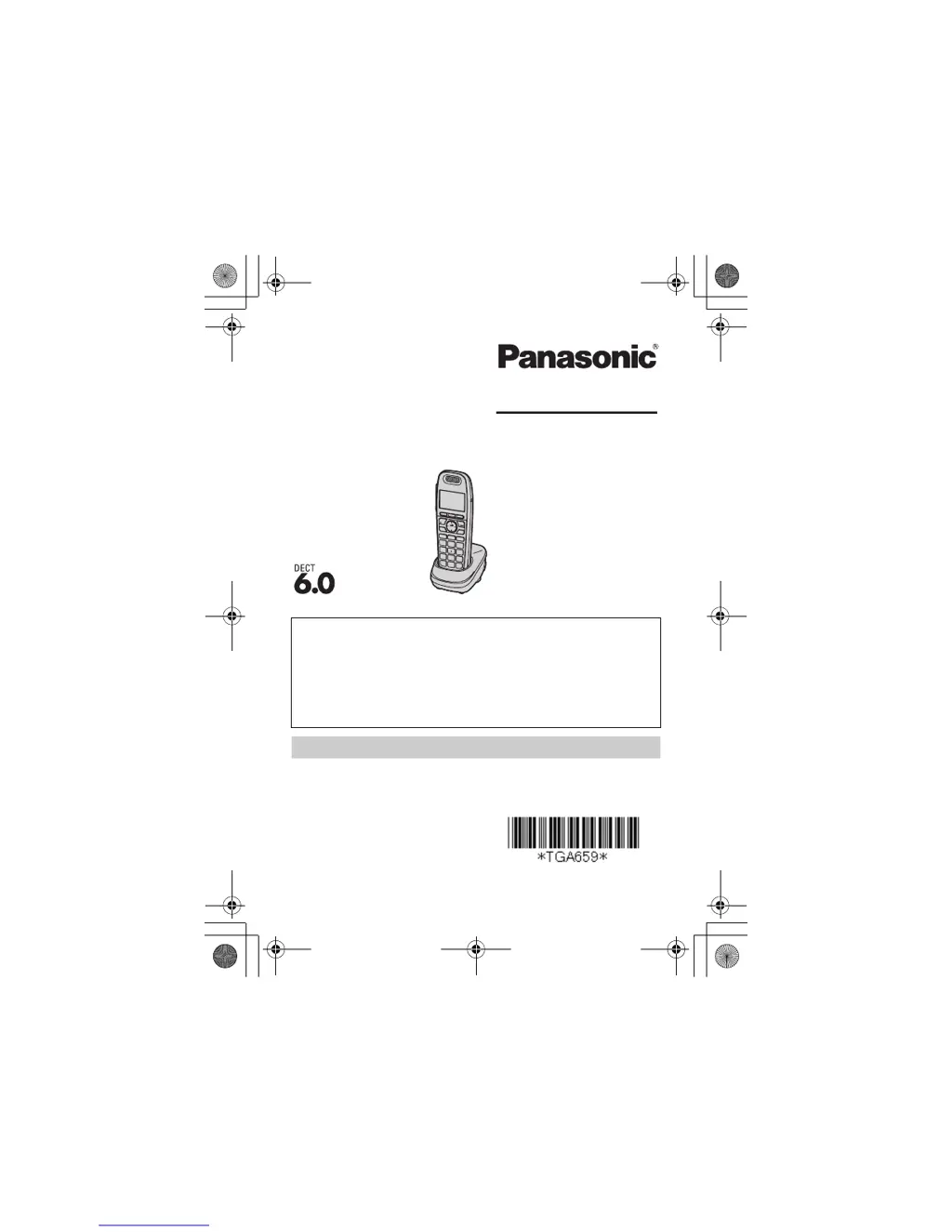
This unit is an additional handset compatible with the following
series of Panasonic Digital Cordless Phone:
KX-TG4131/KX-TG6591/KX-TG6631/KX-TG6641
You must register this handset with your base unit before it can
be used. This installation manual describes only the steps
needed to register and begin using the handset. Please read
the base unit’s operating instructions for further details.
Charge the batteries for about 7 hours before initial use.
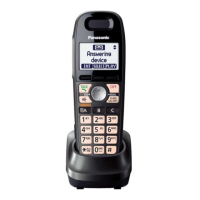
Additional Digital Cordless Handset
Model No.
KX-TGA659
Installation Manual
PNQX3177ZA TT1110KA0 (A)
Printed in China
TGA659(e).fm Page 1 Monday, November 22, 2010 3:12 PM

Questions and Answers

  • A
    Amanda Fisher DVMAug 18, 2025
    What to do if my Panasonic KX-TGA659 does not work?
    • M
      maria59Aug 18, 2025
      If your Panasonic Answering Machine isn't working, here are a few things to check: * Make sure the batteries are installed correctly. * Fully charge the batteries. * Check all the connections. * Unplug the base unit’s AC adaptor to reset the unit. Reconnect the adaptor and try again. * The handset might not be registered to the base unit. Register the handset.
  • Y
    yangcalebAug 21, 2025
    Why is caller information not displayed on my Panasonic Answering Machine?
    • J
      Jesse BradyAug 21, 2025
      If caller information is not displayed on your Panasonic Answering Machine, you must subscribe to Caller ID service. Contact your service provider/telephone company for details. If your unit is connected to any additional telephone equipment such as a Caller ID box or cordless telephone line jack, plug the unit directly into the wall jack. If you use a DSL/ADSL service, we recommend connecting a DSL/ADSL filter between the base unit and the telephone line jack. Contact your DSL/ADSL provider for details. The name display service may not be available in some areas. Contact your service provider/ telephone company for details. Other telephone equipment may be interfering with this unit. Disconnect the other equipment and try again.
  • T
    Tiffany MortonAug 23, 2025
    Why does my Panasonic Answering Machine handset beep and/or flash?
    • H
      Heather JacksonAug 23, 2025
      If your Panasonic Answering Machine handset beeps and/or flashes, it likely means the battery charge is low. You should fully charge the batteries.
  • K
    Kenneth JonesAug 25, 2025
    Why can't I hear a dial tone on my Panasonic Answering Machine?
    • D
      Deborah HallAug 26, 2025
      If you cannot hear a dial tone on your Panasonic Answering Machine, there are a couple of things you can check: * Ensure that the base unit’s AC adaptor or telephone line cord is connected properly. Check the connections. * You can test the telephone line by disconnecting the base unit and connecting the line to a known working telephone. If the working telephone operates properly, contact our service personnel to have the unit repaired. If the working telephone does not operate properly, contact your service provider/ telephone company.
  • C
    Colleen SullivanAug 27, 2025
    Why is my Panasonic Answering Machine still flashing after charging?
    • J
      Jason ByrdAug 27, 2025
      If you have fully charged the batteries of your Panasonic Answering Machine, but the display still flashes, shows a battery icon, or the operating time seems shorter than expected, try these steps: * Clean the battery ends and the charge contacts with a dry cloth, then charge again. * It might be time to replace the batteries.
  • M
    Michael WilcoxAug 30, 2025
    Why can't I register a handset to my Panasonic KX-TGA659?
    • V
      vandrewsAug 30, 2025
      If you cannot register a handset to a base unit of your Panasonic Answering Machine, it might be because the maximum number of handsets (6) is already registered to the base unit. Cancel unused handset registrations from the base unit.
  • D
    Daniel TurnerSep 1, 2025
    Why does my Panasonic KX-TGA659 Answering Machine base unit not ring?
    • M
      Mark SmithSep 1, 2025
      If the base unit of your Panasonic Answering Machine does not ring, the ringer volume might be turned off. Adjust the ringer volume.
  • N
    Natalie CarpenterSep 3, 2025
    Why is caller information displayed late on my Panasonic Answering Machine?
    • M
      michelle62Sep 3, 2025
      If caller information is displayed or announced late on your Panasonic Answering Machine, it could be that, depending on your service provider/telephone company, the unit may display or announce the caller’s information at the 2nd ring or later. Also, try moving closer to the base unit.
  • L
    Laura BarnettSep 6, 2025
    Why are caller list numbers not edited automatically on my Panasonic KX-TGA659 Answering Machine?
    • C
      Christopher AdamsSep 6, 2025
      If the caller list/incoming phone numbers are not edited automatically on your Panasonic Answering Machine, the Caller ID number auto edit feature might be turned off. Turn it on and try again. You might also need to call back the edited number to activate Caller ID number auto edit.
  • F
    Faith HillSep 8, 2025
    Why does the volume reset on my Panasonic KX-TGA659?
    • D
      Denise MaloneSep 8, 2025
      If the receiver volume on your Panasonic Answering Machine is changed to level 4 (default), even though you set it to level 5 (maximum level), the receiver volume returns to level 4 after you hang up. Press MjN or MkN to adjust the volume every time or as needed.

Panasonic KX-TGA659 Specifications

General IconGeneral
TypeDECT telephone
Answering machineNo
Number of melodies10
Volume controlDigital
Clock with calendarYes
Dialer locationHandset
Phonebook capacity100 entries
Call log entries50
Product colorSilver
Backlight colorAmber
Display diagonal1.8 \
Mac compatibility-
Battery typeAAA
Standby time170 h
Battery technologyNickel-Metal Hydride (NiMH)
Battery recharge time7 h
Number of batteries supported2
Weight and Dimensions IconWeight and Dimensions
Handset weight130 g
Handset dimensions (WxDxH)48 x 30 x 158 mm

Related product manuals