EasyManua.ls Logo

Panasonic KX-TGC260 - User Manual

Panasonic KX-TGC260
20 pages
Print Icon
To Next Page IconTo Next Page
Loading...
Quick Guide
Digital Cordless Answering System
Model No.
KX-TGC260E
KX-TGC262E
KX-TGC263E
KX-TGC264E
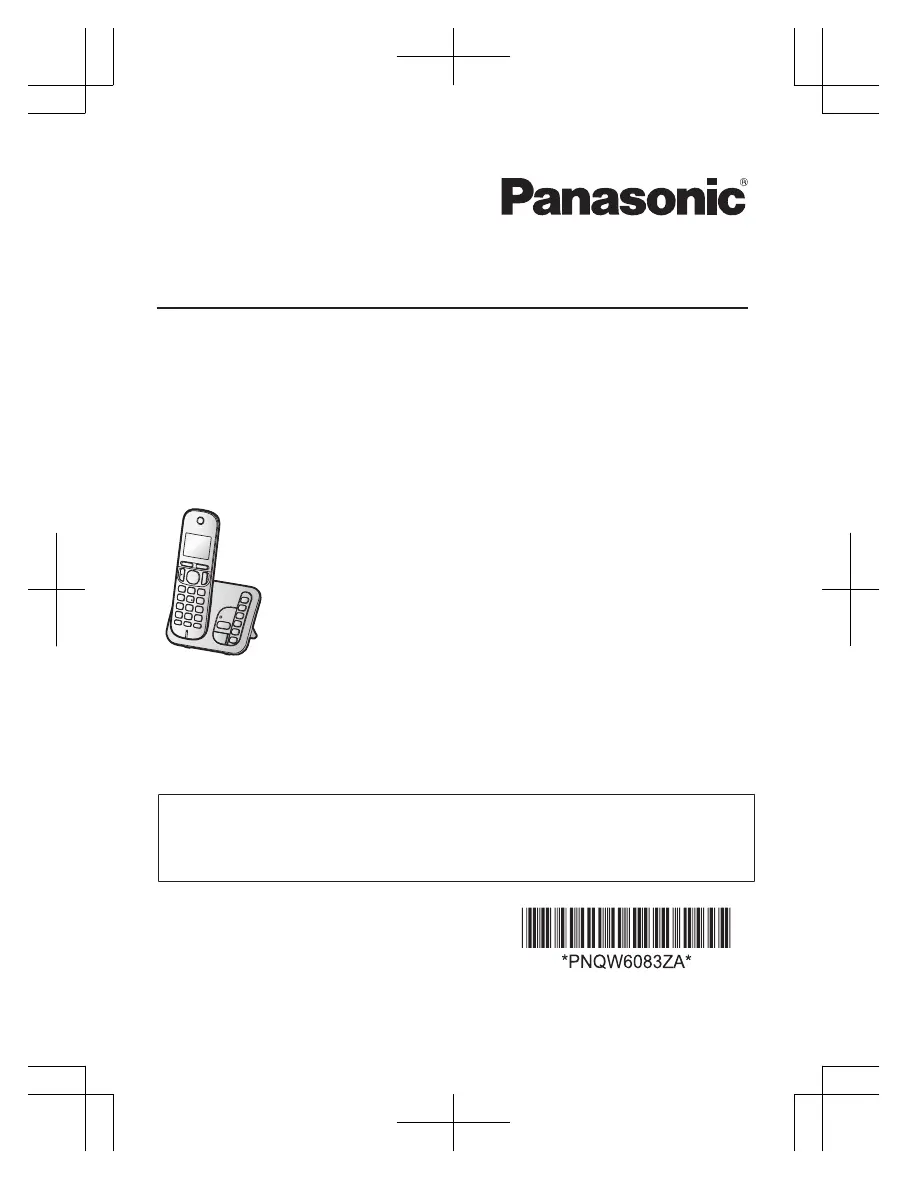
Model shown is KX-TGC260.
Thank you for purchasing a Panasonic product.
Please read these operating instructions before using the unit and save them for
future reference.
For detailed information about the features of your phone system, refer to the
Operating
Instructions, which is available by visiting the support page for this product
at the address below.
http://www.panasonic.eu
PNQW6083ZA
PP0522YM0
KX-TGC26xE_QG_0531_ver030.pdf 1 6/1/2022 12:04:16 PM

Questions and Answers

  • S
    Susan DaySep 10, 2025
    How to fix short battery life on Panasonic KX-TGC260?
    • S
      sliSep 10, 2025
      If you fully charged the batteries of your Panasonic answering machine, but the operating time seems shorter than expected: * Clean the battery ends and the charge contacts with a dry cloth and charge again. * It may be time to replace the batteries.
  • R
    Ryan YoungAug 22, 2025
    Why is Panasonic KX-TGC260 caller information not displayed?
    • J
      Jennifer LoganAug 23, 2025
      If caller information isn't showing on your Panasonic answering machine, here are a few things to check: * Ensure you have subscribed to a Caller ID service with your phone service provider. * If the unit is connected to additional telephone equipment, remove it and plug the unit directly into the wall jack. * If you use a DSL/ADSL service, connecting a DSL/ADSL filter between the base unit and the telephone line jack may help. Contact your DSL/ADSL provider for details. * Other telephone equipment may be interfering with the unit. Disconnect the other equipment and try again.
  • V
    voconnorAug 25, 2025
    What to do if my Panasonic KX-TGC260 unit does not work?
    • S
      Sarah VargasAug 25, 2025
      If your Panasonic answering machine unit isn't working, try the following: * Make sure the batteries are installed correctly. * Fully charge the batteries. * Check all the connections. * Unplug the base unit’s AC adaptor to reset the unit and turn off the handset. Reconnect the adaptor, turn on the handset and try again. * The handset may not be registered to the base unit. Register the handset.
  • S
    Steve HaysAug 27, 2025
    What to do if Panasonic KX-TGC260 handset beeps or flashes?
    • J
      John LeeAug 27, 2025
      If the handset of your Panasonic answering machine is beeping and/or flashing, the battery charge is likely low. Fully charge the batteries.
  • S
    Sharon MclaughlinAug 27, 2025
    How to reset PIN on Panasonic KX-TGC260 Answering Machine?
    • C
      Charles MurrayAug 27, 2025
      To change the PIN on your Panasonic answering machine, use the following method: 1 M N#132 2 *7000 3 Enter the new 4-digit base unit PIN. a MOKN 4 MbN: 'Yes' a MOKN a M N
  • B
    bsolomonAug 29, 2025
    How to fix slow caller ID on Panasonic Answering Machine?
    • T
      tandrewsAug 29, 2025
      If caller information is slow to display on your Panasonic answering machine: * Depending on your phone service provider, the unit may display the caller’s information at the 2nd ring or later. Set the first ring to 'Off'. * Move closer to the base unit.
  • D
    Dean PalmerSep 18, 2025
    How to display full name on Panasonic KX-TGC260 Answering Machine?
    • J
      James JonesSep 18, 2025
      If the name stored in the phonebook of your Panasonic answering machine is not fully displayed while an outside call is being received, edit the phonebook entry name to fit in 1 line of text.
  • B
    Barry JeffersonSep 12, 2025
    Why can't I use intercom on Panasonic KX-TGC260 Answering Machine?
    • B
      Brian BowenSep 12, 2025
      If you cannot use the intercom feature on your Panasonic answering machine, note that this feature is available between handsets. Although the handset displays 'Intercom', this feature is not available for single handset models.
  • E
    Elizabeth IrwinSep 8, 2025
    How to fix time shift on Panasonic KX-TGC260?
    • T
      Todd FieldsSep 8, 2025
      If the time on your Panasonic answering machine has shifted, it may be due to incorrect time information from incoming Caller ID. Set the time adjustment to 'Manual' (off).
  • Z
    zsmithSep 5, 2025
    What to do if Panasonic Answering Machine handset display is blank?
    • A
      Amy GonzalezSep 5, 2025
      If the handset display of your Panasonic answering machine is blank, turn the power on.

Panasonic KX-TGC260 Specifications

General IconGeneral
TypeCordless Phone with Answering Machine
Number of Handsets1
Caller IDYes
DisplayLCD
Battery TypeNi-MH
Talk TimeUp to 10 hours
Standby Time120 hours
Answering SystemDigital
Handsets Supported6
Frequency1.9 GHz
TechnologyDECT 6.0
Call WaitingYes
Remote AccessYes
Power SourceAC Adapter
Battery BackupYes
Phonebook Capacity50 entries

Related product manuals