8. Light ID setting (SF1H series only)
19
(1)
(2)
(3)
Please refer the following page regarding how to save contents on the USB memory or
delivery contents via LAN.
- Save content + scenario files on the USB memory and play page8~
- Delivery content via LAN page10~
※When using Light ID, Multi-playback is not possible..
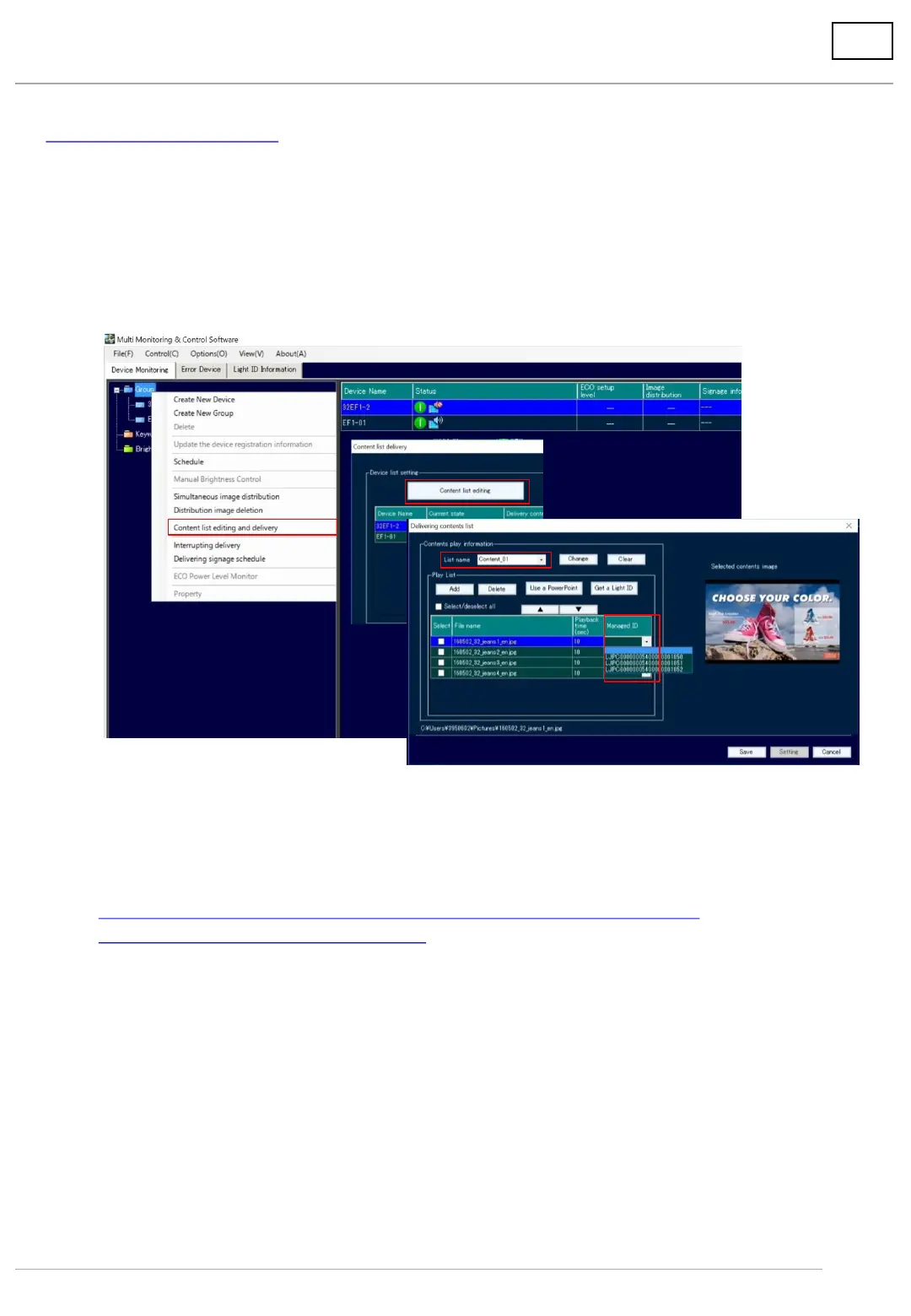
(1) Right-click on Group or registered device number and display the menu.
(2) Click [Content list editing and delivery], and the following message will appear.
* When you have necessary data into the USB memory, click Cancel and save the data beforehand.
(3) Click [Content list editing].
(4) Select the name of the content list.
(5) Select “Managed ID” linked to contents from pulldown menu.
2. Link the ID to Content
(4)
(5)




 To Next Page