8. Light ID setting (SF1H series only)
18
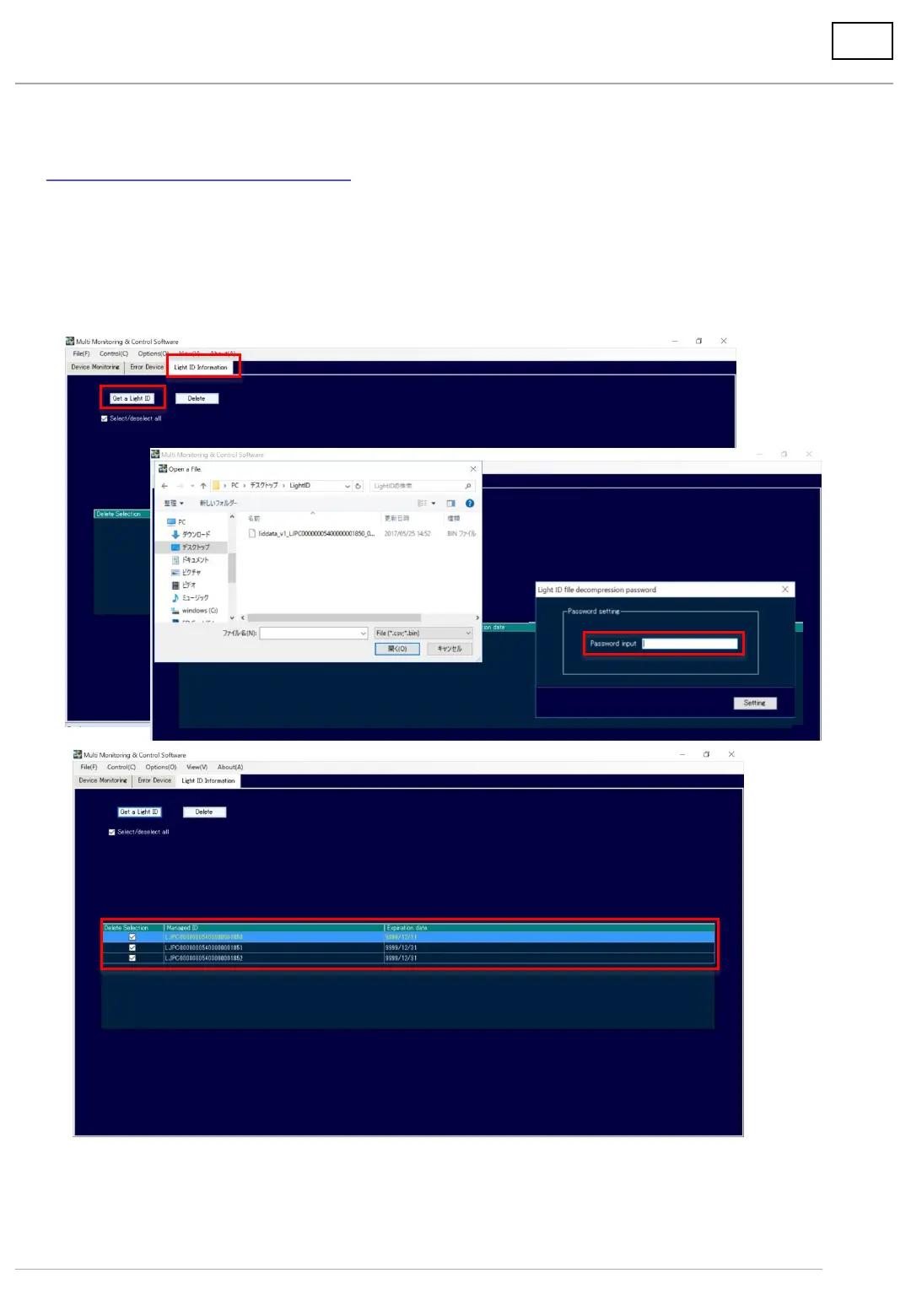
1. Import the Light ID on MMCS
(1) Save the Light ID file (***.bin) on your PC
(2) Select [Light ID Information] tab
(3) Select [Get a Light ID], and Import ***.bin data on MMCS
(4) Input the password(HEXKEY) obtained from LinkRay portal site or administrator for light ID
(5) Imported Managed ID of the Light ID will be displayed on the screen.
(2)
(3)
(4)
(5)
***********
• A separate contract for a Light ID license (requiring a fee) must be concluded to configure a
Light ID system.




 To Next Page