15
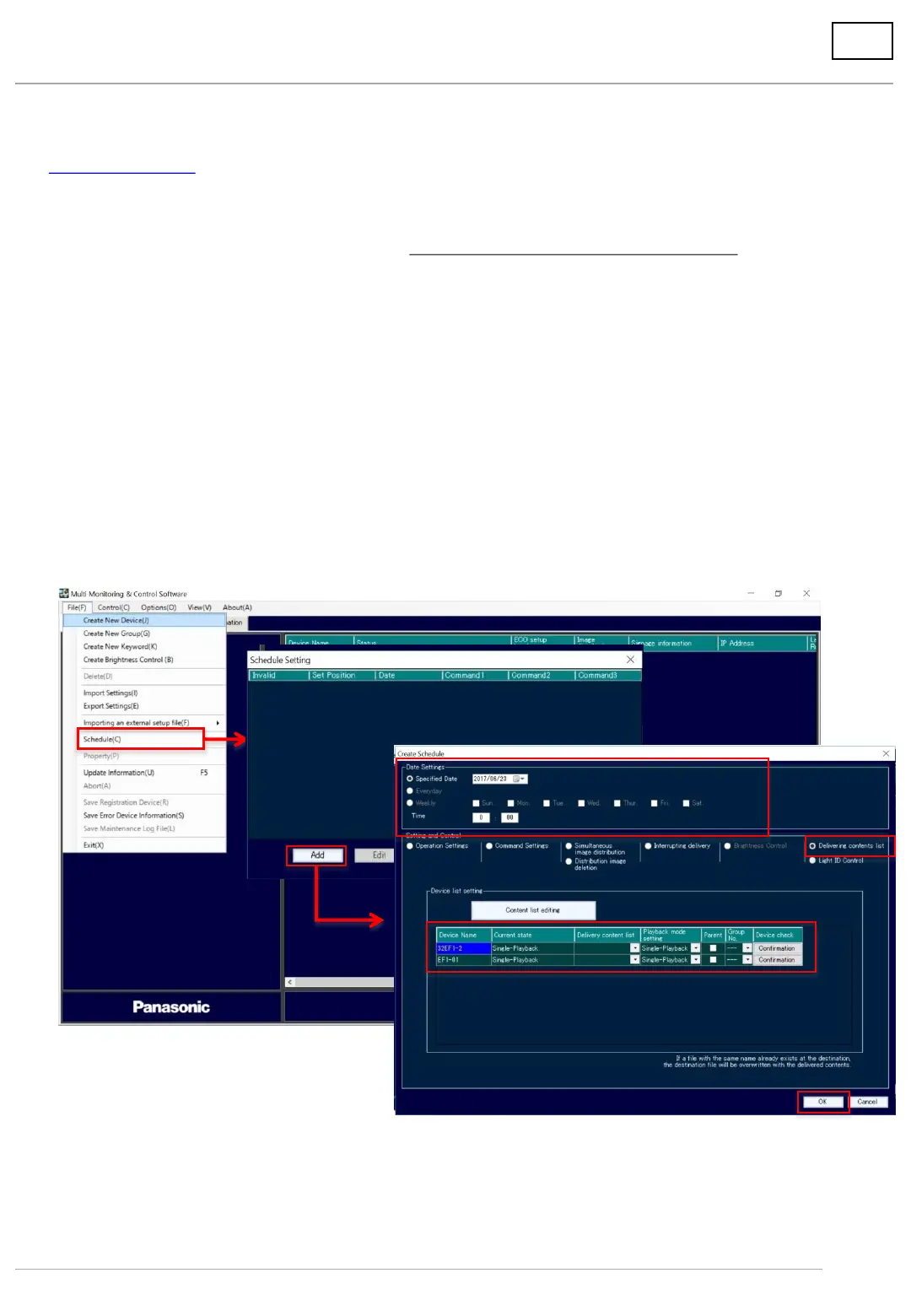
1. Set schedule.
(1) Click [File] and select [Schedule] from the menu.
(2) Click [Add] on the schedule setting screen.
(3) On the schedule creation screen, specify the date and time to deliver the content list.
It can be set by date/time, day of the week, and date.
*When the data size of the content list is large, it takes time to deliver. We recommend you
to set an earlier time, calculating back from the time you want to start playback.
(4) In the control settings, select [Delivering content list].
(5) On the device list setting screen, set the content list to be delivered and the play mode.
(6) Click [OK] when setting is completed.
A maximum of 100 lists can be set on the schedule.
6. Deliver content on USB memory via LAN
6-2. Set date/time of delivery/playback and deliver
(1)
(2)
(3)
(4)
(5)
(6)





 To Next Page