VQT1U32
28
Preparation
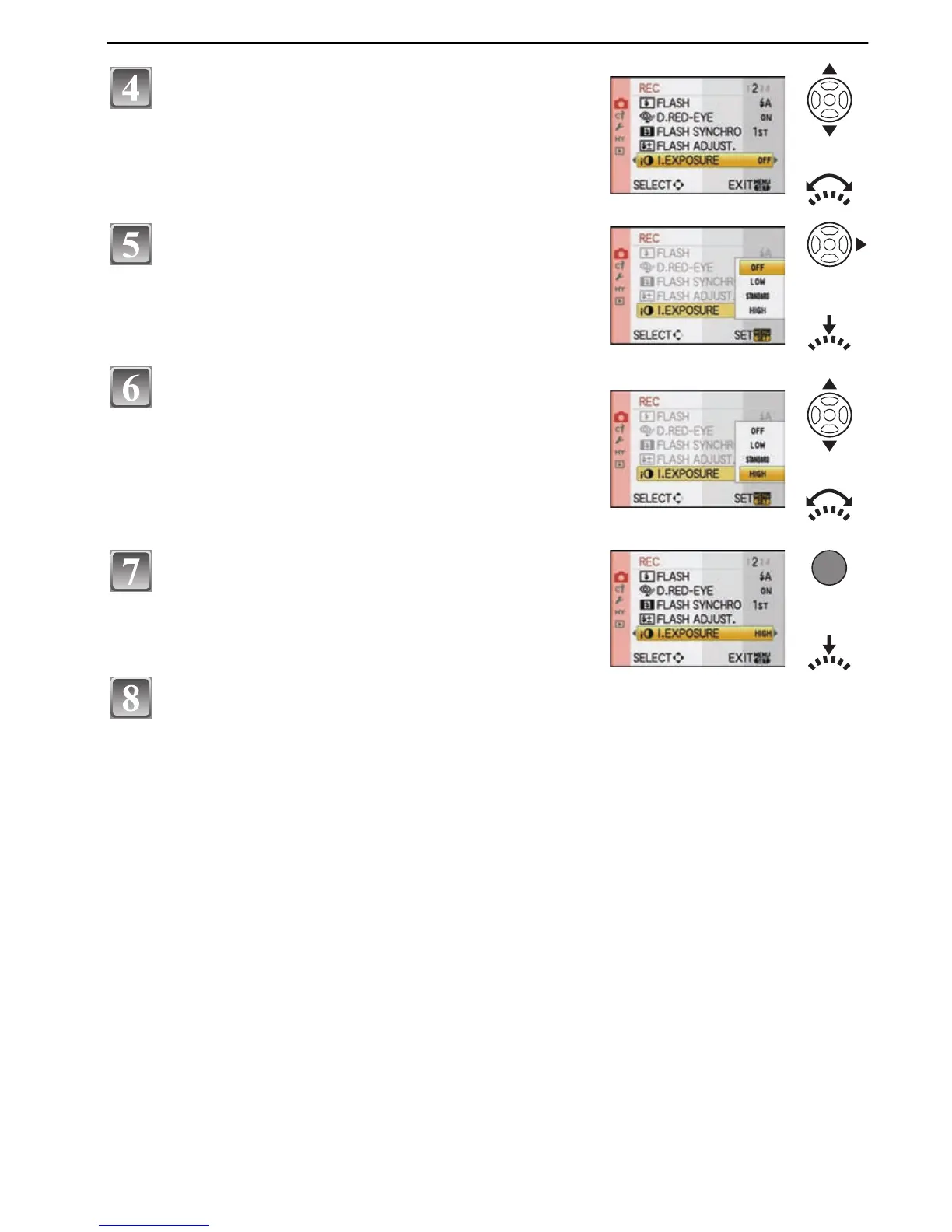
Press [MENU/SET] to close the menu.
• You can also press the shutter button halfway to close the menu.
Press 3/4 or rotate the front dial to select
[I.EXPOSURE].
• Select the item at the very bottom, and press 4 or
rotate the front dial right to move to the second
screen.
Press 1 or the front dial.
• Depending on the item, its setting may not appear or it
may be displayed in a different way.
Press 3/4 or rotate the front dial to select
[HIGH].
Press [MENU/SET] or the front dial to set.

 To Next Page
 Loading...