VQT1U32
96
Advanced (Recording pictures)
[REC] mode:
Registering Personal Menu Settings (Registering
custom settings)
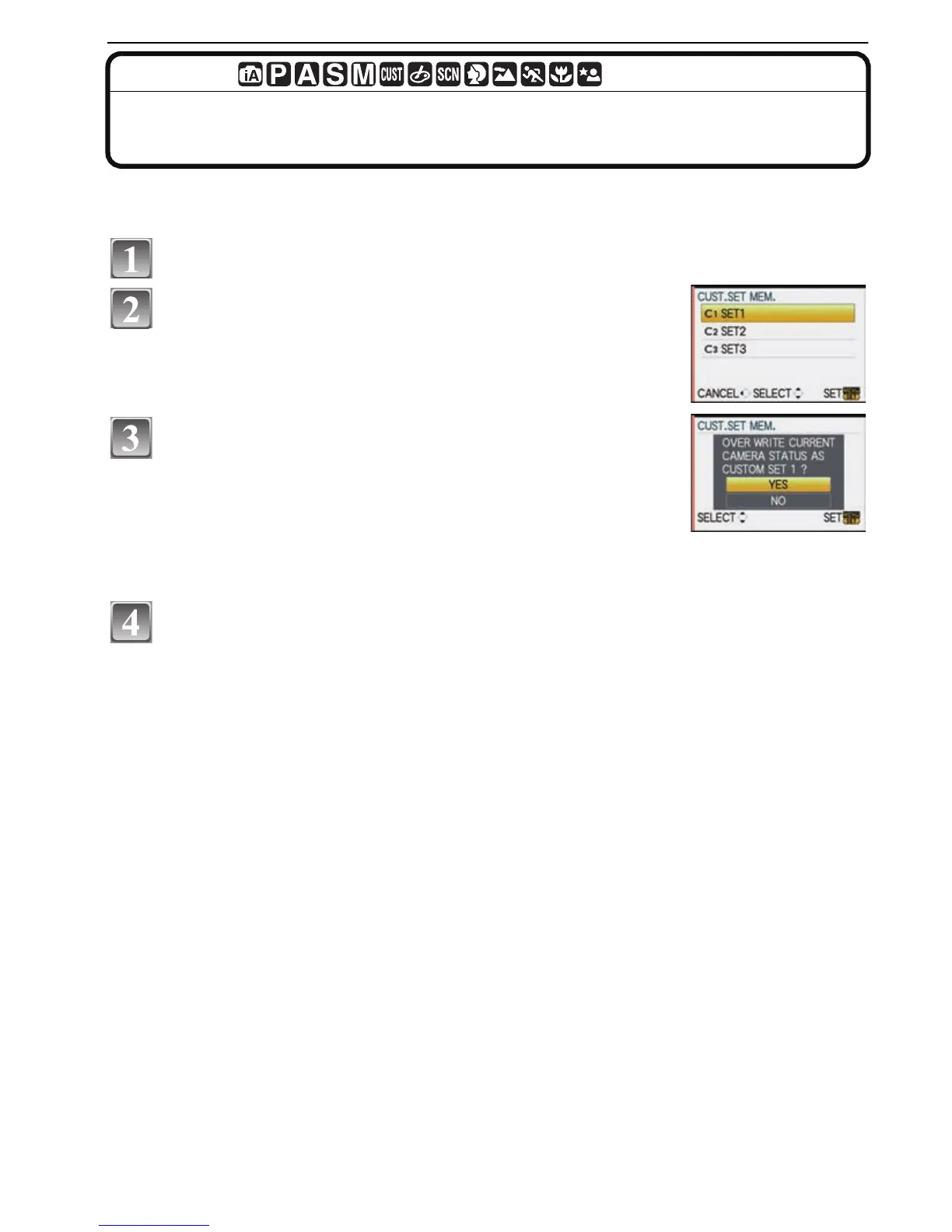
It is possible to register up to 3 sets of current camera settings as custom sets.
•
Set to the mode dial to the desired mode and select the desired menu settings in advance.
Select [CUST. SET MEM.] in the [CUSTOM MENU] menu. (P27)
Press 3/4 to select the custom set to register
and then press [MENU/SET].
Press 3 to select [YES] and then press [MENU/
SET].
• When [YES] is selected, the settings that were previously
stored are overwritten.
• You cannot save the following menu items because they affect
other recording modes.
–[CLOCK SET], [NO.RESET], [RESET] and [SCENE MENU]
–[BABY1]/[BABY2] or [PET] birthday settings in Scene mode
Press [MENU/SET] to close the menu.
• You can also press the shutter button halfway to close the menu.

 To Next Page
 Loading...