103
SQW0021
Picture Quality and coloring Settings
Adjusting the White Balance
Recording mode:
In sunlight, under incandescent lights or in other such conditions where the color of white
takes on a reddish or bluish tinge, this item adjusts to the color of white which is closest to
what is seen by the eye in accordance with the light source.
1
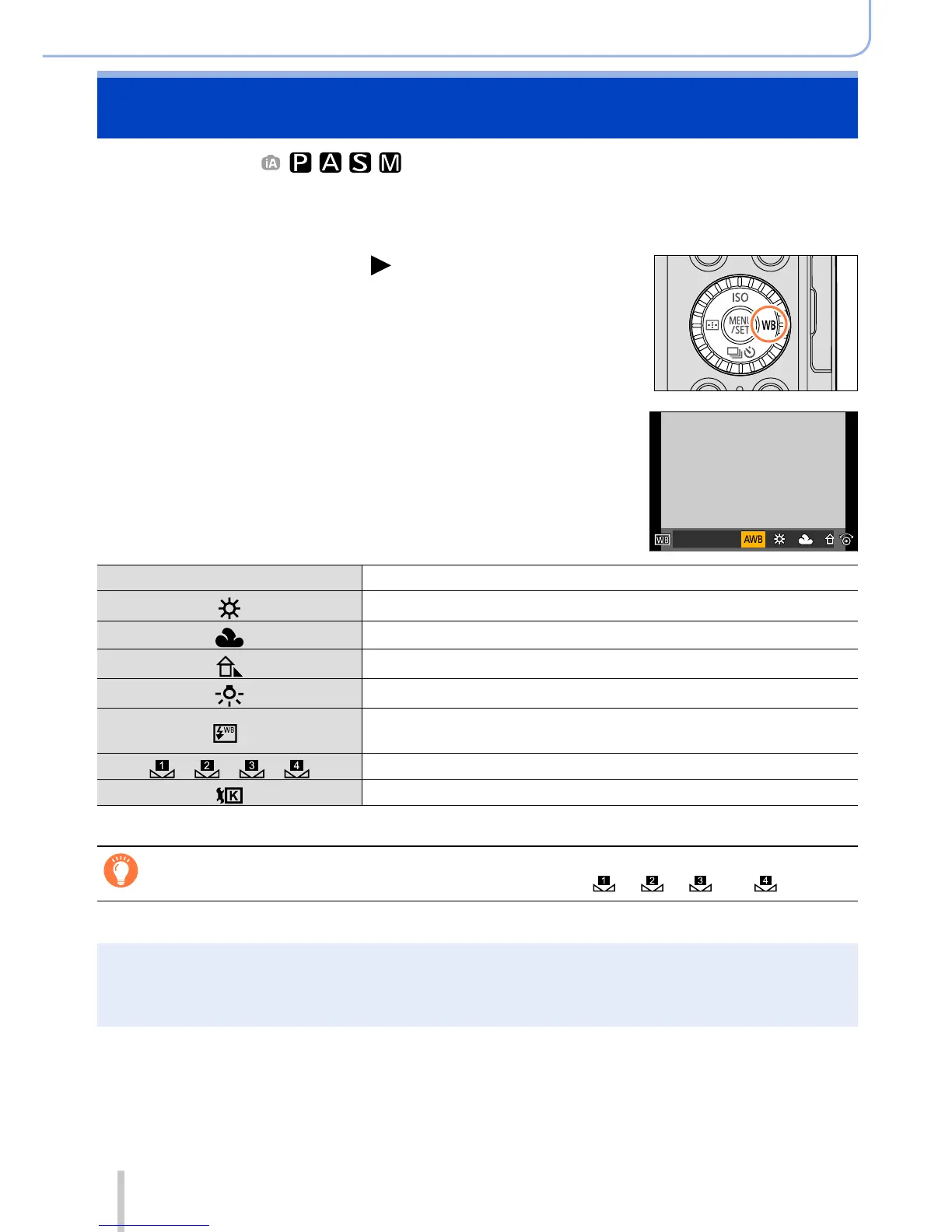
Press [WB] button ( )
2
Turn the control dial to select the White
Balance and press [MENU/SET]
[AWB] Automatic adjustment in accordance with the light source.
[
]
Adjust to the color under a clear sky.
[
]
Adjust to the color under a cloudy sky.
[
]
Adjust to the color in the shade.
[
]
Adjust to the color under incandescent lights.
[
]
*
Adjust to the color that is optimal for taking pictures using the
flash.
[
]/[ ]/[ ]/[ ]
Use the White Balance value that was set manually.
[
] Use the preset color temperature setting.
*
The [AWB] setting is applied when recording motion pictures.
Under fluorescent lighting, LED lighting fixtures, etc., the optimal White Balance will
vary depending on the lighting type, so use [AWB], [ ], [ ], [ ] or [ ].
●
The White Balance may not operate correctly if you take pictures using a flash or the subject is
recorded outside of the effective flash range (→177).
●
[White Balance] setting is fixed to [AWB] in the following case:
• When the picture effect (Filter) is set


 To Next Page
 Loading...