20
This feature will make the oven controls inoperable; however, the door can be
opened. Child safety lock can be set when the display shows a dot or the
time.
To Set: To Cancel:
Press Start 3 times within
10 seconds.
The time of day will disappear. Actual
time will not be lost. ‘L- --’ is indicated
in the display.
Press Stop/Reset 3 times within
10 seconds.
The time of day will reappear in the
display.
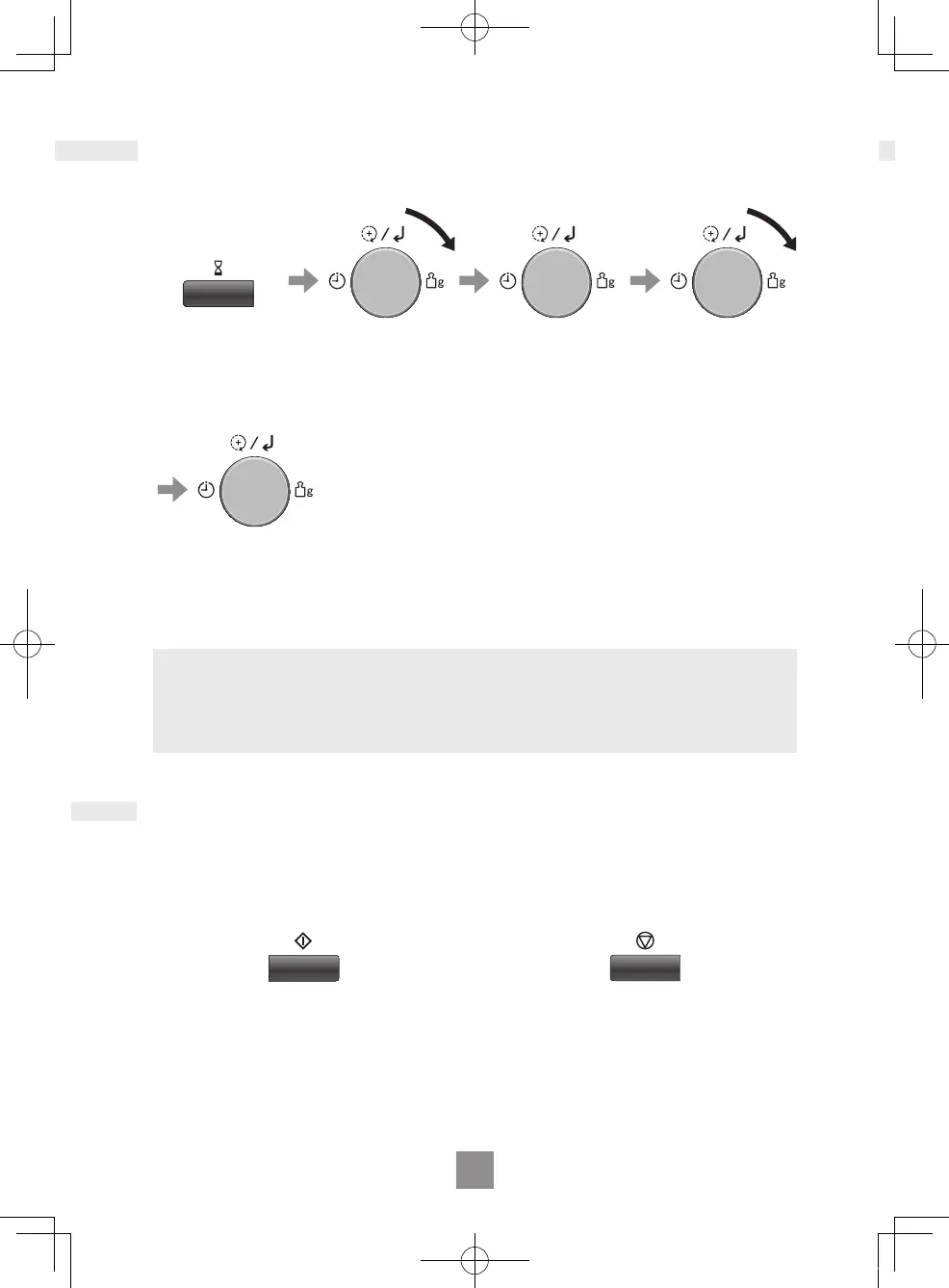
Setting the clock
Child safety lock
When the oven is rst plugged in, “88.88” appears in display.
Press Timer/
Clock twice.
Hour and
colon start to
blink.
Turn the dial to
set hours.
Press the dial.
Minute and
colon start to
blink.
Turn the dial to
set minutes.
Press the dial.
Blinking stops
and time of day
is now locked
into the display.
Notes
1. To reset time of day, repeat the whole step above.
2. The clock will keep the time of day as long as the oven is plugged in and
electricity is supplied.
3. This is a 24 hour clock, ie 2 pm = 14:00 not 2:00.
NN-C69KSM_EPG.indb 20 2019/07/29 18:14:47


 To Next Page
 Loading...