Before using
48
VQT0S76
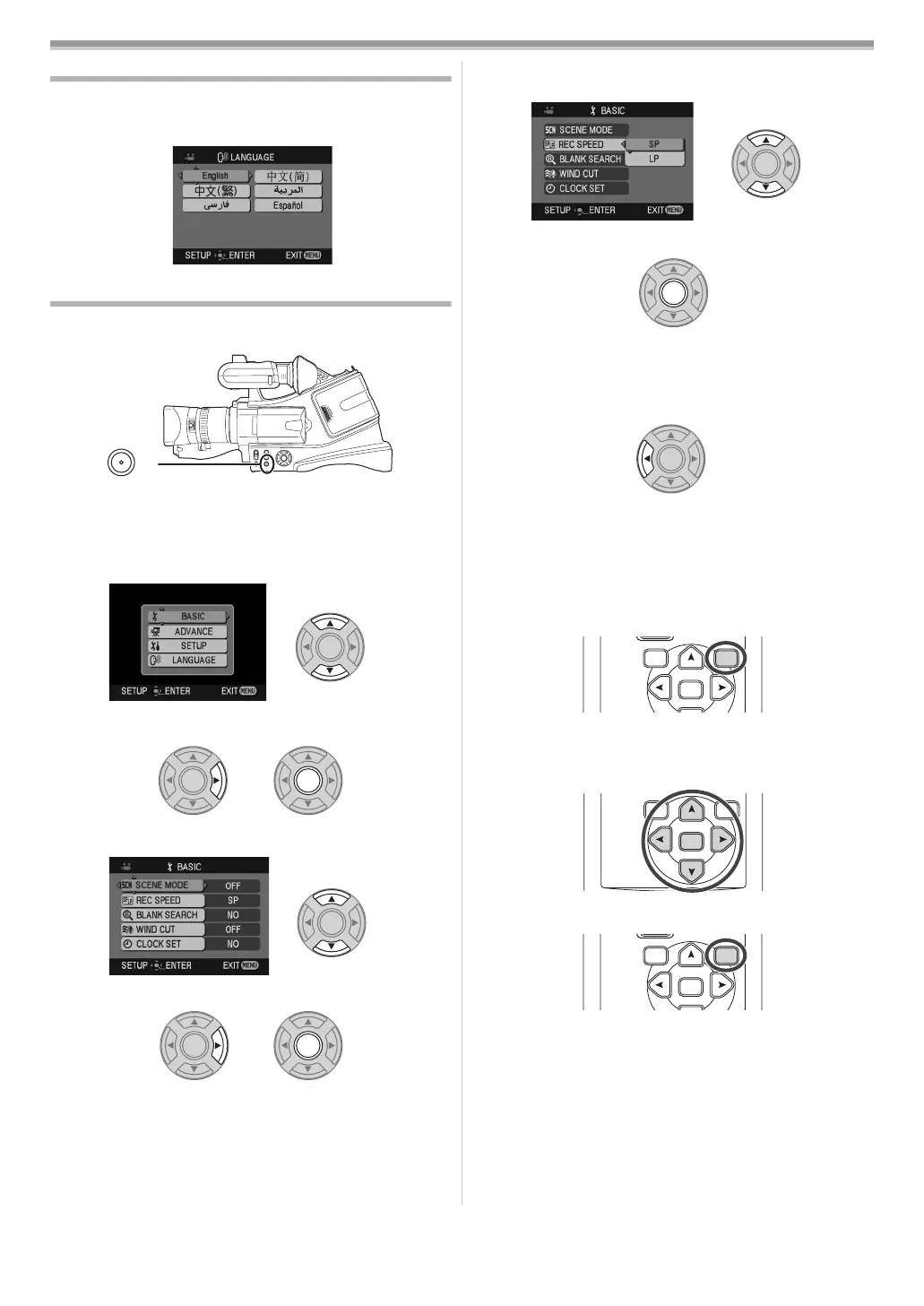
Switching the language
You can switch the language on the screen display or the menu
screen.
1 Set [LANGUAGE] >> select the desired language.
Using the menu screen
For each individual menu, please refer to -66-.
1 Press the [MENU] button.
≥The menu corresponding to the mode selected by the
mode switch is displayed.
≥Do not switch the mode switch when the menu is displayed.
2 Press the [3] or [4] button in order to select the top
menu.
3 Press the [1] or [ENTER] button to set the selection.
4 Press the [3] or [4] button to select the sub-menu.
5 Press the [1] or [ENTER] button to set the selection.
6 Press the [3] or [4] button in order to select the item to
be set.
7 Press the [ENTER] button to determine the setting.
ª
To exit the menu screen
Press the [MENU] button.
ª
To get back to the previous screen
Press the [2] button.
ª
About the menu setting
≥The menu screen does not appear during recording. And you
cannot record when the menu screen appears.
ª
Operating with remote control
The menu screen transition is the same as when the buttons on
the main unit are used.
1 Press the [MENU] button.
2 Select a menu item.
≥Use the direction buttons (π, ∑, ∏, ∫) and [ENTER]
button in place of the cursor buttons on the main unit.
3 Press the [MENU] button to exit the menu screen.
MENU
ENTER
VAR.
SEARCH
MENU
ENTER
VAR.
SEARCH
MENU
ENTER
VAR.
SEARCH
MENU
VQT0S76_Eng.book 48 ページ 2005年7月21日 木曜日 午前11時48分







 To Next Page