EasyManua.ls Logo

Panasonic NV-VX55A - Strobe Function

Panasonic NV-VX55A
96 pages
Print Icon
To Next Page IconTo Next Page
To Previous Page IconTo Previous Page
Loading...
@=3)
D.MODE
>
LO.EFFECT
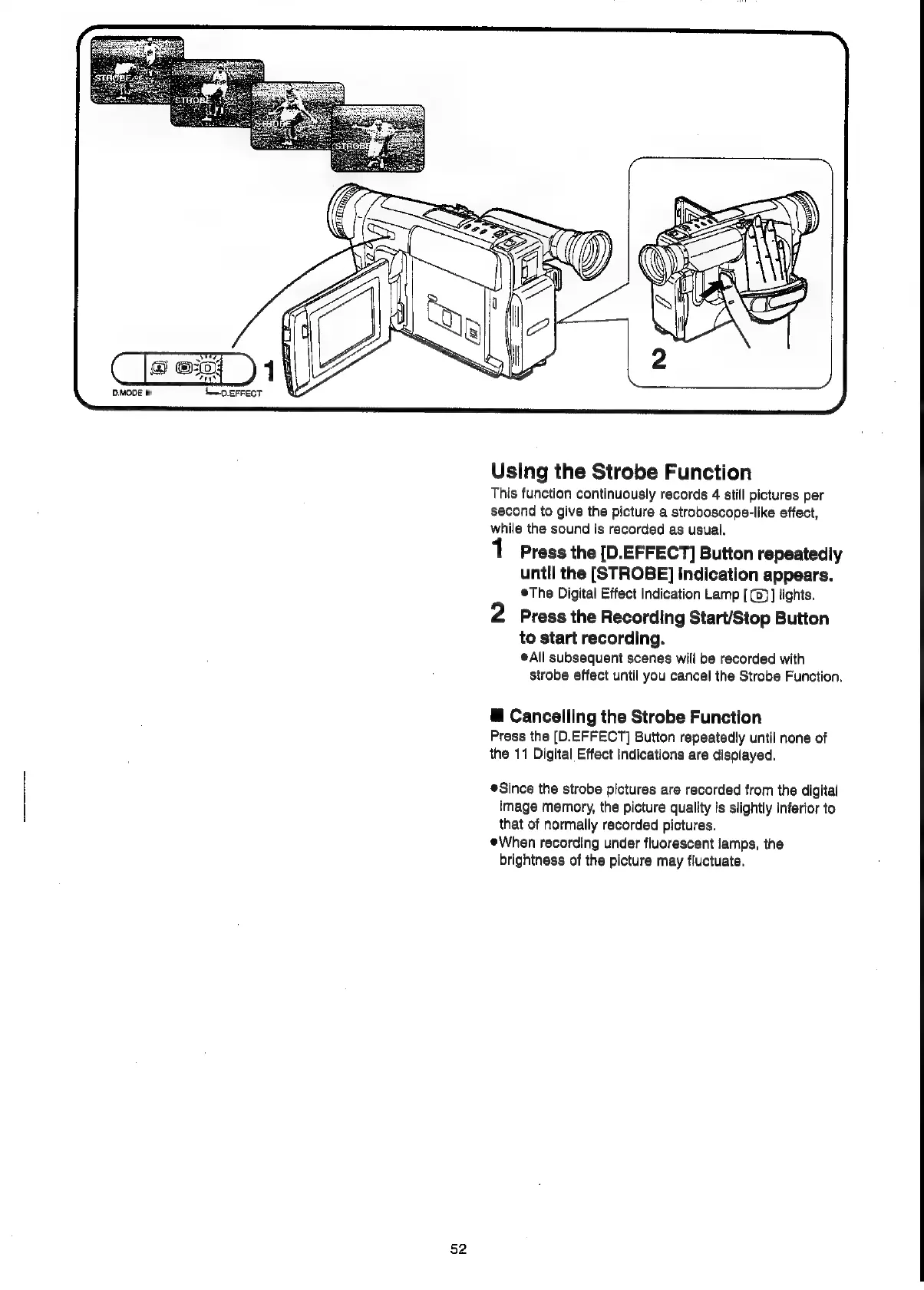
Using
the
Strobe
Function
This
function
continuously
records
4
still
pictures
per
second
to
give
the
picture
a
stroboscope-like
effect,
while
the
sound
is
recorded
as
usual.
Press
the
[D.EFFECT]
Button
repeatedly
until
the
[STROBE]
Indication
appears.
©The
Digital
Effect
Indication
Lamp
[
(0)
]
lights.
2
Press
the
Recording
Start/Stop
Button
to
start
recording.
®A\ll
subsequent
scenes
will
be
recorded
with
strobe
effect
until
you
cancel
the
Strobe
Function.
@
Cancelling
the
Strobe
Function
Press
the
[D.EFFECT]
Button
repeatedly
until
none
of
the
11
Digital
Effect
Indications
are
displayed.
Since
the
strobe
pictures
are
recorded
from
the
digital
image
memory,
the
picture
quality
is
slightly
inferior
to
that
of
normally
recorded
pictures.
When
recording
under
fluorescent
lamps,
the
brightness
of
the
picture
may
fluctuate.
52

Related product manuals