EasyManua.ls Logo

Panasonic NV-VX55A - Wipe Function

Panasonic NV-VX55A
96 pages
Print Icon
To Next Page IconTo Next Page
To Previous Page IconTo Previous Page
Loading...
t—p.errecr
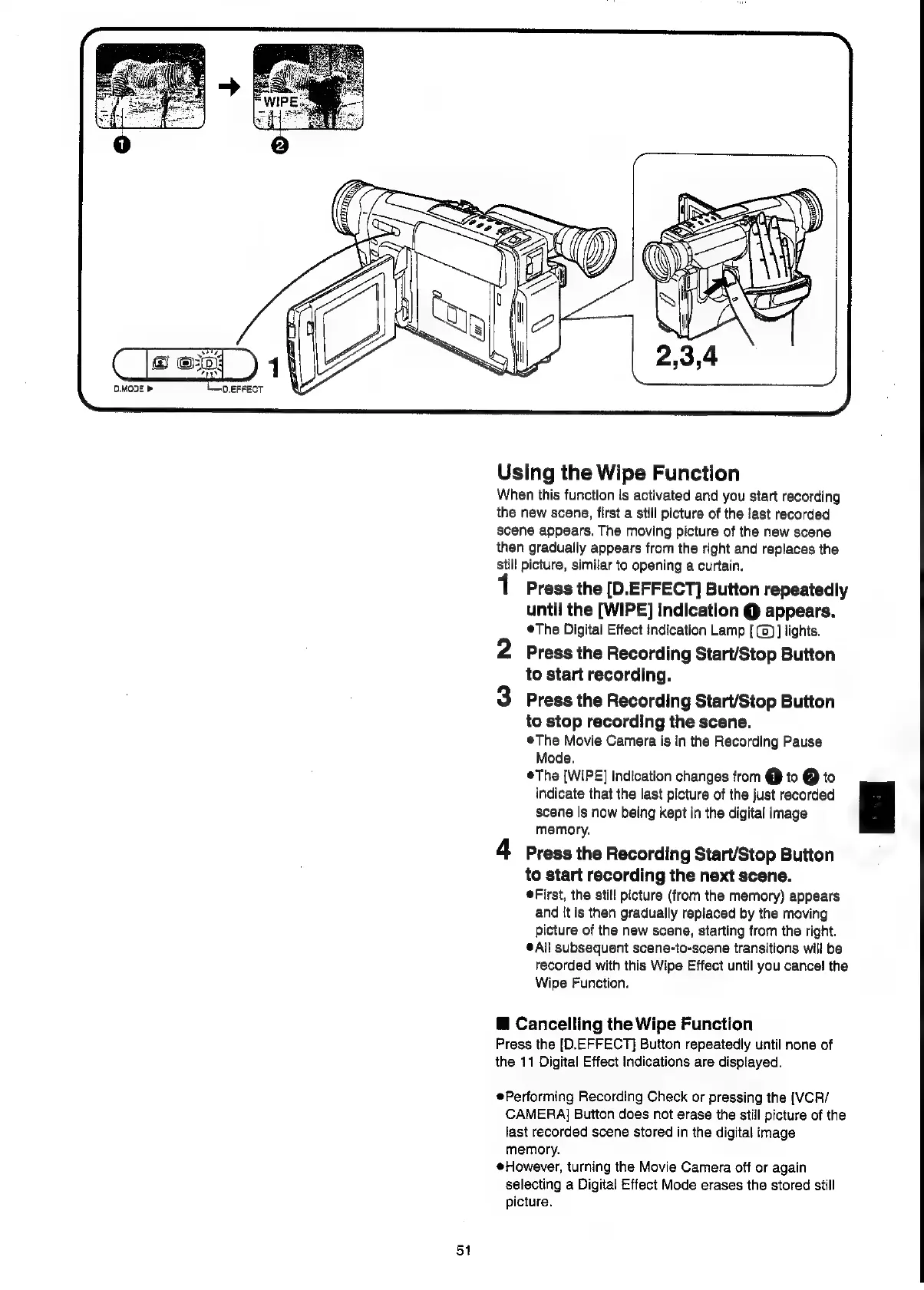
Using
the
Wipe
Function
When
this
function
is
activated
and
you
start
recording
the
new
scene,
first
a
still
picture
of
the
last
recorded
scene
appears.
The
moving
picture
of
the
new
scene
then
gradually
appears
from
the
right
and
replaces
the
Still
picture,
similar
to
opening
a
curtain.
Press
the
[D.EFFECT]
Button
repeatedly
until
the
[WIPE]
Indication
@
appears.
®The
Digital
Effect
indication
Lamp
[
(2)
]
lights.
2
Press
the
Recording
Start/Stop
Button
to
start
recording.
3
Press
the
Recording
Start/Stop
Button
to
stop
recording
the
scene.
The
Movie
Camera
is
in
the
Recording
Pause
Mode.
The
[WIPE]
Indication
changes
from
€}
to
@
to
indicate
that
the
last
picture
of
the
just
recorded
ie
scene
is
now
being
kept
in
the
digital
image
memory,
4
Press
the
Recording
Start/Stop
Button
to
start
recording
the
next
scene.
First,
the
still
picture
(from
the
memory)
appears
and
it
is
then
gradually
replaced
by
the
moving
picture
of
the
new
scene,
starting
from
the
right.
*All
subsequent
scene-to-scene
transitions
will
be
recorded
with
this
Wipe
Effect
until
you
cancel
the
Wipe
Function.
@
Cancelling
the
Wipe
Function
Press
the
[D.EFFECT]
Button
repeatedly
until
none
of
the
11
Digital
Effect
Indications
are
displayed.
Performing
Recording
Check
or
pressing
the
[VCR/
CAMERA]
Button
does
not
erase
the
still
picture
of
the
last
recorded
scene
stored
in
the
digital
image
memory.
eHowever,
turning
the
Movie
Camera
off
or
again
selecting
a
Digital
Effect
Mode
erases
the
stored
still
picture.
51

Related product manuals