EasyManua.ls Logo

Panasonic NV-VX55A - Digital Fade Function 2

Panasonic NV-VX55A
96 pages
Print Icon
To Next Page IconTo Next Page
To Previous Page IconTo Previous Page
Loading...
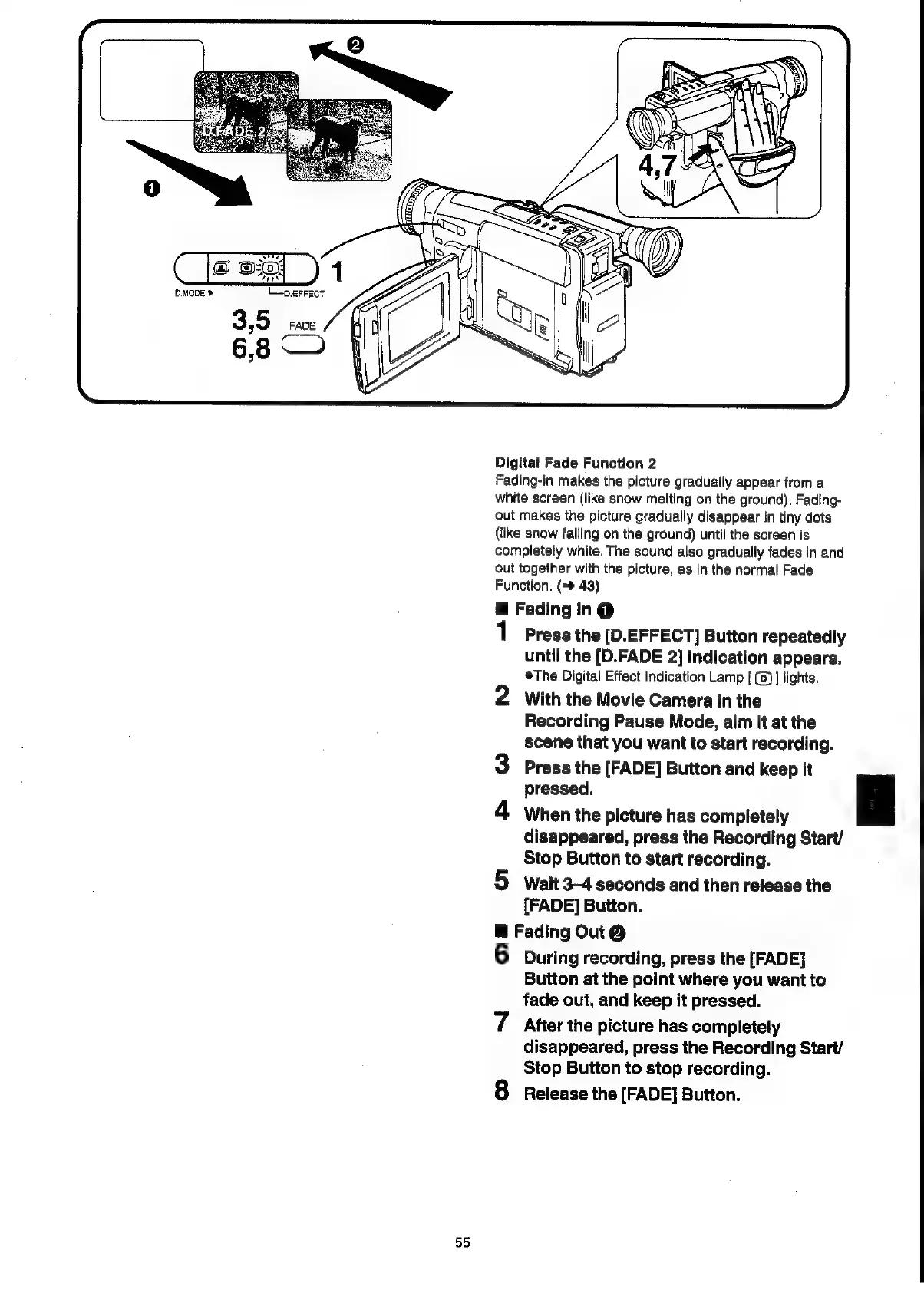
D.MODE
»
L_p.errect
Digitat
Fade
Function
2
Fading-in
makes
the
picture
gradually
appear
from
a
white
screen
(like
snow
melting
on
the
ground).
Fading-
out
makes
the
picture
gradually
disappear
in
tiny
dots
(like
snow
falling
on
the
ground)
until
the
screen
is
completely
white.
The
sound
also
gradually
fades
in
and
out
together
with
the
picture,
as
in
the
normal
Fade
Function.
(+>
43)
@
Fading
in@
1
Press
the
[D.EFFECT]
Button
repeatedly
until
the
[D.FADE
2]
Indication
appears.
The
Digital
Effect
Indication
Lamp
[
(0)]
lights.
2
With
the
Movie
Camera
in
the
Recording
Pause
Made,
aim
it
at
the
scene
that
you
want
to
start
recording.
3
Press
the
[FADE]
Button
and
keep
it
pressed.
a
4
When
the
picture
has
completely
disappeared,
press
the
Recording
Start/
Stop
Button
to
start
recording.
5
wait
3-4
seconds
and
then
release
the
[FADE]
Button.
B
Fading
Out@
6
During
recording,
press
the
[FADE]
Button
at
the
point
where
you
want
to
fade
out,
and
keep
it
pressed.
7
After
the
picture
has
completely
disappeared,
press
the
Recording
Start/
Stop
Button
to
stop
recording.
8
Release
the
[FADE]
Button.
55

Related product manuals