EasyManua.ls Logo

Panasonic NV-VX55A - Inserting a Title at the Beginning of a Recording; Inserting a Title During Recording

Panasonic NV-VX55A
96 pages
Print Icon
To Next Page IconTo Next Page
To Previous Page IconTo Previous Page
Loading...
74
OFFION
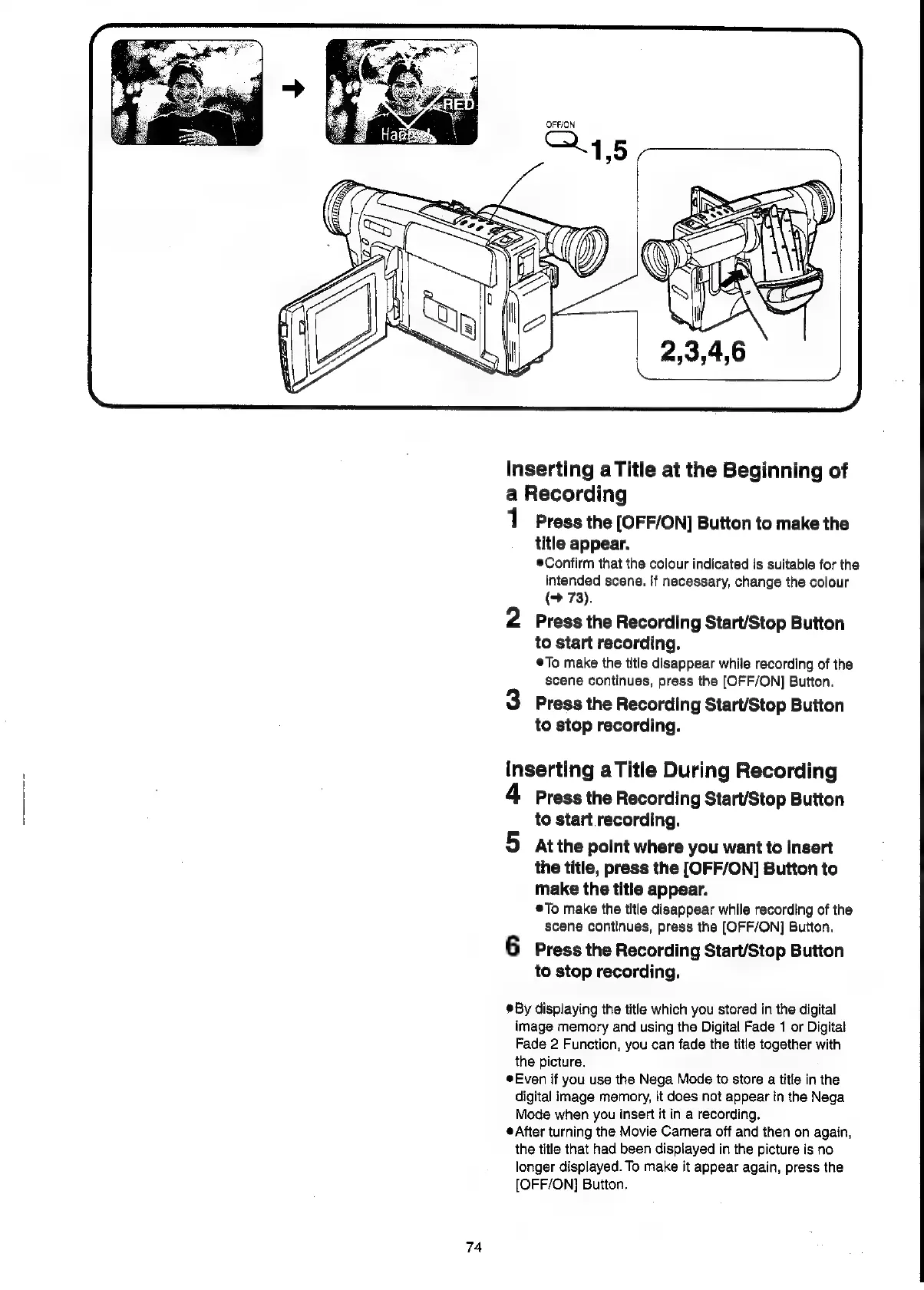
Inserting
aTitle
at
the
Beginning
of
a
Recording
1
Press
the
[OFF/ON]
Button
to
make
the
title
appear.
®Confirm
that
the
colour
indicated
is
suitable
for
the
intended
scene.
if
necessary,
change
the
colour
(9
73).
2
Press
the
Recording
Start/Stop
Button
to
start
recording.
To
make
the
title
disappear
while
recording
of
the
scene
continues,
press
the
[OFF/ON]
Button.
3
Press
the
Recording
Start/Stop
Button
to
stop
recording.
inserting
aTitle
During
Recording
4
Press
the
Recording
Start/Stop
Button
to
start
recording.
5
atthe
point
where
you
want
to
insert
the
title,
press
the
[OFF/ON]
Button
to
make
the
title
appear.
®To
make
the
title
disappear
while
recording
of
the
scene
continues,
press
the
[OFF/ON]
Button.
6
Press
the
Recording
Start/Stop
Button
to
stop
recording.
®By
displaying
the
title
which
you
stored
in
the
digital
image
memory
and
using
the
Digital
Fade
1
or
Digital
Fade
2
Function,
you
can
fade
the
title
together
with
the
picture.
Even
if
you
use
the
Nega
Mode
to
store
a
title
in
the
digital
image
memory,
it
does
not
appear
in
the
Nega
Mode
when
you
insert
it
in
a
recording.
After
turning
the
Movie
Camera
off
and
then
on
again,
the
title
that
had
been
displayed
in
the
picture
is
no
longer
displayed.
To
make
it
appear
again,
press
the
[OFF/ON]
Button.

Related product manuals