EasyManua.ls Logo

Panasonic NV-VX55A - Using the Tape Counter Indication; Checking the Elapsed Tape Time

Panasonic NV-VX55A
96 pages
Print Icon
To Next Page IconTo Next Page
To Previous Page IconTo Previous Page
Loading...
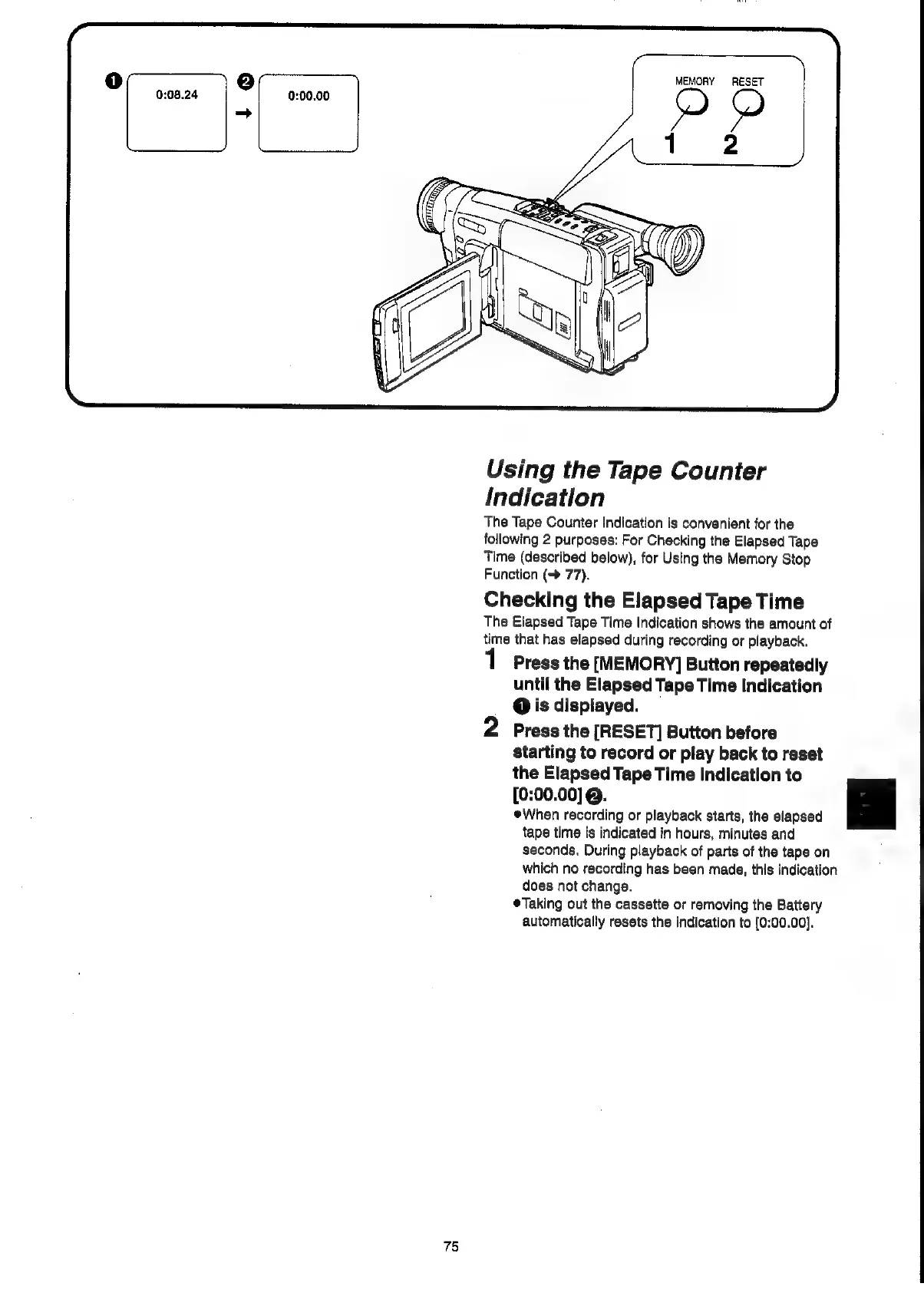
MEMORY
RESET
Using
the
Tape
Counter
Indication
The
Tape
Counter
Indication
is
convenient
for
the
following
2
purposes:
For
Checking
the
Elapsed
Tape
Time
(described
below),
for
Using
the
Memory
Stop
Function
(->
77).
Checking
the
Elapsed
Tape
Time
The
Elapsed
Tape
Time
Indication
shows
the
amount
of
time
that
has
elapsed
during
recording
or
playback.
Press
the
[MEMORY]
Button
repeatedly
until
the
Elapsed
Tape
Time
Indication
@
is
displayed.
2
Press
the
[RESET]
Button
before
starting
to
record
or
play
back
to
reset
the
Elapsed
Tape
Time
Indication
to
[0:00.00]
@.
When
recording
or
playback
starts,
the
elapsed
tape
time
is
indicated
in
hours,
minutes
and
seconds.
During
playback
of
parts
of
the
tape
on
which
no
recording
has
been
made,
this
indication
does
not
change.
®Taking
out
the
cassette
or
removing
the
Battery
automatically
resets
the
indication
to
[0:00.00].
75

Related product manuals